> For the complete documentation index, see [llms.txt](https://docs.geopard.tech/geopard-tutorials/llms.txt). Markdown versions of documentation pages are available by appending `.md` to page URLs; this page is available as [Markdown](https://docs.geopard.tech/geopard-tutorials/ukrainian/zhurnal-zmin-i-relizi-produktu/release-web-february-2024-per-area-pricing-units.md).
# Реліз вебверсії, лютий 2024 (ціноутворення за площу, одиниці виміру)
Цей реліз покращує ціноутворення GeoPard, зокрема вибір одиниць і керування підпискою.
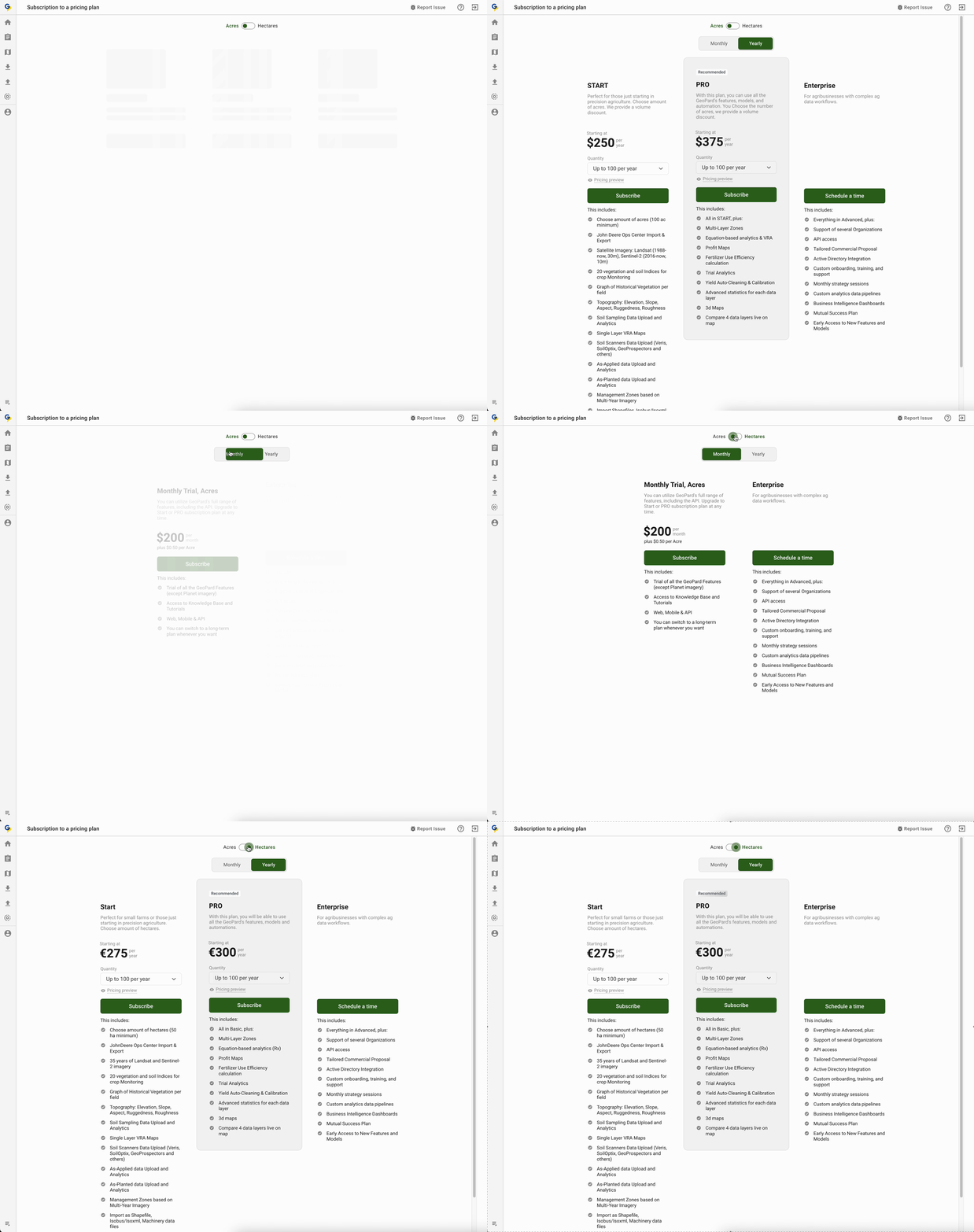
### Ціни: вибір одиниці вимірювання
Команда GeoPard із радістю представляє нову функцію, яка додає гнучкості нашій таблиці цін. Тепер користувачі GeoPard можуть легко перемикатися між гектарами й акрами та вибирати одиницю вимірювання відповідно до своїх уподобань. Це вдосконалення покликане зробити роботу зручнішою та дати користувачам змогу обирати найкращий для них варіант.
Ціни: вибір одиниці вимірювання
### Ціни: керування підпискою
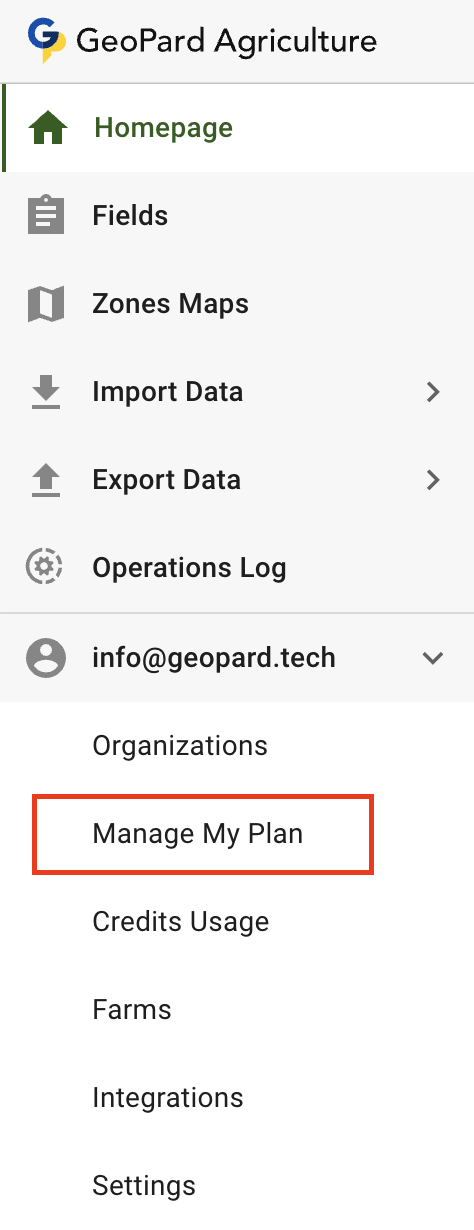
Розуміючи, наскільки важливе безперебійне поновлення підписки, ми вдосконалили систему, щоб забезпечити безперервний доступ до GeoPard. Якщо ви вже користуєтеся сервісом, але ще не оплачували послуги через Stripe, кнопка **Керувати моїм планом** переведе вас безпосередньо на сторінку підписки на план. Якщо ви вже користуєтеся Stripe, ця сама кнопка відкриє портал клієнта Stripe.
Ціни: керування планами підписки
### Удосконалення для розробників:
\[FTR] Виправлено стан розгортання розділу міток
\[FTR] Удосконалено обробку помилок
\[BUG] Виправлено опитування даних користувача після успішного оформлення підписки
\[BUG] Виправлено завантаження даних поля під час створення карти зон
\[BUG] Виправлено відображення чисел у легенді 3D-карти
Удосконалено легенду 3D-карти
\[BUG] Вимкнено експорт у PDF для опублікованих наборів даних
\[BUG] Виправлено помилку, що виникала після успішного створення карти зон
---
# Agent Instructions
This documentation is published with GitBook. GitBook is the documentation platform designed so that both humans and AI agents can read, navigate, and reason over technical content effectively. Learn more at gitbook.com.
## Querying This Documentation
If you need additional information that is not directly available in this page, you can query the documentation by asking a question.
Perform an HTTP GET request on the following URL with the `ask` and `goal` query parameters:
```
GET https://docs.geopard.tech/geopard-tutorials/ukrainian/zhurnal-zmin-i-relizi-produktu/release-web-february-2024-per-area-pricing-units.md?ask=&goal=
```
`ask` is the immediate question: it should be specific, self-contained, and written in natural language.
`goal` is what the user is ultimately trying to achieve, the reason they need the answer. Sharing it helps GitBook give you a better, more relevant answer. A goal is most helpful when it describes the outcome the user wants rather than restating the question. For example, with `ask=how do I create an API token`, a goal like `automate deployments from our CI pipeline` lets GitBook tailor the answer to that use case.
The response will contain a direct answer to the question and relevant excerpts and sources from the documentation.
Use this mechanism when the answer is not explicitly present in the current page, you need clarification or additional context, or you want to retrieve related documentation sections.