> For the complete documentation index, see [llms.txt](https://docs.geopard.tech/geopard-tutorials/llms.txt). Markdown versions of documentation pages are available by appending `.md` to page URLs; this page is available as [Markdown](https://docs.geopard.tech/geopard-tutorials/ukrainian/zhurnal-zmin-i-relizi-produktu/release-web-july-2023-operations-log-page-sum-in-datasets.md).
# Реліз вебверсії, липень 2023 (сторінка журналу операцій, сума в наборах даних)
Представляємо реліз липня 2023: це оновлення приносить безліч нових функцій і покращень GeoPard, зокрема групування наборів даних на сторінці поля та вдосконалені легенди для наборів даних і формул
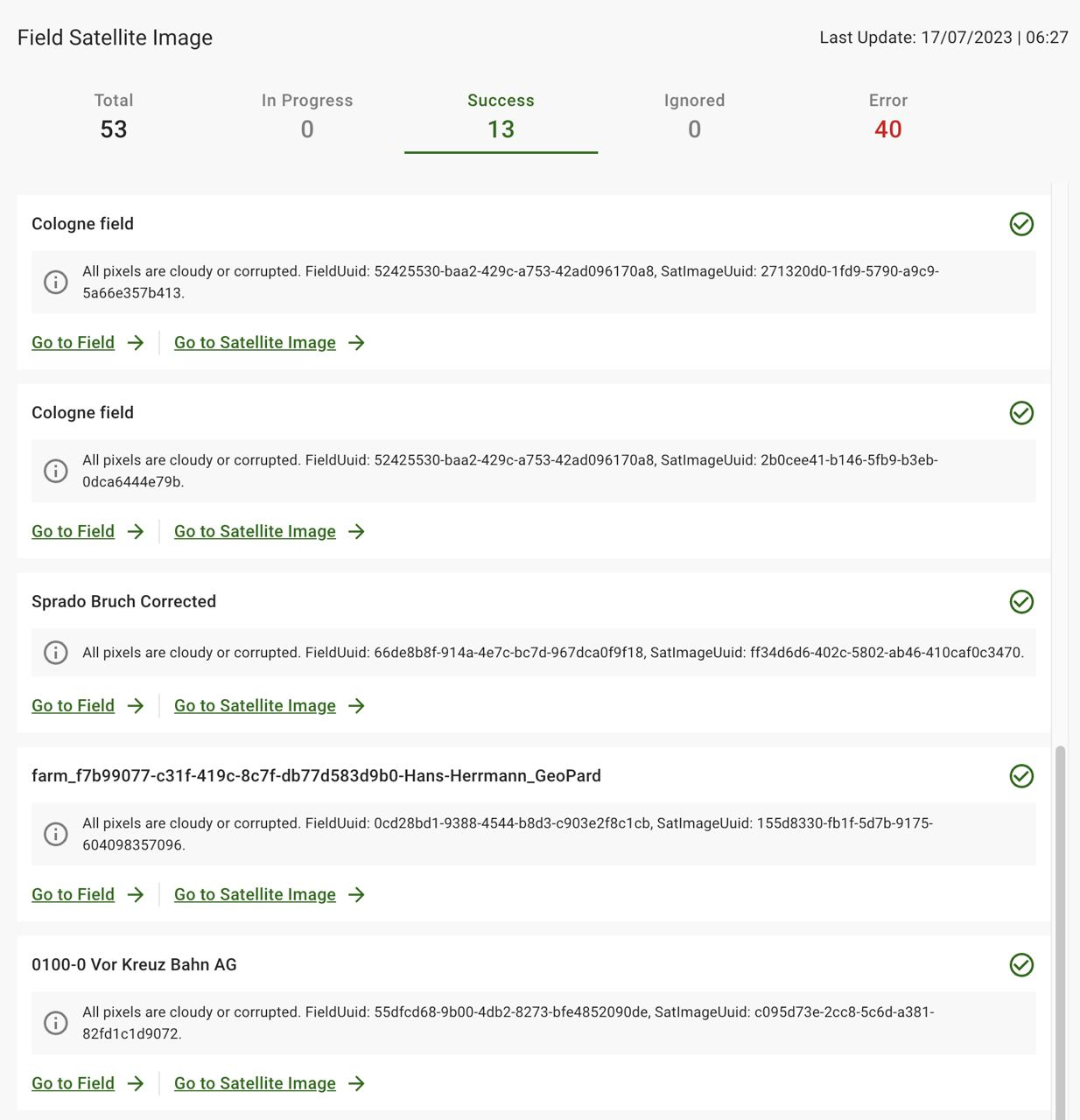
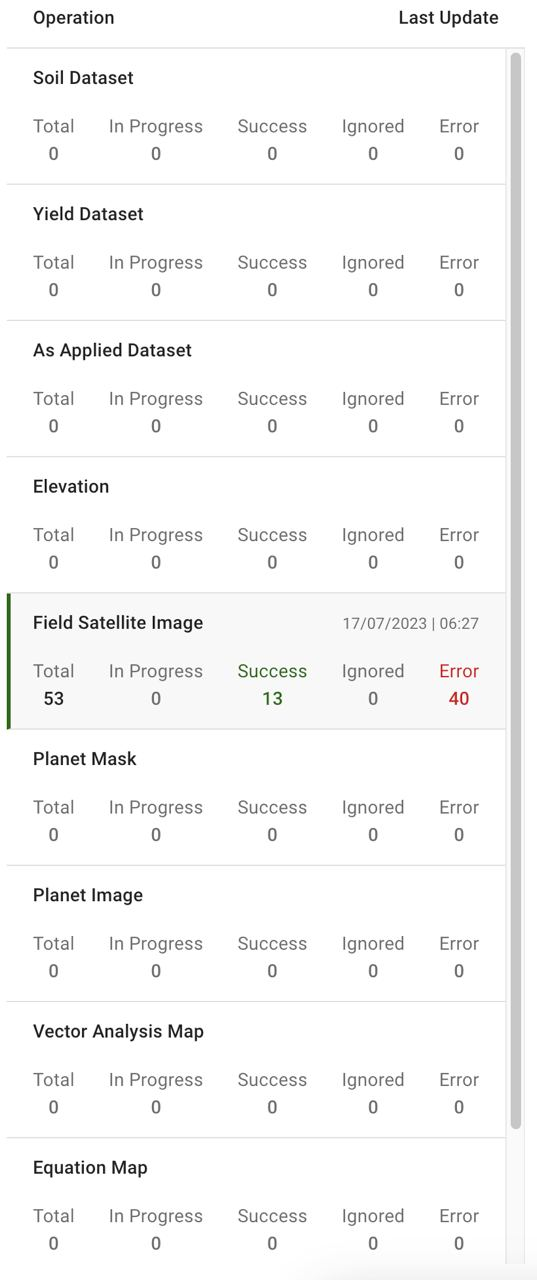
## Сторінка журналу операцій
\[FTR] Відображати попередження в категорії успішних результатів, додати категорію ігнорованих
\[FTR] Розділити операції за сутностями
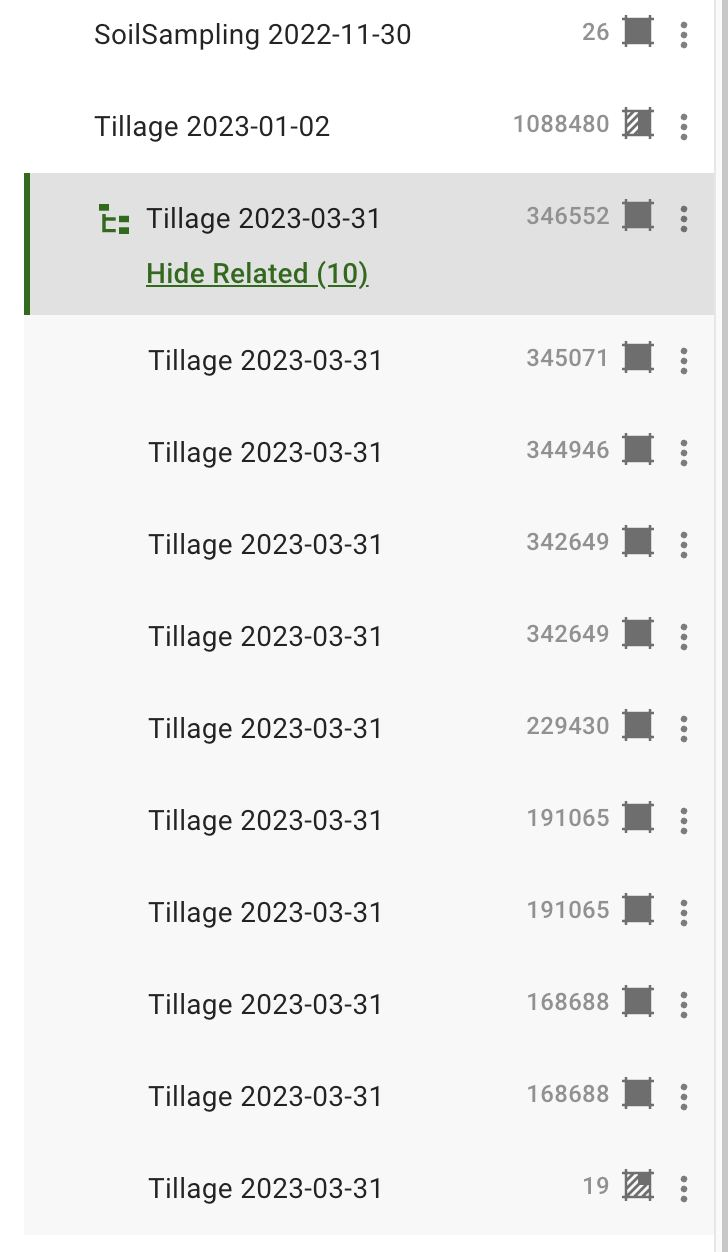
\[FTR] Групування наборів даних на сторінці поля
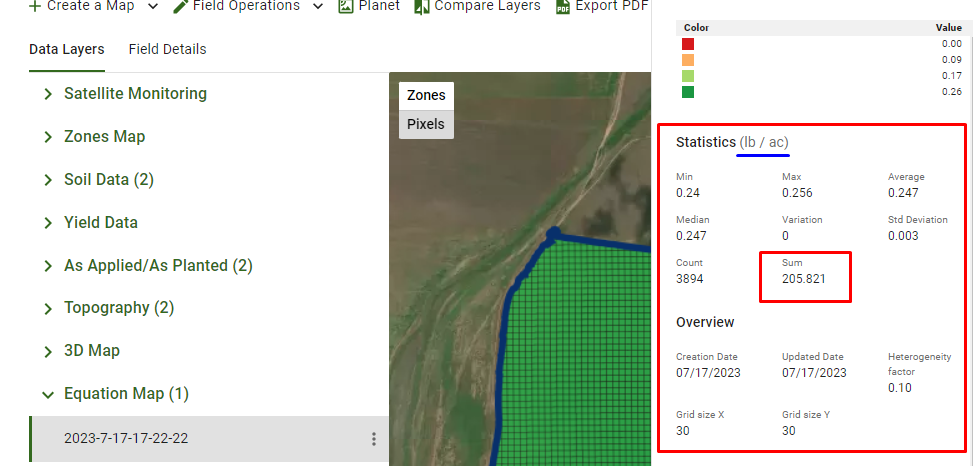
## Сума як додаткова статистична похідна
\[FTR] Покращити легенди для наборів даних і карт рівнянь: суму відображено у статистиці карти рівнянь, даних про врожайність та оглядах «Як застосовано» / «Як засіяно»
## Інші технічні вдосконалення
\[FTR] Перемістити неочищені згруповані набори даних у кінець, додати модульні тести, оновити підказки
\[BUG] Виправити отримання за допомогою `Numpy` прапорця для легенди карти рівнянь
\[BUG] Оновити обробку помилок пакетного запиту супутникових зображень
\[BUG] Виправити посилання-заповнювачі для дерева шарів даних
---
# Agent Instructions
This documentation is published with GitBook. GitBook is the documentation platform designed so that both humans and AI agents can read, navigate, and reason over technical content effectively. Learn more at gitbook.com.
## Querying This Documentation
If you need additional information that is not directly available in this page, you can query the documentation by asking a question.
Perform an HTTP GET request on the following URL with the `ask` and `goal` query parameters:
```
GET https://docs.geopard.tech/geopard-tutorials/ukrainian/zhurnal-zmin-i-relizi-produktu/release-web-july-2023-operations-log-page-sum-in-datasets.md?ask=&goal=
```
`ask` is the immediate question: it should be specific, self-contained, and written in natural language.
`goal` is what the user is ultimately trying to achieve, the reason they need the answer. Sharing it helps GitBook give you a better, more relevant answer. A goal is most helpful when it describes the outcome the user wants rather than restating the question. For example, with `ask=how do I create an API token`, a goal like `automate deployments from our CI pipeline` lets GitBook tailor the answer to that use case.
The response will contain a direct answer to the question and relevant excerpts and sources from the documentation.
Use this mechanism when the answer is not explicitly present in the current page, you need clarification or additional context, or you want to retrieve related documentation sections.