> For the complete documentation index, see [llms.txt](https://docs.geopard.tech/geopard-tutorials/llms.txt). Markdown versions of documentation pages are available by appending `.md` to page URLs; this page is available as [Markdown](https://docs.geopard.tech/geopard-tutorials/tr/gis-hizli-ipuclari/qgis-drone-geotiff-dosyasi-icin-ndvi-hesaplama.md).
# QGIS: Drone GeoTIFF Dosyası için NDVI Hesaplama
Bazen tarlanın içindeki bir parsel poligonu için ortalama NDVI’yi hesaplamanız gerekir. Bunu bir QGIS programında aşağıdaki şekilde yapabilirsiniz.
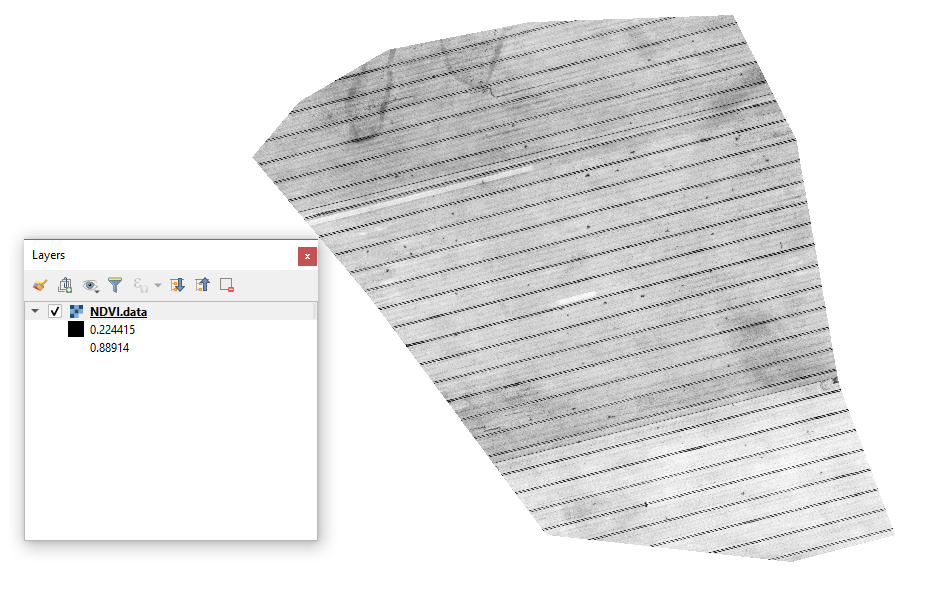
#### 1 - İlk Drone NDVI GeoTIFF’ini görüntüleyin
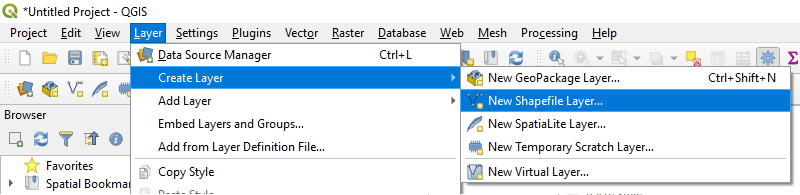
#### 2 - Yeni bir katman oluşturun
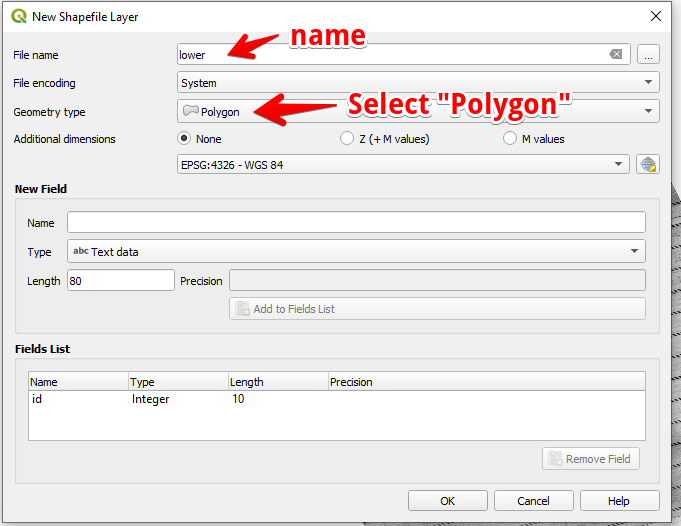
#### 3 - Katman adını ve geometri türünü ayarlayın ve OK’ye basın
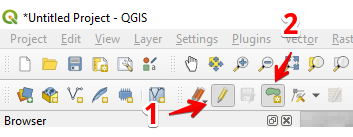
#### 4 - Katmanlar panelinde katmanı seçin
1. “Düzenlemeyi Aç/Kapat” seçeneğini seçin (1)
2. “Poligon Özelliği Ekle” seçeneğini seçin (2)
#### 5 - Bir poligon çizin. Çizimi bitirmek için sağ fare düğmesine basın ve açılan pencerede “id” değerini ayarlayın.
Tekrar “Düzenlemeyi Aç/Kapat” seçeneğine basarak katmanı tamamlayın ve “Kaydet”e basın.
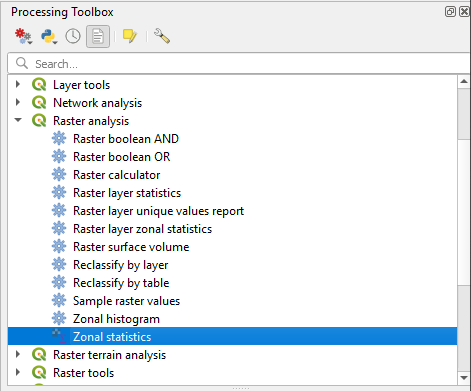
#### 6 - “İşleme araç kutusu” panelinde Bölgesel istatistikler’i seçin.
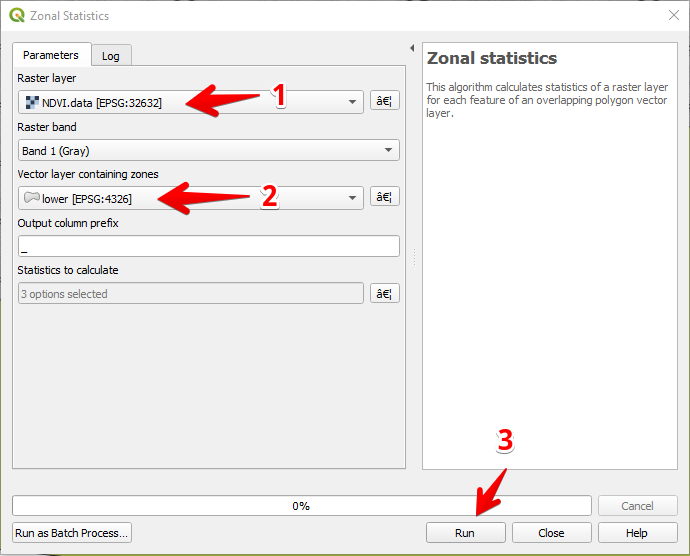
#### 7 - Raster katmanını seçin (1),
Poligon katmanını seçin (2),
“Çalıştır”a basın (3).
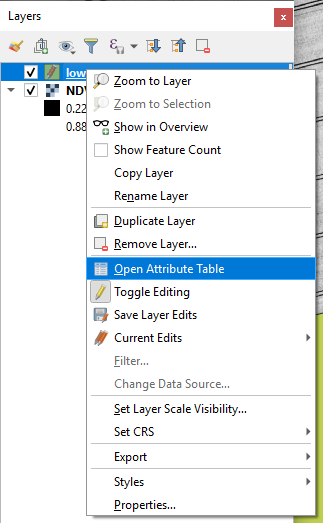
#### 8 - Katmanlar panelinde katmanı seçin ve sağ fare düğmesine basın, açılan bağlam menüsünden Öznitelik Tablosunu Aç’ı seçin.
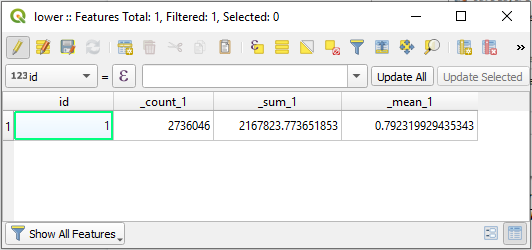
#### 9 - Hesaplanan istatistikler tabloda gösterilecektir.
---
# Agent Instructions
This documentation is published with GitBook. GitBook is the documentation platform designed so that both humans and AI agents can read, navigate, and reason over technical content effectively. Learn more at gitbook.com.
## Querying This Documentation
If you need additional information that is not directly available in this page, you can query the documentation dynamically by asking a question.
Perform an HTTP GET request on the current page URL with the `ask` query parameter, and the optional `goal` query parameter:
```
GET https://docs.geopard.tech/geopard-tutorials/tr/gis-hizli-ipuclari/qgis-drone-geotiff-dosyasi-icin-ndvi-hesaplama.md?ask=&goal=
```
`ask` is the immediate question: it should be specific, self-contained, and written in natural language.
`goal` is optional and describes the broader end goal you are ultimately trying to accomplish on behalf of the user. GitBook uses it to tailor the answer towards what is most useful for that goal.
The response will contain a direct answer to the question and relevant excerpts and sources from the documentation.
Use this mechanism when the answer is not explicitly present in the current page, you need clarification or additional context, or you want to retrieve related documentation sections.