> For the complete documentation index, see [llms.txt](https://docs.geopard.tech/geopard-tutorials/llms.txt). Markdown versions of documentation pages are available by appending `.md` to page URLs; this page is available as [Markdown](https://docs.geopard.tech/geopard-tutorials/tr/api-dokumanlari/mekansal-veri-erisimi-icin-cografi-uc-noktalar/wms-mekansal-veri-katmanlarinin-raster-goruntulerini-al/11.-topographymap-mutlak-sayilarla-yukseklik.md).
# 11. TopographyMap: mutlak sayılarla yükseklik
TopographyMap aşağıdaki modelleri içerir: `dijital yükseklik, hillshade (gölgelendirme), eğim, aspekt, rölyef pozisyonu, pürüzlülük, engebelik`, ve bunların kombinasyonları. Temsil alan düzeyinde doğru olarak sağlanır (pikselleşmiş değil) ve sınırına göre kırpılmıştır. Topografinin kalitesi alanın konumuna ve mevcut en iyi veri setine bağlıdır (ABD, GB, AB ve AU LIDAR ile kapsanır). TopographyMap, yük / toprak sensörleri / uygulanan veri setleri gibi makine verilerinden, eğer içerisinde yükseklik öznitelikleri varsa oluşturulabilir.
Alan (field) topografya ile ilgili veri katmanları şurada bulunur: `alan` -> `topographyMaps` -> `geoMaps` özelliği. `geoHarita` Her biri erişim hakkında eksiksiz ayrıntılar içerir `url`, renk kodları, sınıflar ve katman adları.
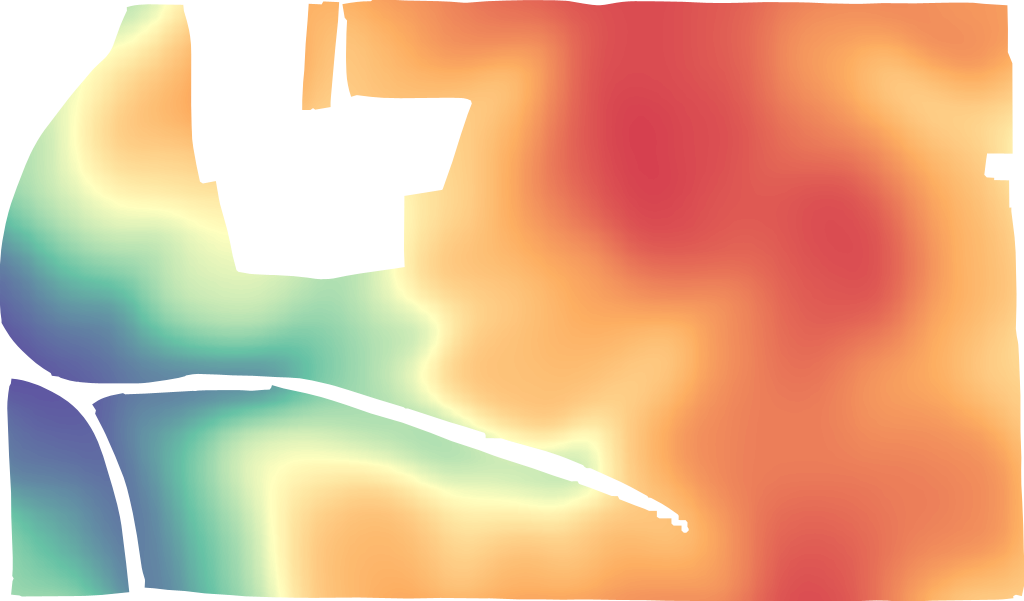
LIDAR yükseklik
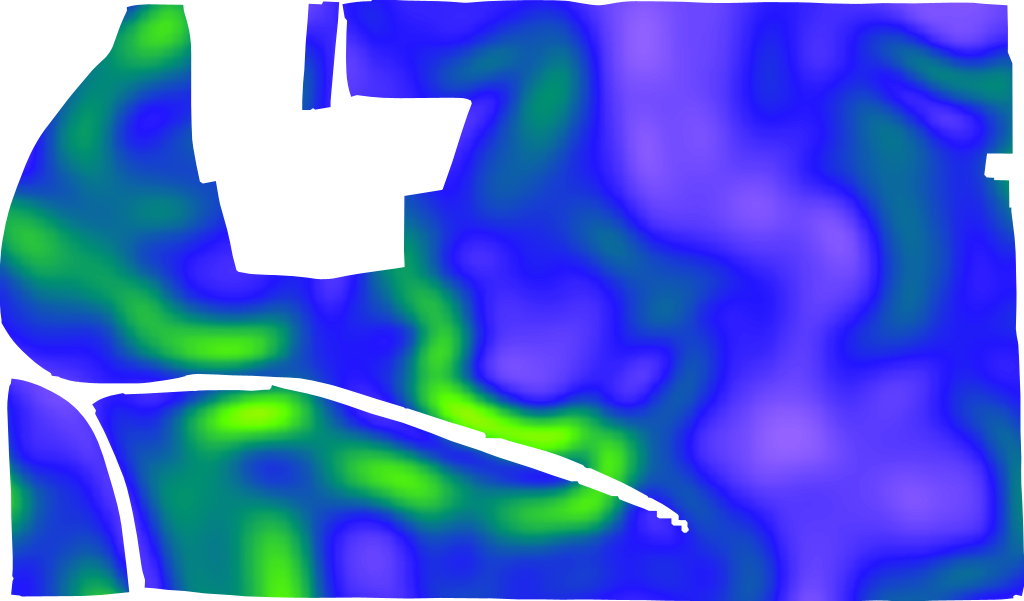
LIDAR eğim
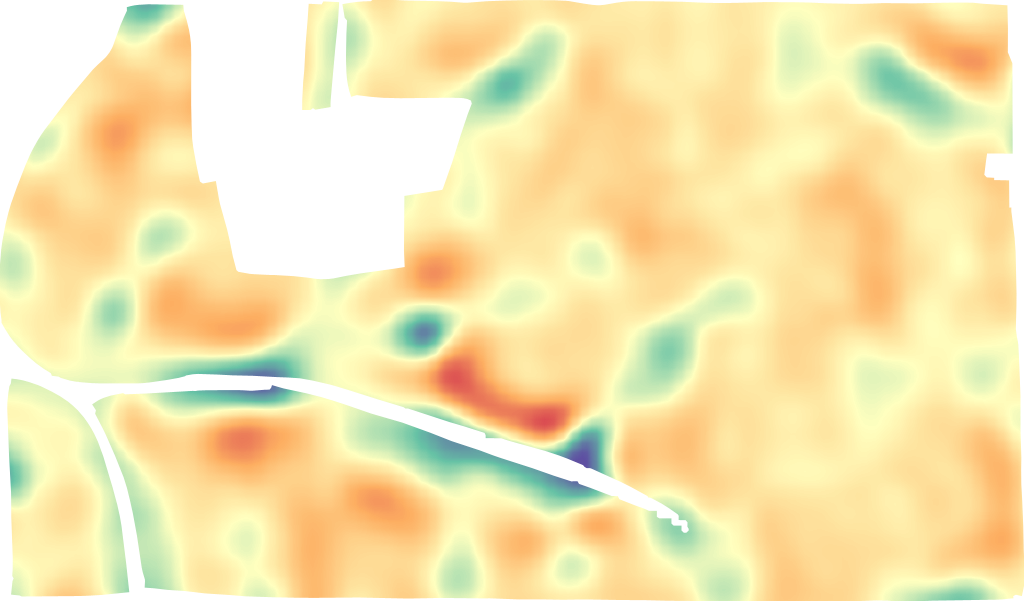
LIDAR rölyef pozisyonu
İstek formatı şudur [https://api.geopard.tech/geo/map/reflect?TRANSPARENT=true\&BBOX=\\&LAYERS=elevation\_cropped,field\_view\&STYLES=dem\_elevation,crop\_boundary\&SRS=EPSG%3A900913\&WIDTH=512\&env=ve1:160.4%3Bve2:163.15%3Bve3:165.9%3Bve4:168.65%3Bve5:171.4\&VIEWPARAMS=uuid:\\&CQL\_FILTER=uuid=%27\%27%3Buuid=%27\%27\&geopardApiKey=\](https://api.geopard.tech/geo/map/reflect?TRANSPARENT=true\&BBOX=). Girdi özniteliklerinin olduğu yer:
1. `BBOX=` EPSG:3857 projeksiyonunda "Field"ın bounding box'ını (URL kodlanmış) içerir;
2. `STYLES=dem_elevation,crop_boundary` "TopographyMap" varlığının stilini ilk öznitelik olarak içerir, desteklenen değerleri şunlardır:
`dem_aspect`
`dem_elevation`
`dem_hillshade`
`dem_roughness`
`dem_slope`
`dem _tpi`
`dem_tri`
3. `WIDTH=512` çıktı görüntü boyutunu piksel cinsinden yansıtır (küçük resim olarak kullanılıyorsa hassas sayı önemlidir);
4. `env=ve1:160.4%3Bve2:163.15%3Bve3:165.9%3Bve4:168.65%3Bve5:171.4` belirli bir alan için yükseklik değerleri aralığını yansıtır, ayrıntılar "TopographyMap" -> "geoMaps" -> "classes" bölümünde yer alır (NOT: %3B URL kodlu ; sembolüdür);
5. `VIEWPARAMS=uuid:` "Field"ın uuid'sini içerir;
6. `CQL_FILTER=uuid=%27%27%3Buuid=%27%27` "Field" ve "TopographyMap" UUID'lerini içerir (NOT: %27 URL kodlu ‘ sembolüdür) ;
7. `geopardApiKey=` API Anahtarı aracılığıyla yetkilendirme seçeneğine bağlıdır.
---
# Agent Instructions
This documentation is published with GitBook. GitBook is the documentation platform designed so that both humans and AI agents can read, navigate, and reason over technical content effectively. Learn more at gitbook.com.
## Querying This Documentation
If you need additional information that is not directly available in this page, you can query the documentation by asking a question.
Perform an HTTP GET request on the following URL with the `ask` and `goal` query parameters:
```
GET https://docs.geopard.tech/geopard-tutorials/tr/api-dokumanlari/mekansal-veri-erisimi-icin-cografi-uc-noktalar/wms-mekansal-veri-katmanlarinin-raster-goruntulerini-al/11.-topographymap-mutlak-sayilarla-yukseklik.md?ask=&goal=
```
`ask` is the immediate question: it should be specific, self-contained, and written in natural language.
`goal` is what the user is ultimately trying to achieve, the reason they need the answer. Sharing it helps GitBook give you a better, more relevant answer. A goal is most helpful when it describes the outcome the user wants rather than restating the question. For example, with `ask=how do I create an API token`, a goal like `automate deployments from our CI pipeline` lets GitBook tailor the answer to that use case.
The response will contain a direct answer to the question and relevant excerpts and sources from the documentation.
Use this mechanism when the answer is not explicitly present in the current page, you need clarification or additional context, or you want to retrieve related documentation sections.