> For the complete documentation index, see [llms.txt](https://docs.geopard.tech/geopard-tutorials/llms.txt). Markdown versions of documentation pages are available by appending `.md` to page URLs; this page is available as [Markdown](https://docs.geopard.tech/geopard-tutorials/svn/hitri-gis-namigi/qgis-obdelava-podatkov-o-pridelku.md).
# QGIS: obdelava podatkov o pridelku
Pripravite in očistite podatke o pridelku v QGIS, preden jih uvozite ali analizirate v GeoPard.
PREGLED
Priročnik s postopnim opisom za odpravo naslednjih težav s podatki iz monitorja donosa:
1. Manjkajoča projektna datoteka (.prj) v shapefile
2. Uporabite pretvorbena pravila za vsak atribut v shapefile (na podlagi vzorca kb/ha v bu/ac)
Programska oprema, ki jo je treba uporabiti, je QGIS ([POVEZAVI](https://qgis.org/en/site/forusers/download.html)).
Prenos in namestitev sta obvezna.
### MANJKAJOČA PROJEKTNA DATOTEKA
1. Odprite shapefile s podatki o donosu. Premaknite datoteko v okno QGIS.
2. Shapefile postane na voljo za nadaljnje obdelave v razdelku Sloji.
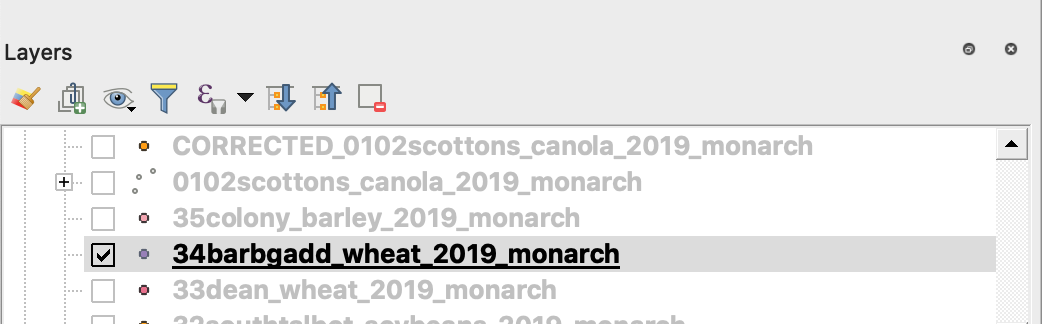
3. Začnite postopek shranjevanja
4. 1. Kliknite z desno miškino tipko na shapefile
2. Izberite Izvozi -> Shrani objekte kot ...
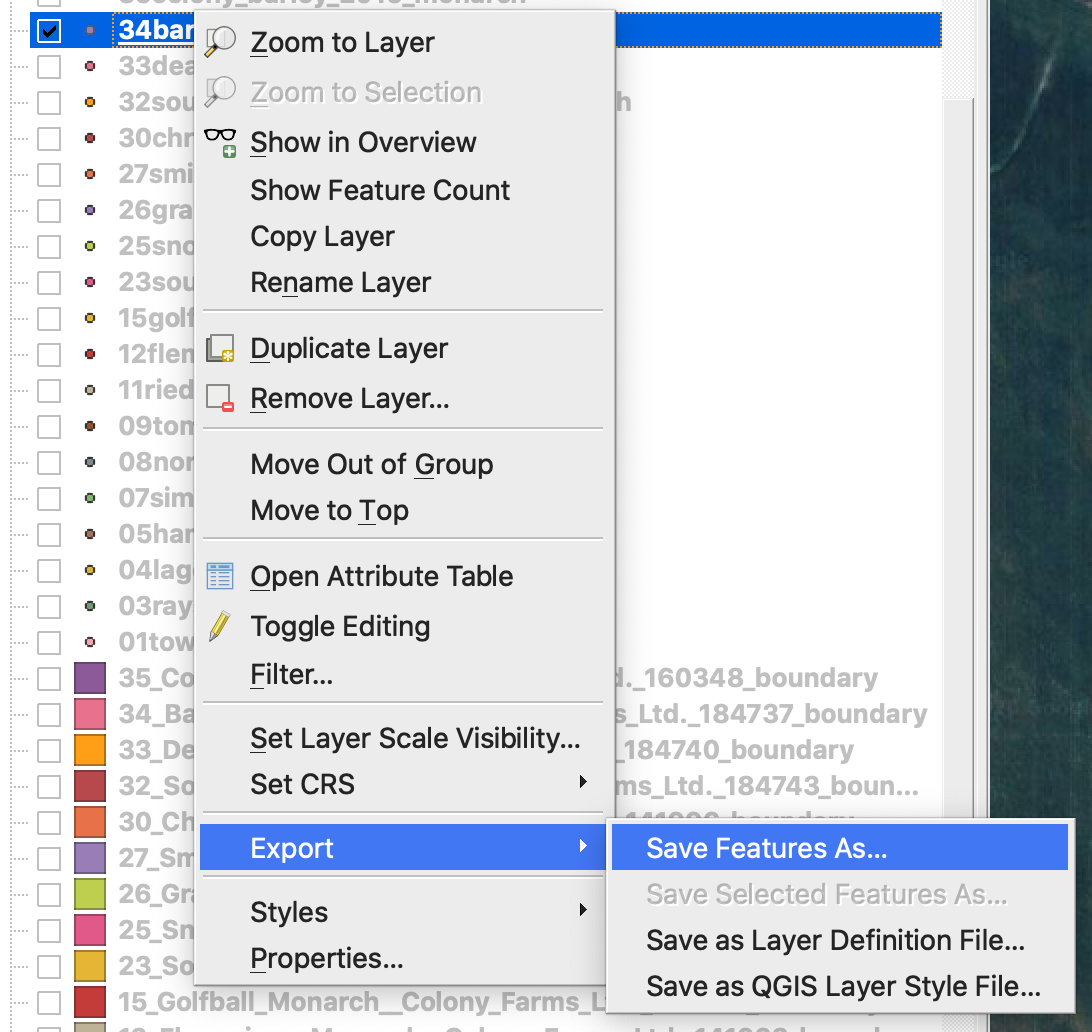
4. Izberite
5. 1. Oblika -> ESRI Shapefile,
2. Ime datoteke -> kliknite … in izberite želeni imenik in ime datoteke,
3. CRS -> EPSG:4326
4. Kodiranje -> UTF8
5. Dodaj shranjeno datoteko na karto (izbirno, če jo želite videti neposredno v QGIS)
6. Tip geometrije -> Točka
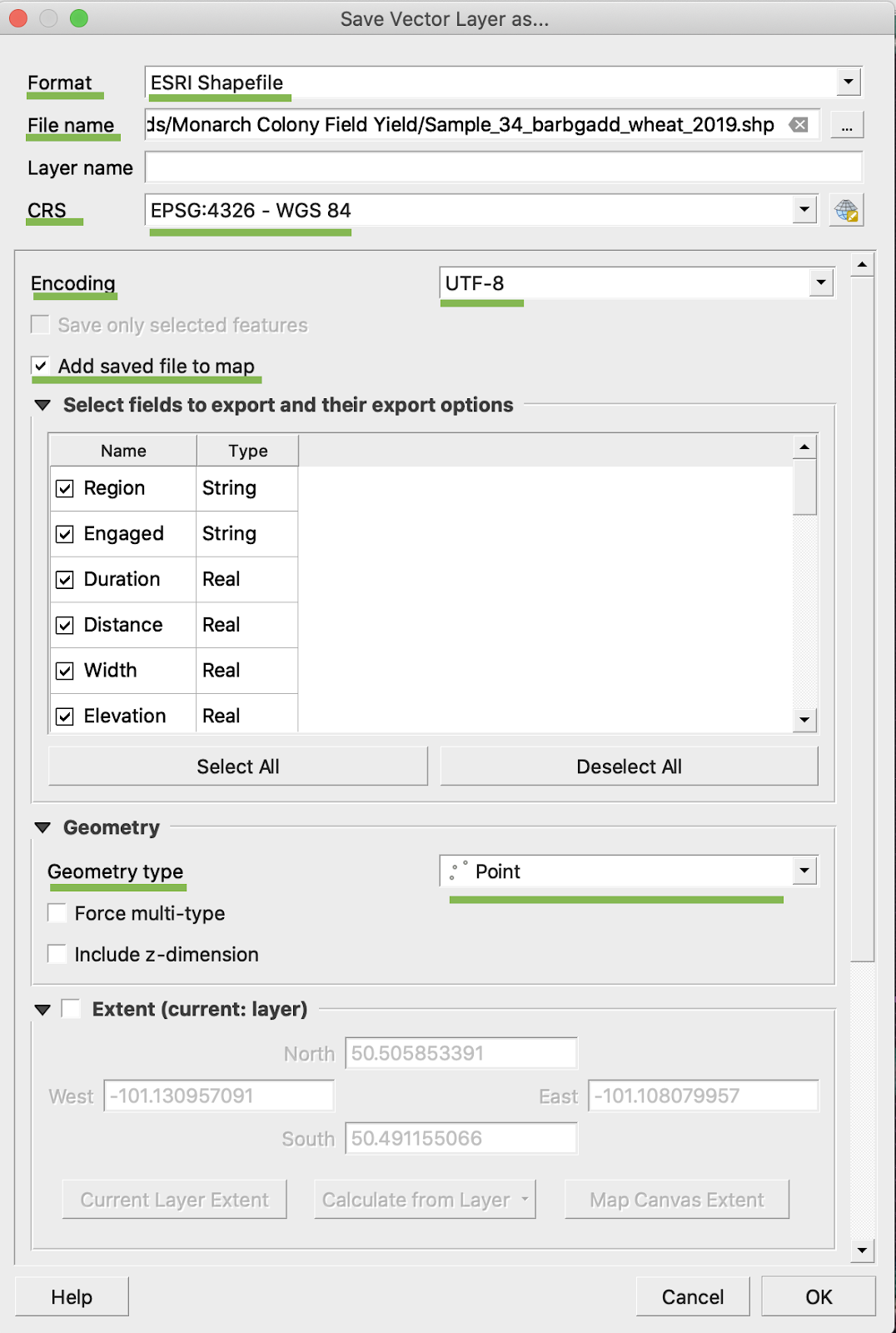
5. Kliknite V redu
6. Ustvari se dodatni shapefile z istimi podatki o donosu. Projektna datoteka (.prj) je bila dodana.
\
### PRETVORBA V BU/AC
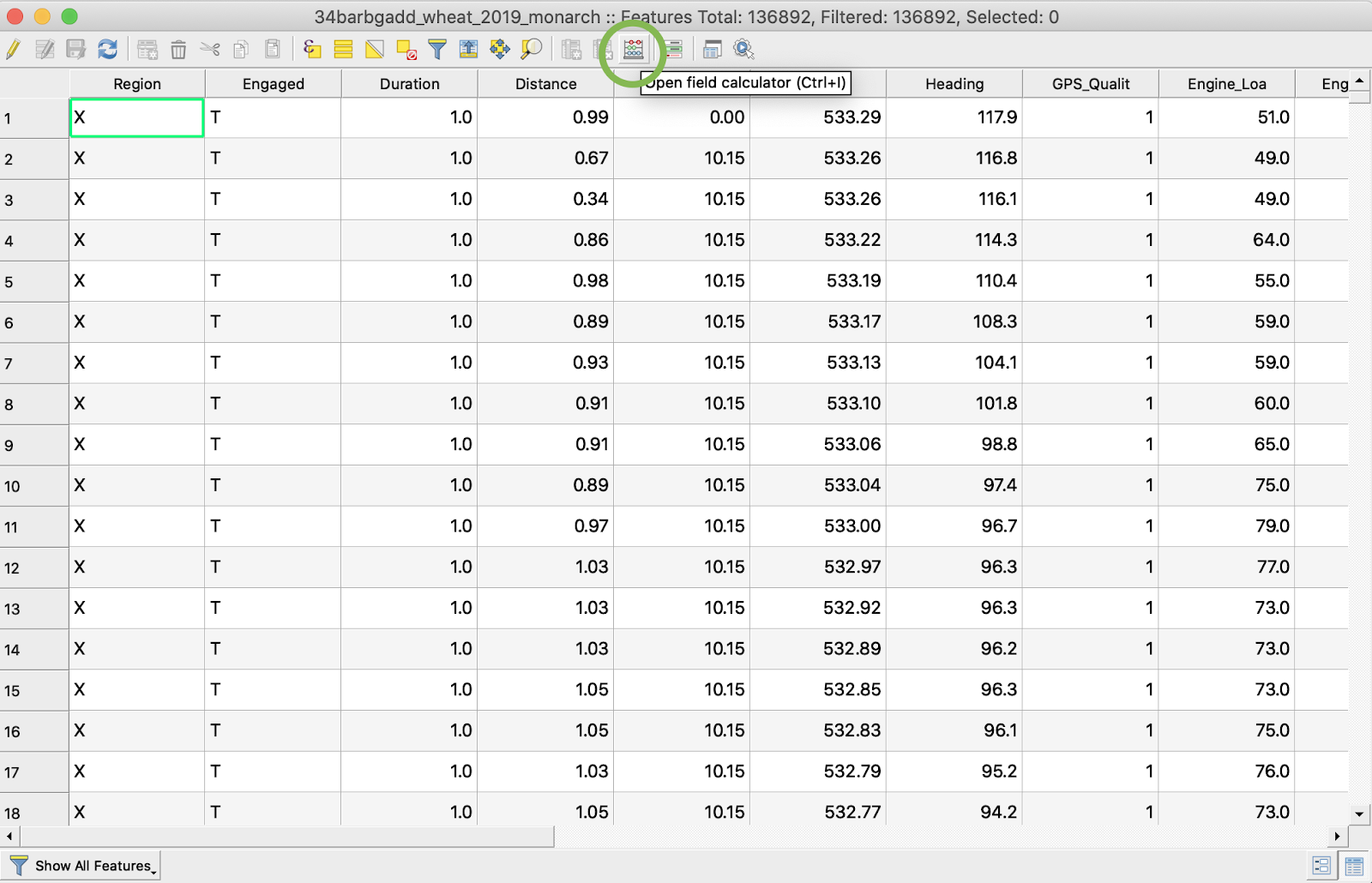
1. Kliknite z desno miškino tipko na shapefile in izberite Odpri atributno tabelo
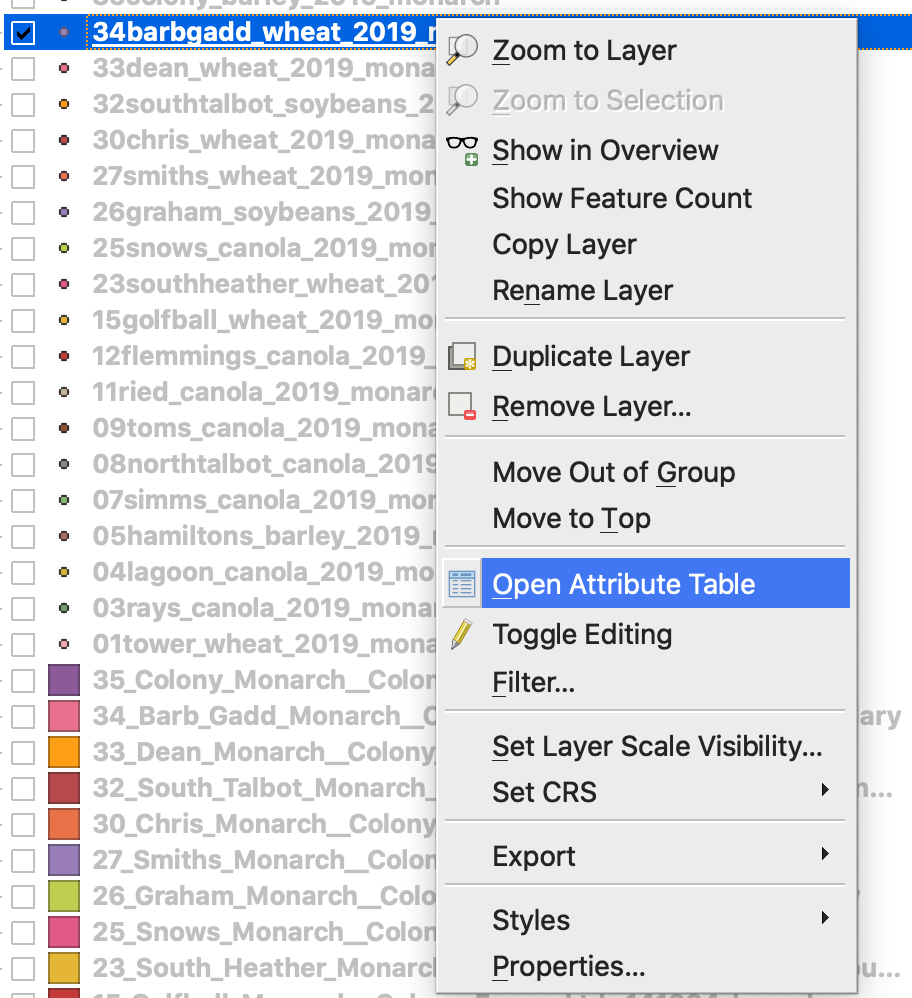
2. Kliknite Odpri poljski kalkulator
3. Ustvarite novo polje
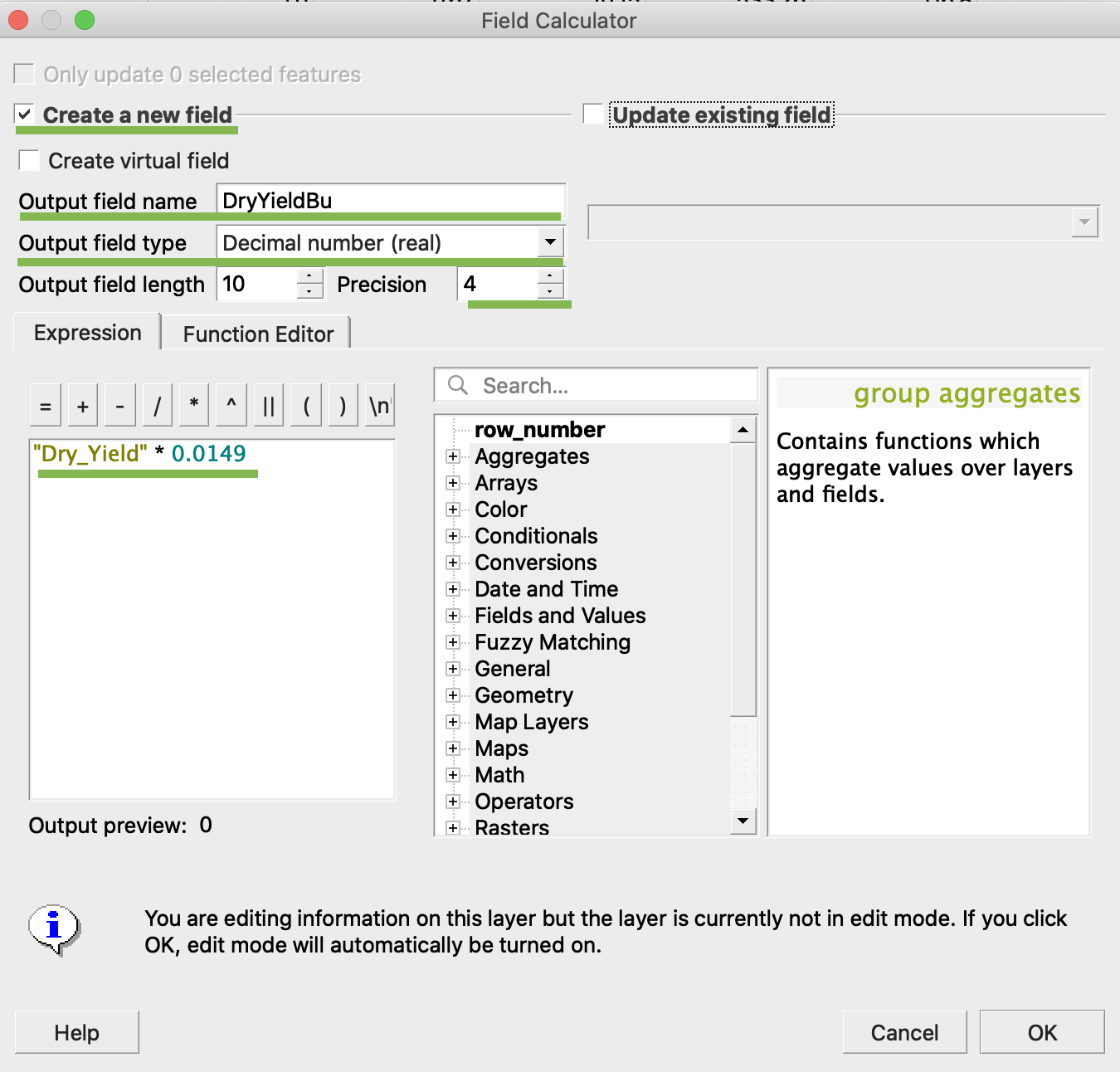
4. 1. Označite Ustvari novo polje
2. Vnesite ime izhodnega polja -> DryYieldBu
3. Izberite tip izhodnega polja -> Decimalno število (realno)
4. Spremenite natančnost -> 4
5. Vnesite pravilo za pretvorbo kg/ha v bu/ac -> "Dry\_Yield" \* 0.0149
4. Kliknite V redu
5. V tabeli se je pojavil dodaten atribut DryYieldBu
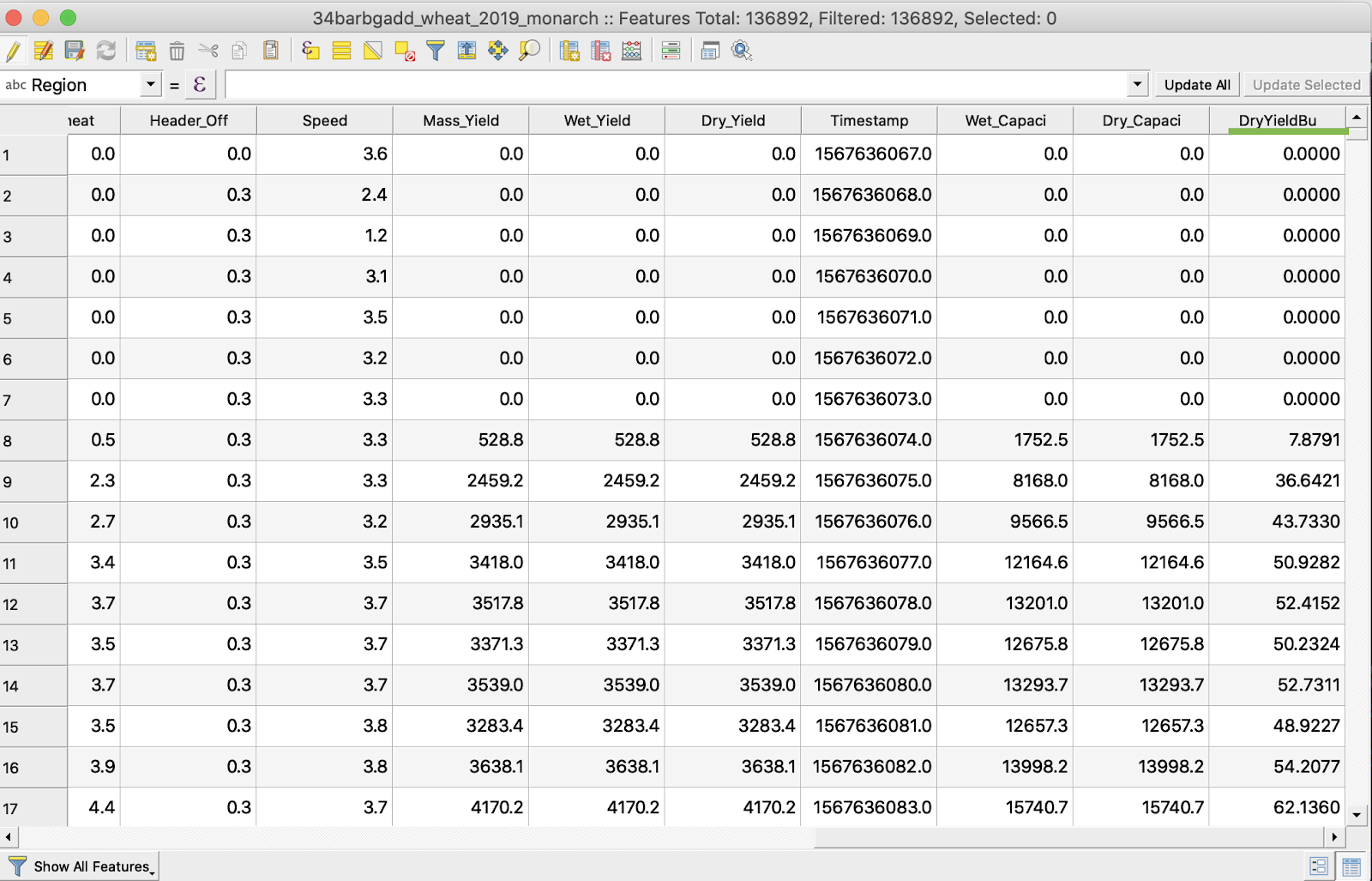
6. Shrani spremembe
7. 1. Kliknite z desno miškino tipko na zanimivi shapefile
2. Izberite Preklopi urejanje
\
\
\
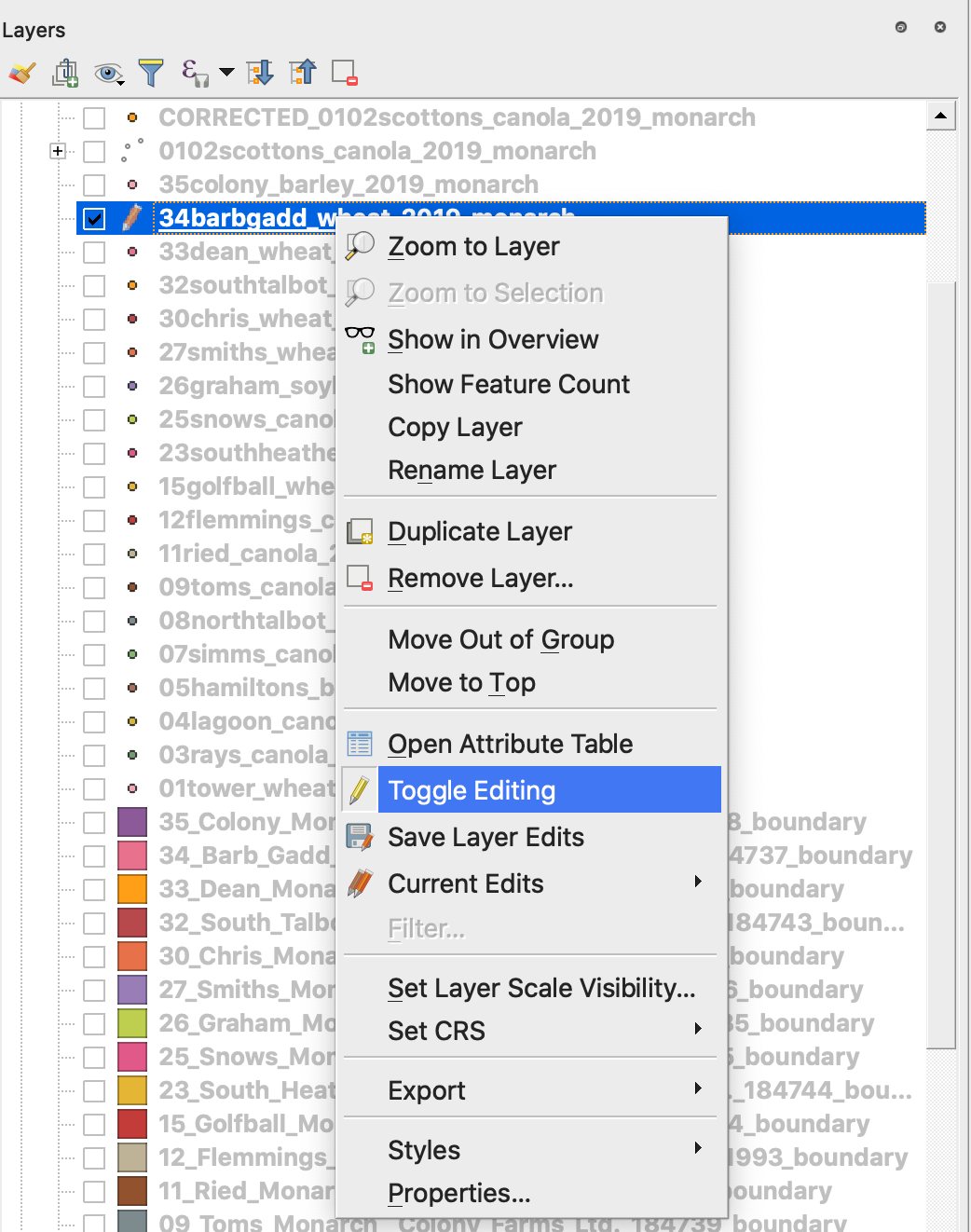
7. Potrdite shranjevanje sprememb
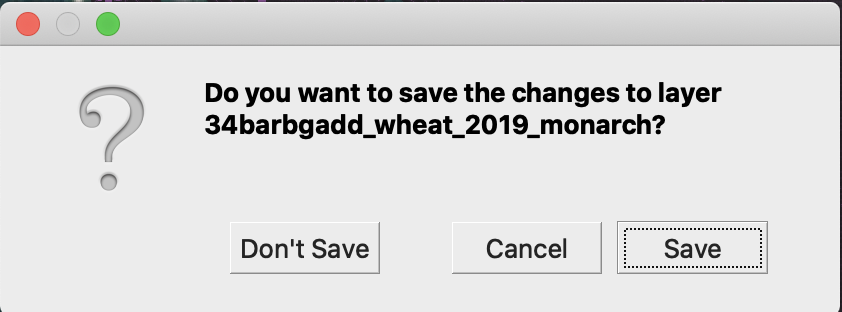
Zanimivi shapefile ni več označen s svinčnikom. Podatki v shapefile so bili posodobljeni.
---
# Agent Instructions
This documentation is published with GitBook. GitBook is the documentation platform designed so that both humans and AI agents can read, navigate, and reason over technical content effectively. Learn more at gitbook.com.
## Querying This Documentation
If you need additional information that is not directly available in this page, you can query the documentation by asking a question.
Perform an HTTP GET request on the following URL with the `ask` and `goal` query parameters:
```
GET https://docs.geopard.tech/geopard-tutorials/svn/hitri-gis-namigi/qgis-obdelava-podatkov-o-pridelku.md?ask=&goal=
```
`ask` is the immediate question: it should be specific, self-contained, and written in natural language.
`goal` is what the user is ultimately trying to achieve, the reason they need the answer. Sharing it helps GitBook give you a better, more relevant answer. A goal is most helpful when it describes the outcome the user wants rather than restating the question. For example, with `ask=how do I create an API token`, a goal like `automate deployments from our CI pipeline` lets GitBook tailor the answer to that use case.
The response will contain a direct answer to the question and relevant excerpts and sources from the documentation.
Use this mechanism when the answer is not explicitly present in the current page, you need clarification or additional context, or you want to retrieve related documentation sections.