> For the complete documentation index, see [llms.txt](https://docs.geopard.tech/geopard-tutorials/llms.txt). Markdown versions of documentation pages are available by appending `.md` to page URLs; this page is available as [Markdown](https://docs.geopard.tech/geopard-tutorials/ru/kratkie-sovety-po-gis/qgis-yield-data-manipulations.md).
# QGIS: обработка данных урожайности
Подготовьте и очистите данные урожайности в QGIS перед импортом или анализом в GeoPard.
ОБЗОР
Пошаговое руководство по устранению следующих проблем с данными монитора урожайности:
1. В шейп-файле отсутствует файл проекции (.prj)
2. Применение правил пересчёта ко всем атрибутам шейп-файла (на примере пересчёта из кг/га в бушели/акр)
Для работы потребуется QGIS ([ССЫЛКА](https://qgis.org/en/site/forusers/download.html)).
Необходимо скачать и установить программу.
### ОТСУТСТВУЕТ ФАЙЛ ПРОЕКЦИИ
1. Откройте шейп-файл с данными урожайности. Перетащите файл в окно QGIS.
2. Шейп-файл появится в блоке «Слои», где его можно будет редактировать.
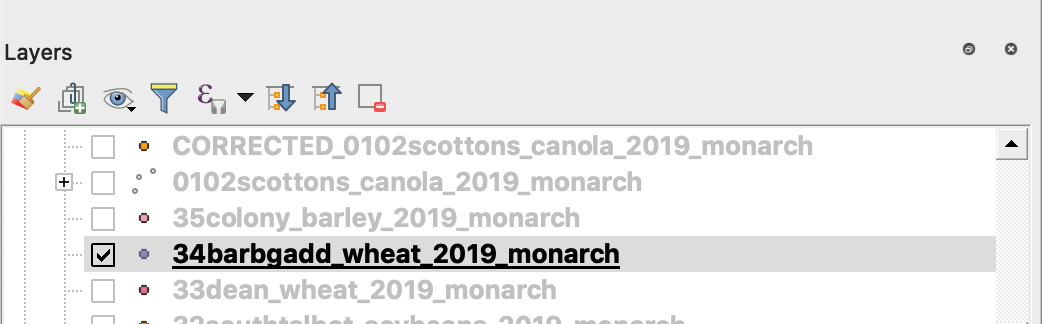
3. Сохраните файл
4. 1. Щёлкните правой кнопкой мыши по шейп-файлу
2. Выберите «Экспорт» -> «Сохранить объекты как…»
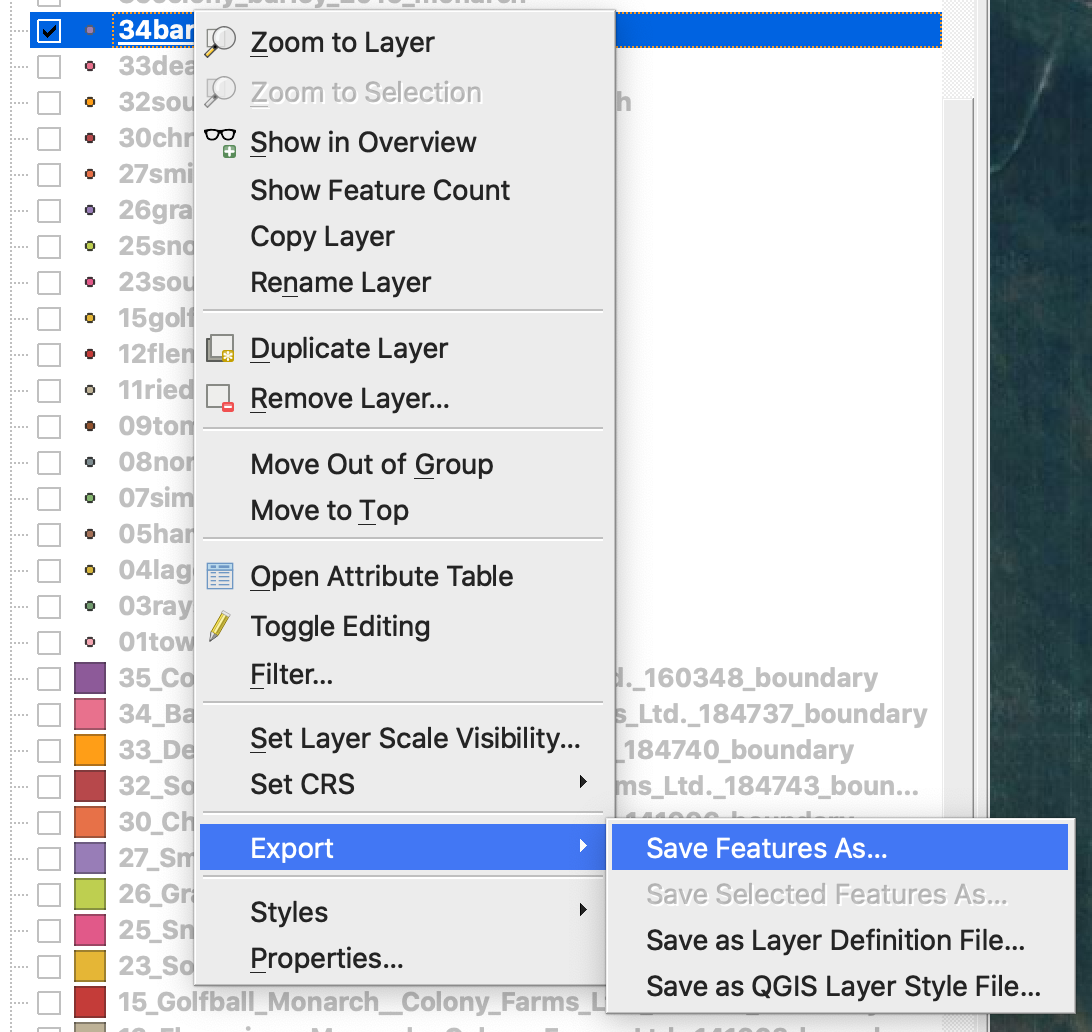
4. Выберите
5. 1. «Формат» -> ESRI Shapefile,
2. «Имя файла» -> нажмите … и выберите нужную папку и имя файла,
3. «CRS» -> EPSG:4326
4. «Кодировка» -> UTF8
5. «Добавить сохранённый файл на карту» (необязательно, если хотите сразу увидеть его в QGIS)
6. «Тип геометрии» -> Point
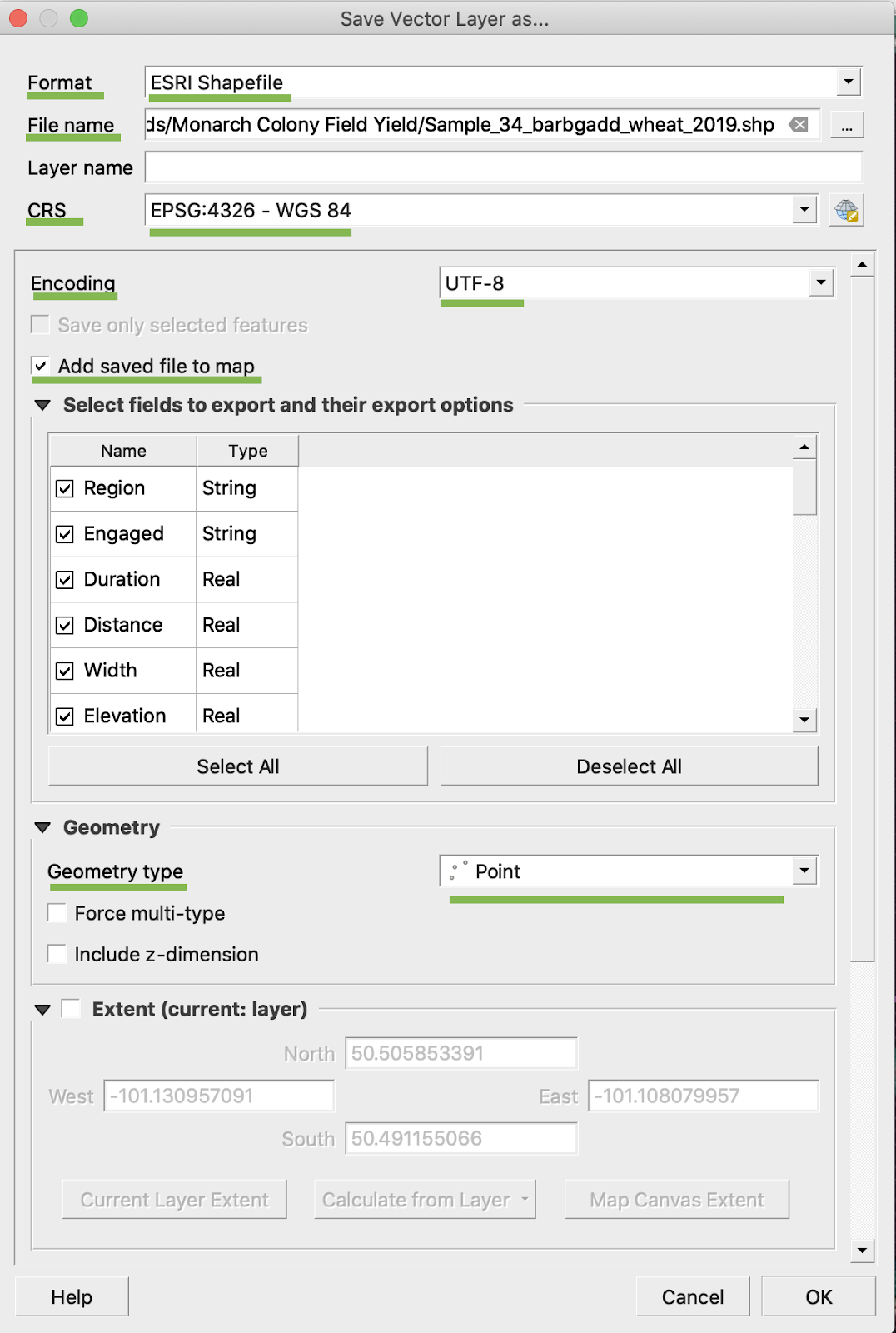
5. Нажмите «ОК»
6. Создан дополнительный шейп-файл с теми же данными урожайности. В него добавлен файл проекции (.prj).
\
### ПЕРЕСЧЁТ В БУШЕЛИ/АКР
1. Щёлкните правой кнопкой мыши по шейп-файлу и выберите «Открыть таблицу атрибутов»
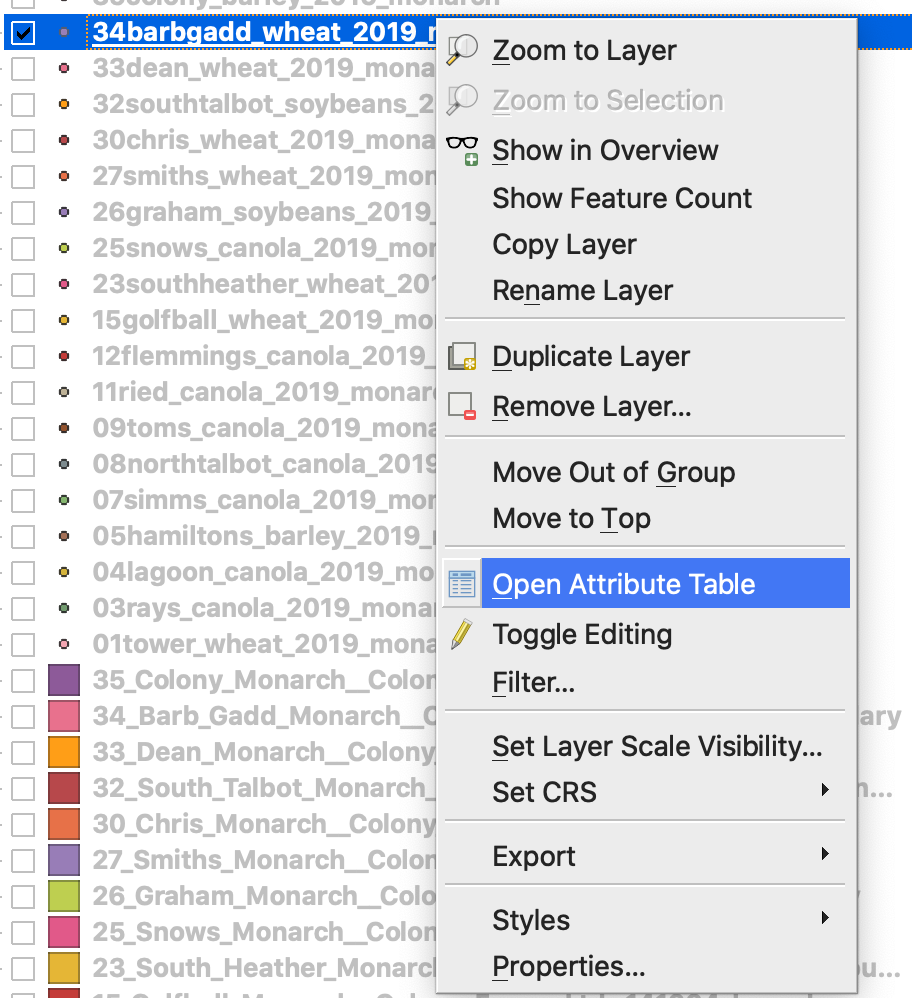
2. Нажмите «Открыть калькулятор полей»
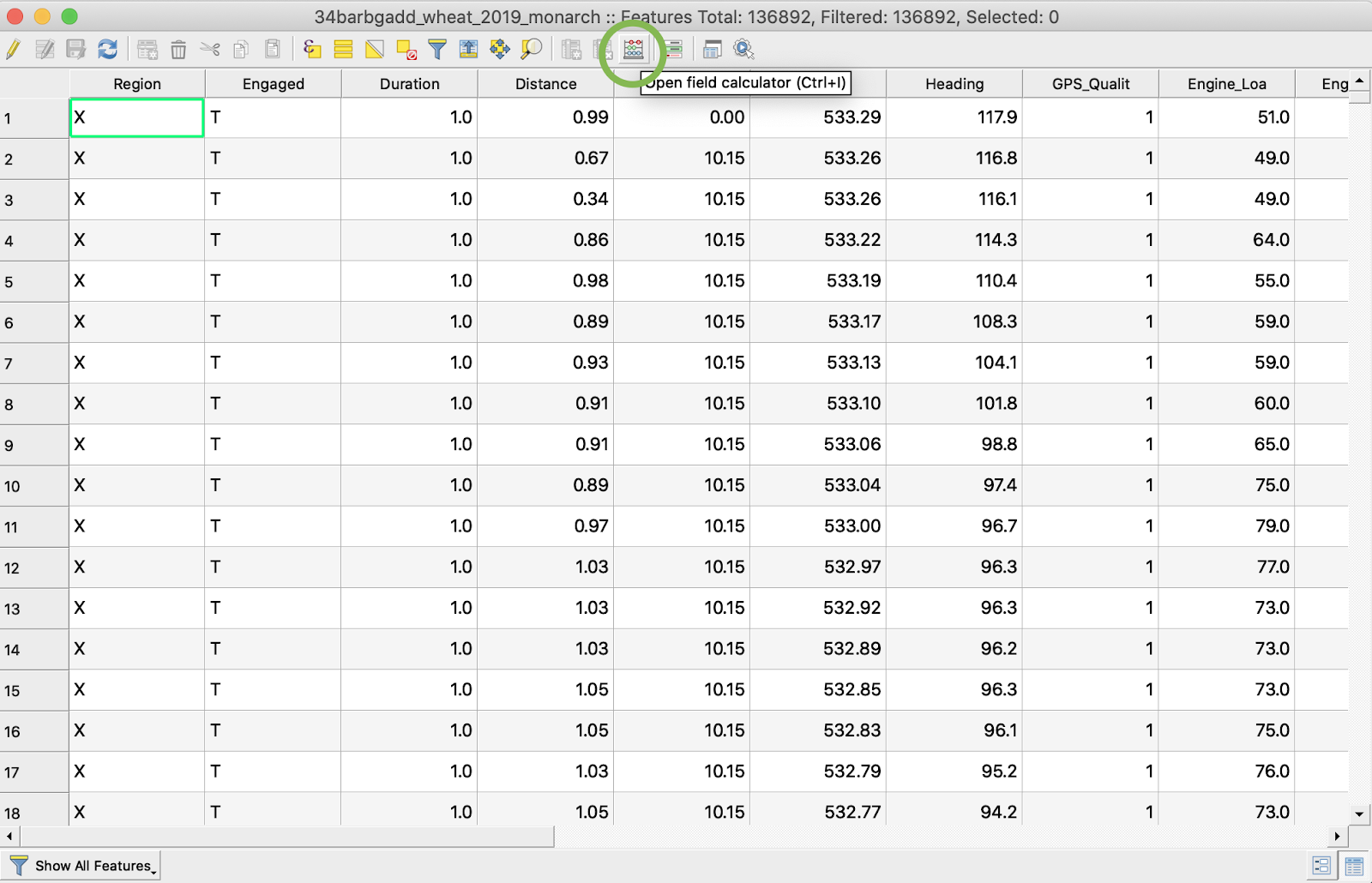
3. Создайте новое поле
4. 1. Установите флажок «Создать новое поле»
2. В поле «Имя выходного поля» введите DryYieldBu
3. В поле «Тип выходного поля» выберите «Десятичное число (вещественное)»
4. Измените точность на 4
5. Введите формулу пересчёта из кг/га в бушели/акр -> "Dry\_Yield" \* 0.0149
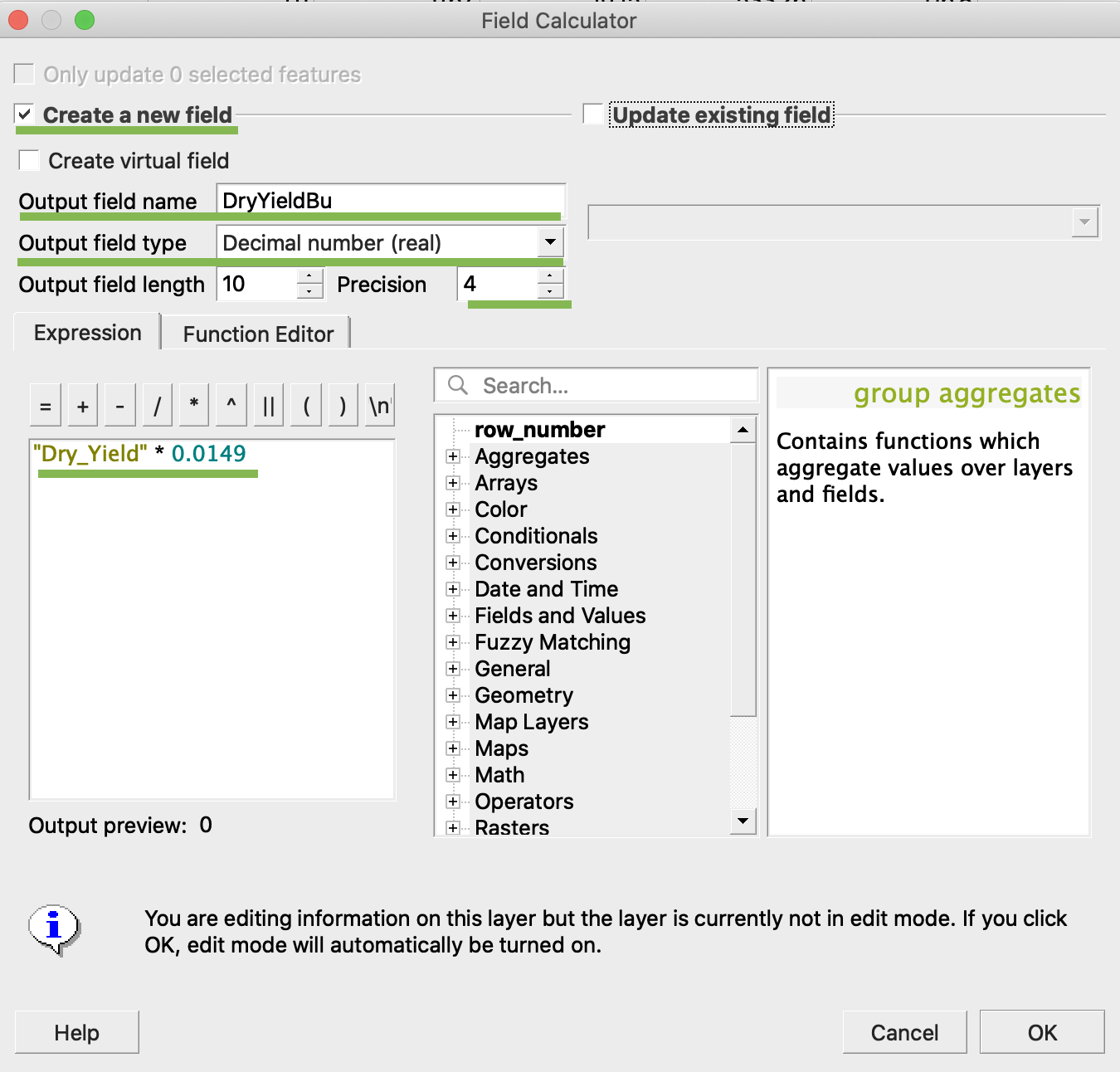
4. Нажмите «ОК»
5. В таблице появится дополнительный атрибут DryYieldBu
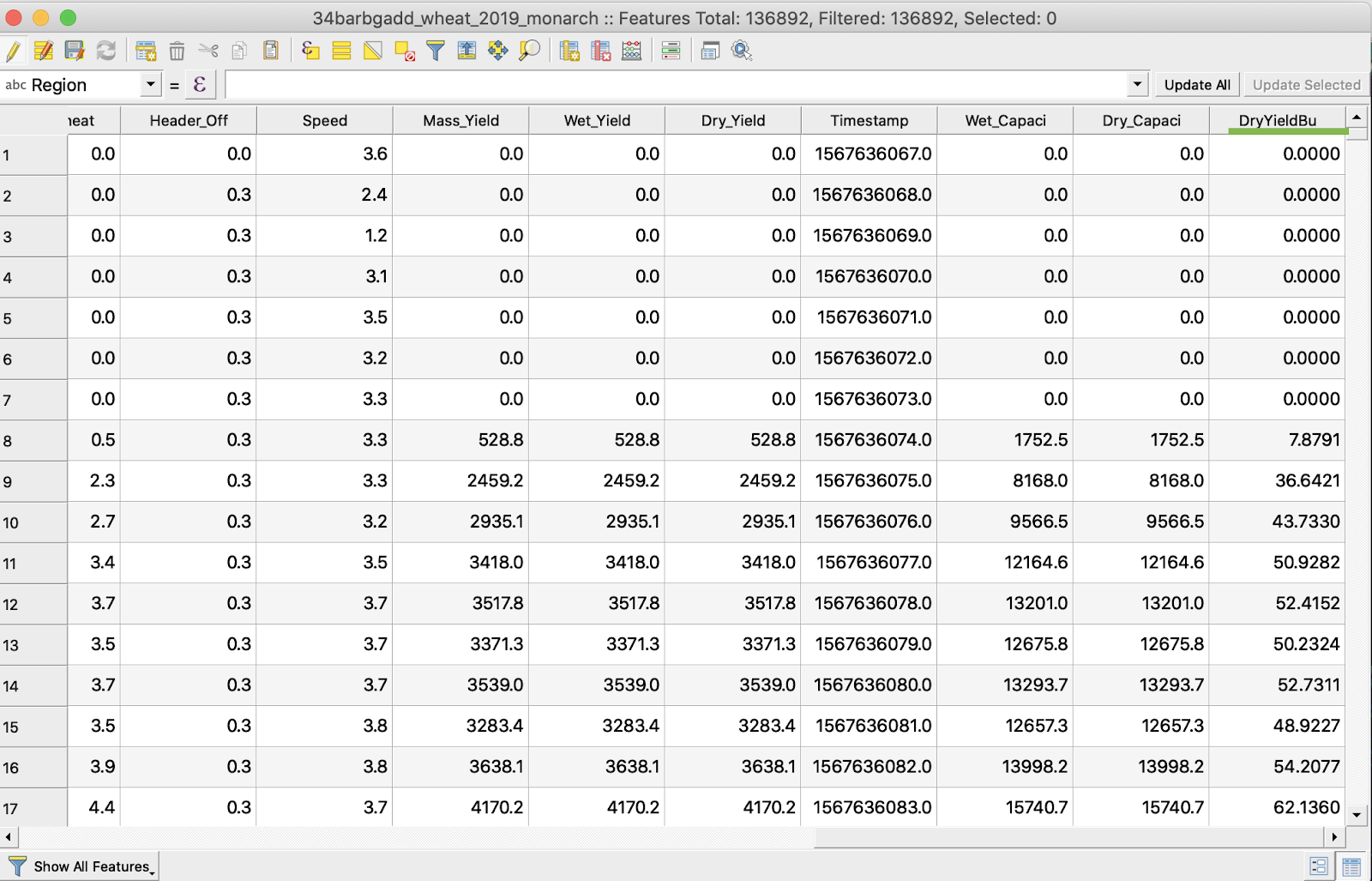
6. Сохраните изменения
7. 1. Щёлкните правой кнопкой мыши по нужному шейп-файлу
2. Выберите «Переключить режим редактирования»
\
\
\
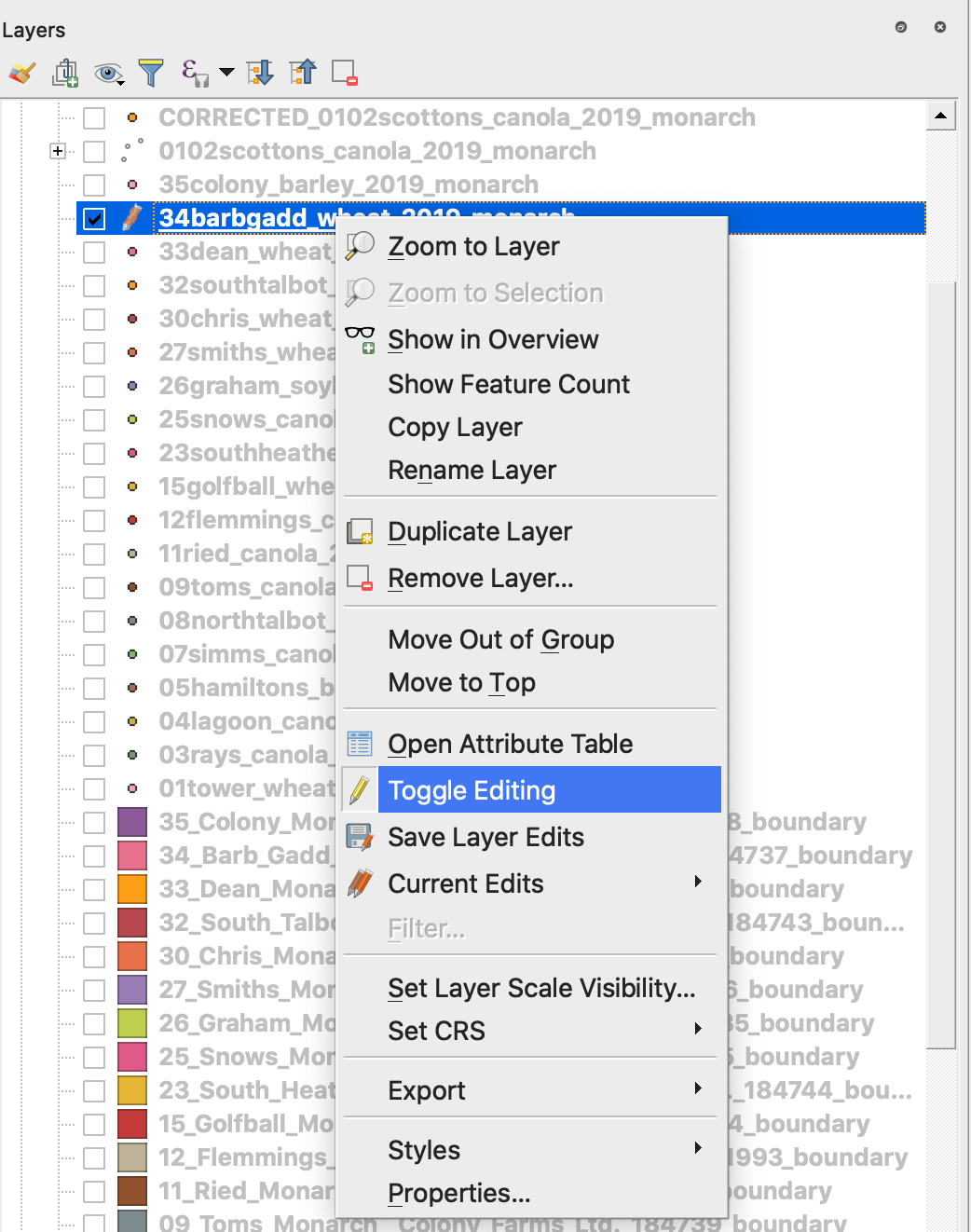
7. Подтвердите сохранение изменений
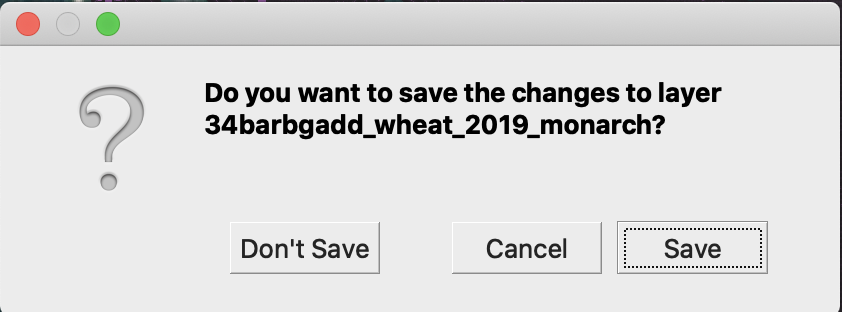
Рядом с нужным шейп-файлом больше не отображается значок карандаша. Данные в шейп-файле обновлены.
---
# Agent Instructions
This documentation is published with GitBook. GitBook is the documentation platform designed so that both humans and AI agents can read, navigate, and reason over technical content effectively. Learn more at gitbook.com.
## Querying This Documentation
If you need additional information that is not directly available in this page, you can query the documentation by asking a question.
Perform an HTTP GET request on the following URL with the `ask` and `goal` query parameters:
```
GET https://docs.geopard.tech/geopard-tutorials/ru/kratkie-sovety-po-gis/qgis-yield-data-manipulations.md?ask=&goal=
```
`ask` is the immediate question: it should be specific, self-contained, and written in natural language.
`goal` is what the user is ultimately trying to achieve, the reason they need the answer. Sharing it helps GitBook give you a better, more relevant answer. A goal is most helpful when it describes the outcome the user wants rather than restating the question. For example, with `ask=how do I create an API token`, a goal like `automate deployments from our CI pipeline` lets GitBook tailor the answer to that use case.
The response will contain a direct answer to the question and relevant excerpts and sources from the documentation.
Use this mechanism when the answer is not explicitly present in the current page, you need clarification or additional context, or you want to retrieve related documentation sections.