> For the complete documentation index, see [llms.txt](https://docs.geopard.tech/geopard-tutorials/llms.txt). Markdown versions of documentation pages are available by appending `.md` to page URLs; this page is available as [Markdown](https://docs.geopard.tech/geopard-tutorials/ru/dokumentaciya-api/geo-endpointy-dlya-dostupa-k-prostranstvennym-dannym/wms-poluchenie-rastrovykh-izobrazhenii-sloyov-prostranstvennykh-dannykh/11.-topographymap-vysota-v-absolyutnykh-znacheniyakh.md).
# 11. TopographyMap: высота в абсолютных значениях
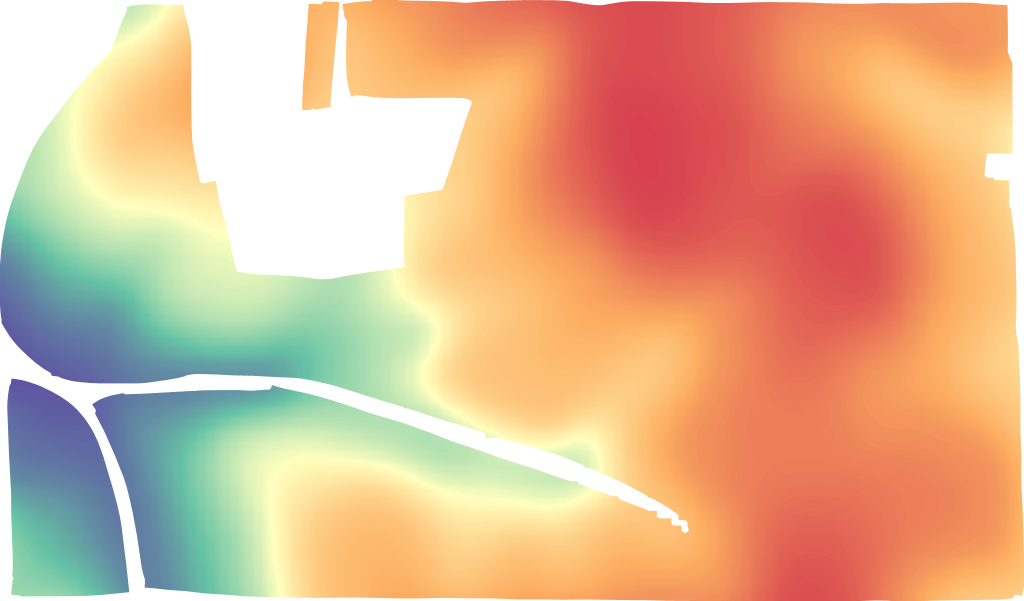
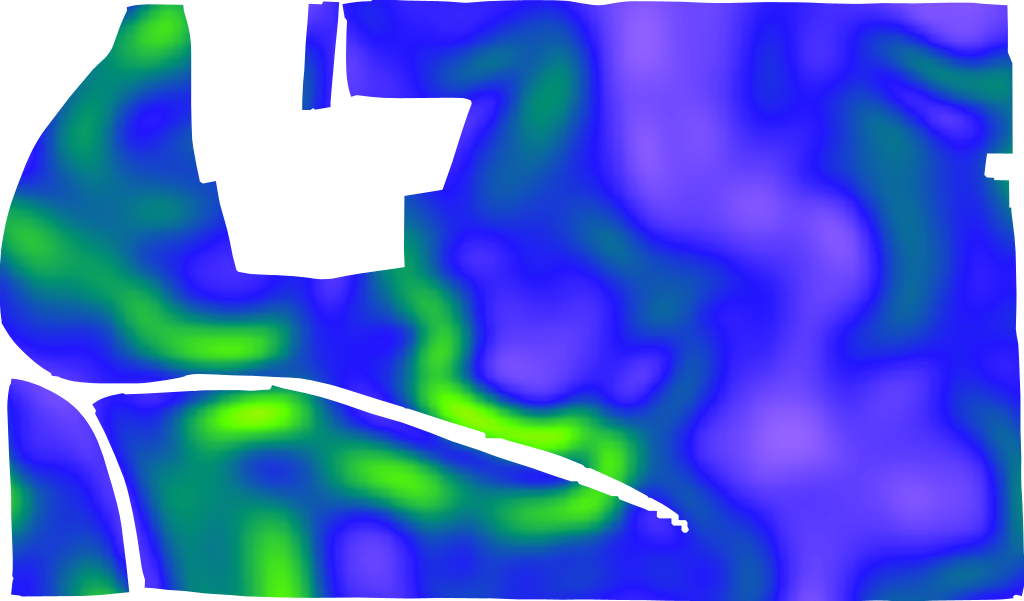
TopographyMap включает следующие модели: `цифровая высотная модель, теневое освещение (hillshade), крутизна (slope), экспозиция (aspect), позиция рельефа, шероховатость, скалистость (ruggedness)`, и их комбинации. Представление доступно на уровне поля точно (не пикселизовано) и обрезано по границе. Качество топографии зависит от расположения поля и доступного лучшего набора данных (США, Великобритания, ЕС и Австралия покрыты LIDAR). TopographyMap может быть построена из данных техники, таких как датчики урожайности/почвы/применённых норм, если они содержат атрибуты высоты.
Слои данных, связанные с топографией поля, находятся в `поле` -> `topographyMaps` -> `geoMaps` Каждый `geoMap` содержит полные сведения о доступе `url`, цветовые коды, классы и названия слоёв.
LIDAR высота
LIDAR крутизна (slope)
LIDAR позиция рельефа
Формат запроса [https://api.geopard.tech/geo/map/reflect?TRANSPARENT=true\&BBOX=\\&LAYERS=elevation\_cropped,field\_view\&STYLES=dem\_elevation,crop\_boundary\&SRS=EPSG%3A900913\&WIDTH=512\&env=ve1:160.4%3Bve2:163.15%3Bve3:165.9%3Bve4:168.65%3Bve5:171.4\&VIEWPARAMS=uuid:\\&CQL\_FILTER=uuid=%27\%27%3Buuid=%27\%27\&geopardApiKey=\](https://api.geopard.tech/geo/map/reflect?TRANSPARENT=true\&BBOX=). Где входные атрибуты:
1. `BBOX=` содержит ограничивающий прямоугольник (url-кодированный) «Поля» в проекции EPSG:3857;
2. `STYLES=dem_elevation,crop_boundary` содержит стиль сущности «TopographyMap» как первый атрибут, поддерживаемые значения:
`dem_aspect`
`dem_elevation`
`dem_hillshade`
`dem_roughness`
`dem_slope`
`dem _tpi`
`dem_tri`
3. `WIDTH=512` отражает размер выходного изображения в пикселях (точное число важно только если оно используется как миниатюра);
4. `env=ve1:160.4%3Bve2:163.15%3Bve3:165.9%3Bve4:168.65%3Bve5:171.4` отражает диапазон значений высот для конкретного поля, подробности находятся в «TopographyMap» -> «geoMaps» -> «classes» (ПРИМЕЧАНИЕ: %3B — url-кодированный символ ;);
5. `VIEWPARAMS=uuid:` содержит uuid «Поля»;
6. `CQL_FILTER=uuid=%27%27%3Buuid=%27%27` содержит UUID «Поля» и «TopographyMap» (ПРИМЕЧАНИЕ: %27 — url-кодированный символ ‘);
7. `geopardApiKey=` связан с опцией авторизации через API Key.
---
# Agent Instructions
This documentation is published with GitBook. GitBook is the documentation platform designed so that both humans and AI agents can read, navigate, and reason over technical content effectively. Learn more at gitbook.com.
## Querying This Documentation
If you need additional information that is not directly available in this page, you can query the documentation by asking a question.
Perform an HTTP GET request on the following URL with the `ask` and `goal` query parameters:
```
GET https://docs.geopard.tech/geopard-tutorials/ru/dokumentaciya-api/geo-endpointy-dlya-dostupa-k-prostranstvennym-dannym/wms-poluchenie-rastrovykh-izobrazhenii-sloyov-prostranstvennykh-dannykh/11.-topographymap-vysota-v-absolyutnykh-znacheniyakh.md?ask=&goal=
```
`ask` is the immediate question: it should be specific, self-contained, and written in natural language.
`goal` is what the user is ultimately trying to achieve, the reason they need the answer. Sharing it helps GitBook give you a better, more relevant answer. A goal is most helpful when it describes the outcome the user wants rather than restating the question. For example, with `ask=how do I create an API token`, a goal like `automate deployments from our CI pipeline` lets GitBook tailor the answer to that use case.
The response will contain a direct answer to the question and relevant excerpts and sources from the documentation.
Use this mechanism when the answer is not explicitly present in the current page, you need clarification or additional context, or you want to retrieve related documentation sections.