> For the complete documentation index, see [llms.txt](https://docs.geopard.tech/geopard-tutorials/llms.txt). Markdown versions of documentation pages are available by appending `.md` to page URLs; this page is available as [Markdown](https://docs.geopard.tech/geopard-tutorials/ro/turul-produsului-aplicatia-mobila/autentifica-te-in-aplicatia-mobila-geopard.md).
# Autentifică-te în aplicația mobilă GeoPard
Autentificați-vă în aplicația mobilă GeoPard
Pentru a vă autentifica în aplicația GeoPard, atingeți pictograma aplicației de pe ecran.
Aplicația se va încărca, apoi atingeți butonul „Autentificare”.
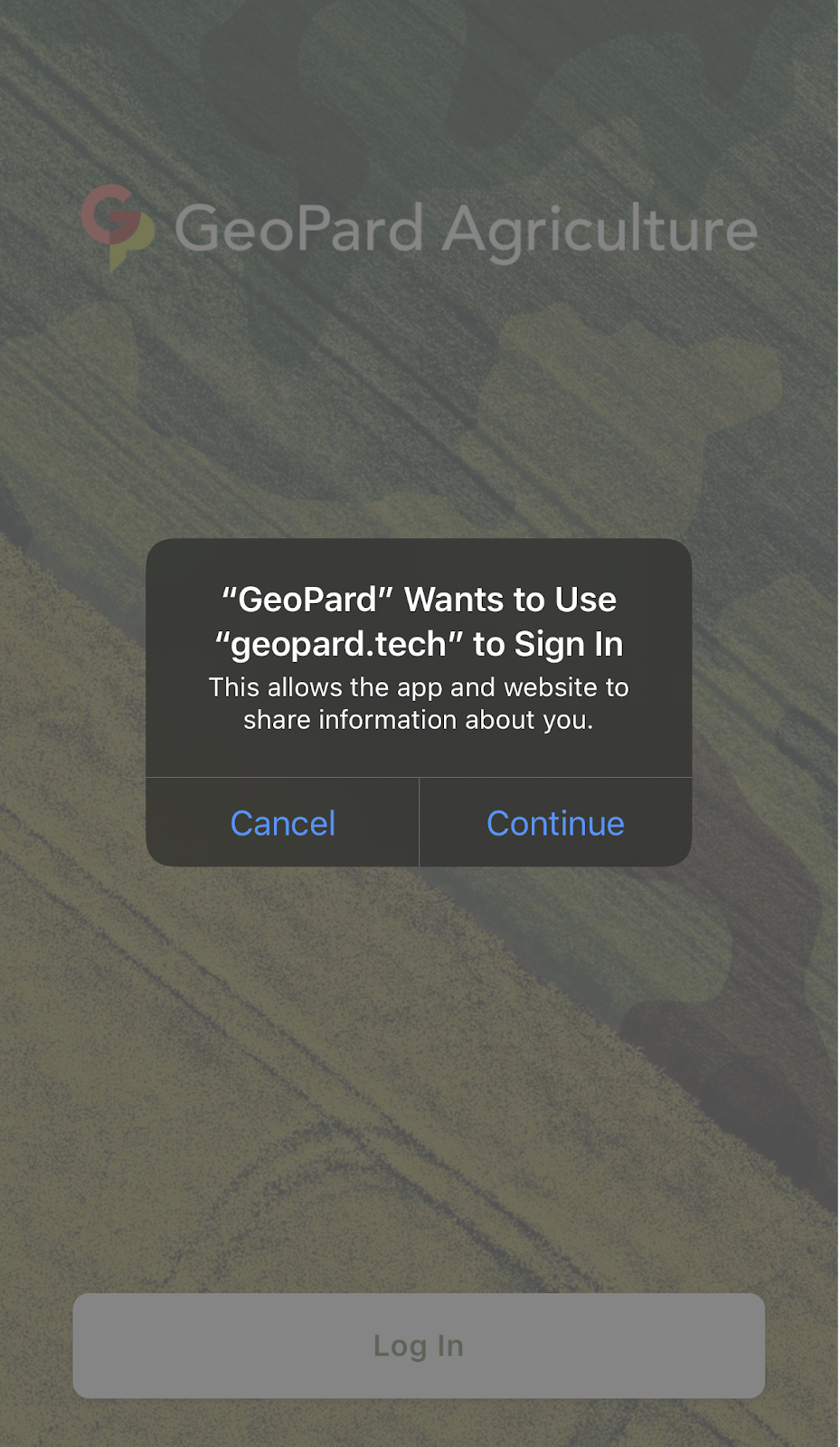
Pe ecranul următor, atingeți „Continuare” pentru a permite aplicației și site-ului web să partajeze informații despre dumneavoastră.
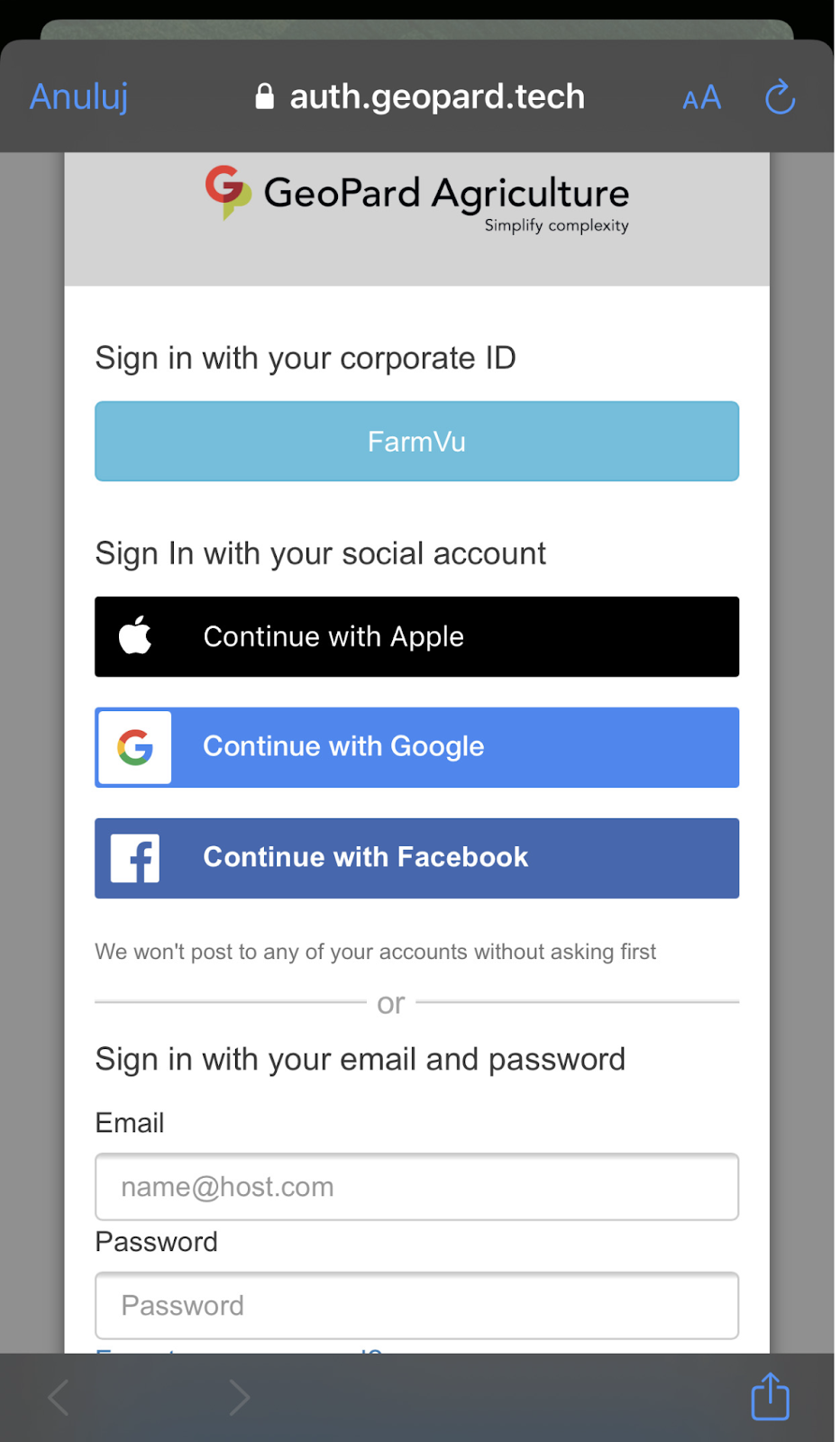
Pe ecranul următor, selectați contul pe care îl folosiți pentru a accesa aplicația web GeoPard sau introduceți adresa de e-mail și parola pe care le-ați folosit la înregistrarea în GeoPard.
După autentificarea reușită, veți vedea aceeași listă de ferme pe care o aveți în vizualizarea Câmpuri din aplicația web.
Puteți vizualiza hărțile zonelor pentru fiecare parcelă listată în cadrul fermelor dumneavoastră.
---
# Agent Instructions
This documentation is published with GitBook. GitBook is the documentation platform designed so that both humans and AI agents can read, navigate, and reason over technical content effectively. Learn more at gitbook.com.
## Querying This Documentation
If you need additional information that is not directly available in this page, you can query the documentation dynamically by asking a question.
Perform an HTTP GET request on the current page URL with the `ask` query parameter, and the optional `goal` query parameter:
```
GET https://docs.geopard.tech/geopard-tutorials/ro/turul-produsului-aplicatia-mobila/autentifica-te-in-aplicatia-mobila-geopard.md?ask=&goal=
```
`ask` is the immediate question: it should be specific, self-contained, and written in natural language.
`goal` is optional and describes the broader end goal you are ultimately trying to accomplish on behalf of the user. GitBook uses it to tailor the answer towards what is most useful for that goal.
The response will contain a direct answer to the question and relevant excerpts and sources from the documentation.
Use this mechanism when the answer is not explicitly present in the current page, you need clarification or additional context, or you want to retrieve related documentation sections.