> For the complete documentation index, see [llms.txt](https://docs.geopard.tech/geopard-tutorials/llms.txt). Markdown versions of documentation pages are available by appending `.md` to page URLs; this page is available as [Markdown](https://docs.geopard.tech/geopard-tutorials/ro/ponturi-rapide-gis/qgis-manipularea-datelor-de-productie.md).
# QGIS: Manipularea datelor de producție
Pregătește și curăță datele de producție în QGIS înainte de a le importa sau analiza în GeoPard.
PREZENTARE GENERALĂ
Manual cu descriere pas cu pas pentru rezolvarea următoarelor probleme cu datele din monitorul de producție:
1. Fișier de proiecție lipsă (.prj) în shapefile
2. Aplicați reguli de conversie pentru fiecare atribut din shapefile (pe baza eșantionului kb/ha în bu/ac)
Software-ul de utilizat este QGIS ([LINK](https://qgis.org/en/site/forusers/download.html)).
Descărcarea și instalarea sunt obligatorii.
### FIȘIER DE PROIECȚIE LIPSĂ
1. Deschideți shapefile-ul cu datele de producție. Mutați fișierul în fereastra QGIS.
2. Shapefile-ul devine disponibil pentru manipulări ulterioare în blocul Straturi.
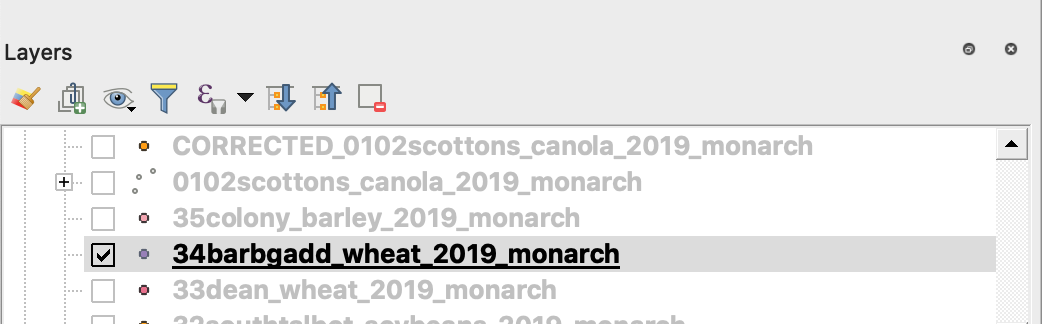
3. Începeți procesul de salvare
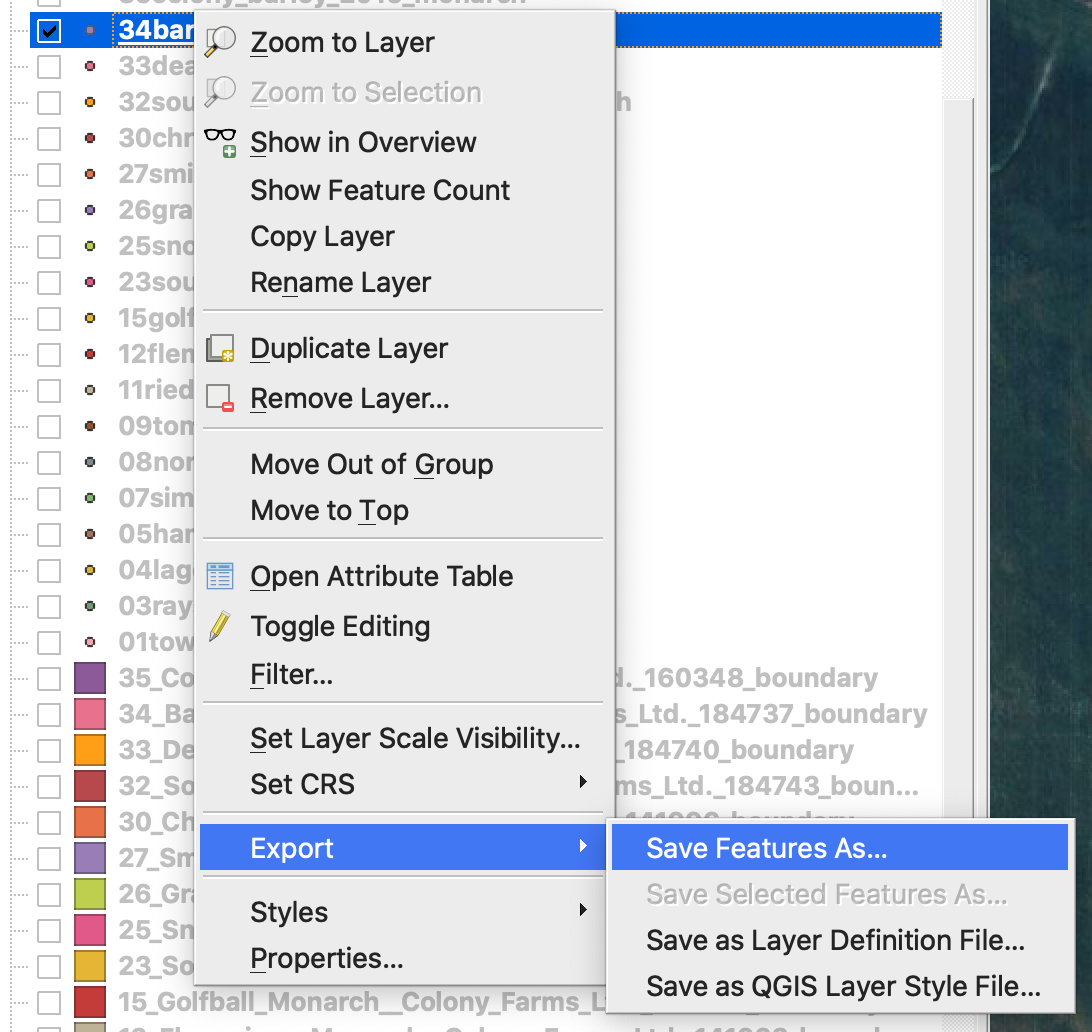
4. 1. Faceți clic dreapta și dați clic pe shapefile
2. Alegeți Export -> Save Feature As ...
4. Alegeți
5. 1. Format -> ESRI Shapefile,
2. Nume fișier -> faceți clic … și selectați directorul și numele de fișier dorite,
3. CRS -> EPSG:4326
4. Codare -> UTF8
5. Adăugați fișierul salvat pe hartă (opțional, dacă doriți să îl vedeți direct în QGIS)
6. Tip geometrie -> Punct
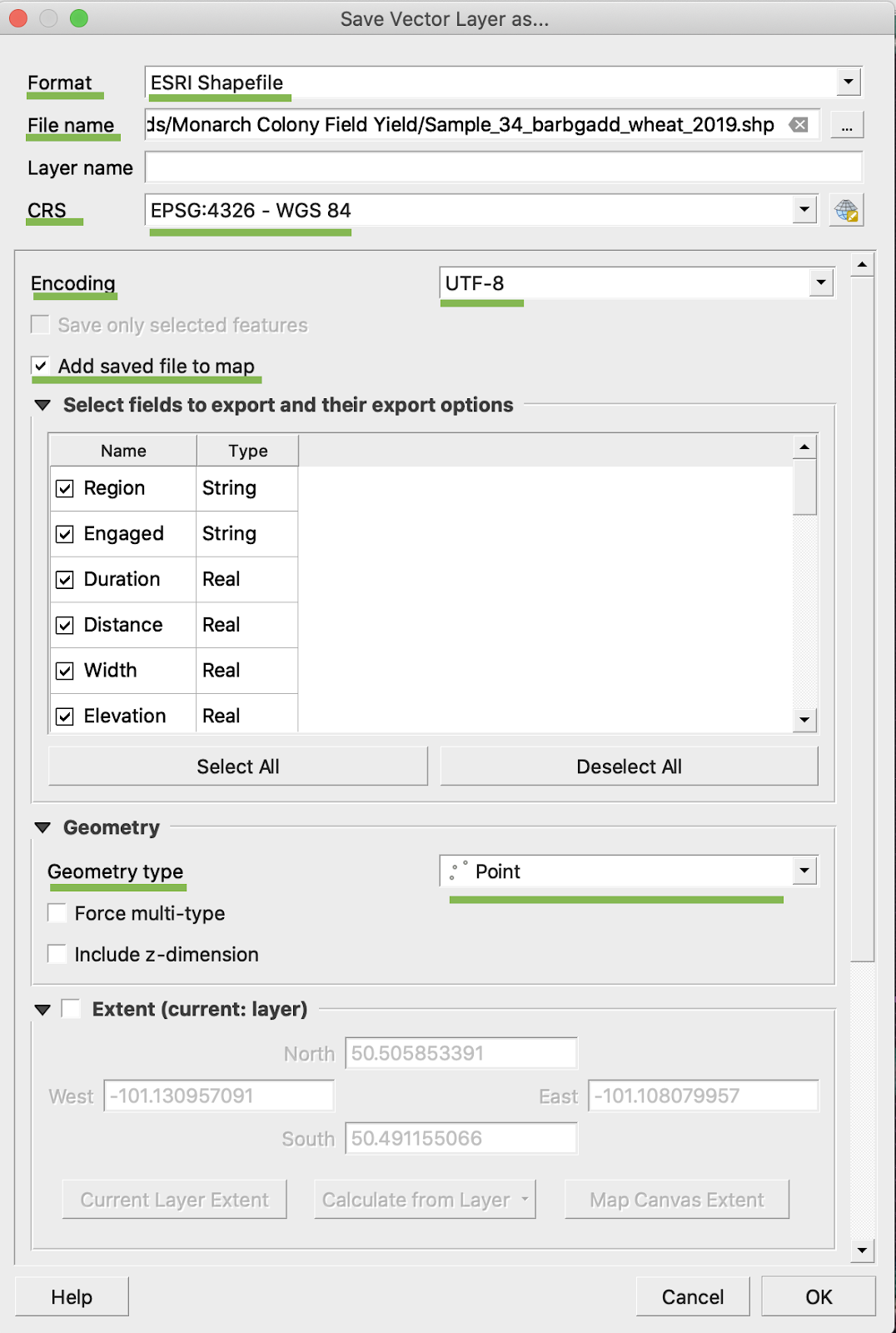
5. Faceți clic pe Ok
6. Este creat un shapefile suplimentar cu aceleași date de producție. Fișierul de proiecție (.prj) a fost adăugat.
\
### CONVERSIE BU/AC
1. Faceți clic dreapta pe shapefile și alegeți Deschideți tabelul de atribute
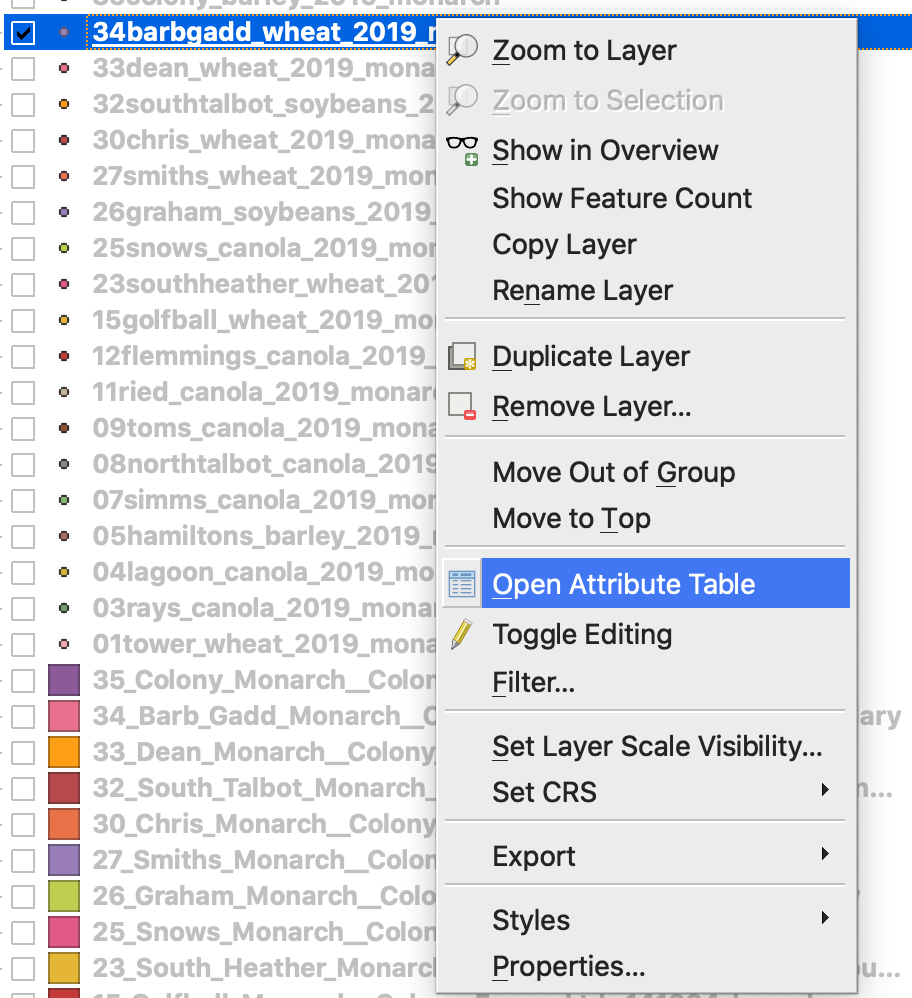
2. Faceți clic pe Deschideți calculatorul de câmpuri
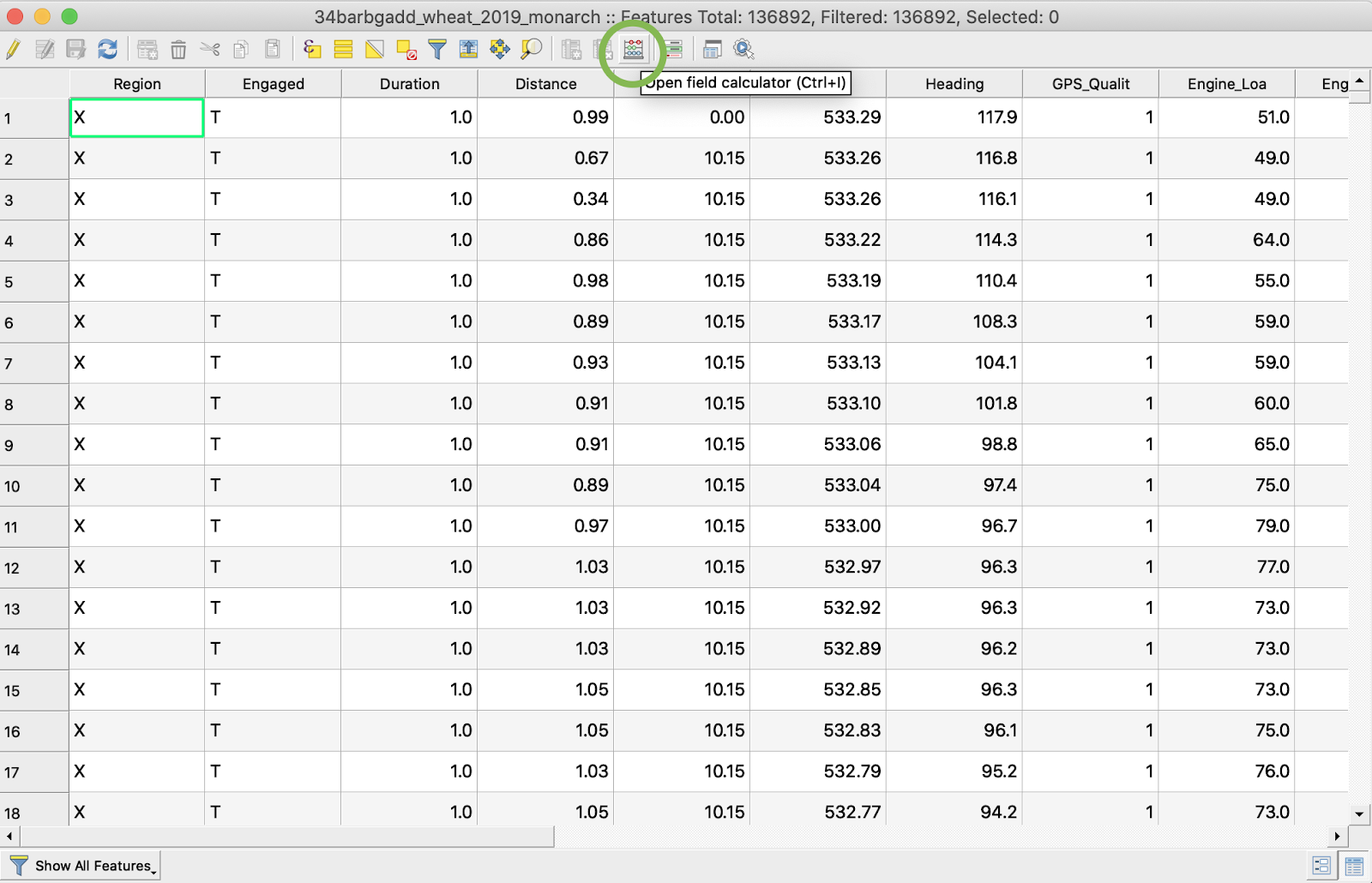
3. Creați un câmp nou
4. 1. Bifați Creați un câmp nou
2. Introduceți numele câmpului de ieșire -> DryYieldBu
3. Alegeți tipul câmpului de ieșire -> Număr zecimal (real)
4. Schimbați Precizia -> 4
5. Introduceți regula de conversie din kg/ha în bu/ac -> "Dry\_Yield" \* 0.0149
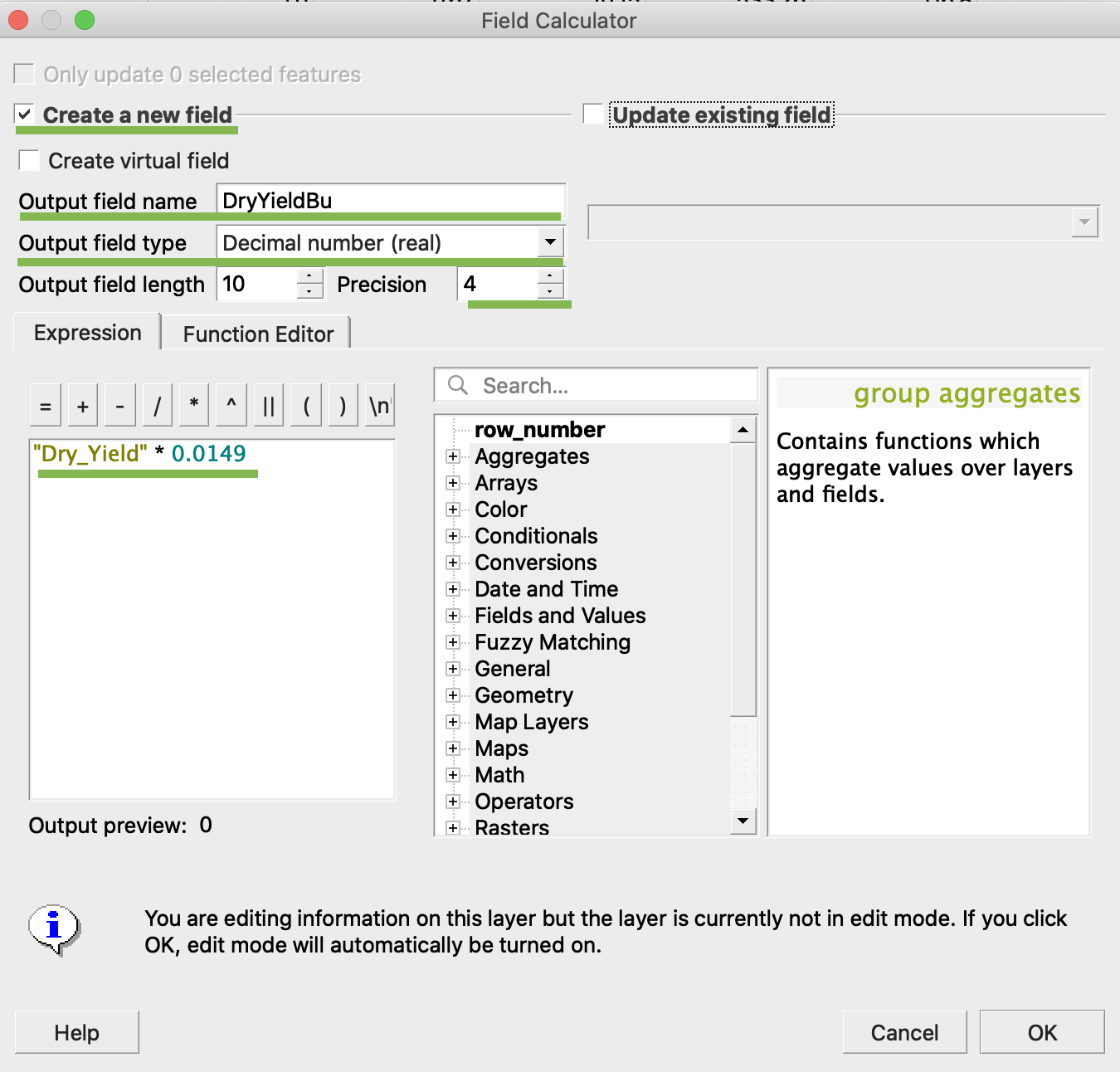
4. Faceți clic pe Ok
5. A apărut în tabel un atribut suplimentar DryYieldBu
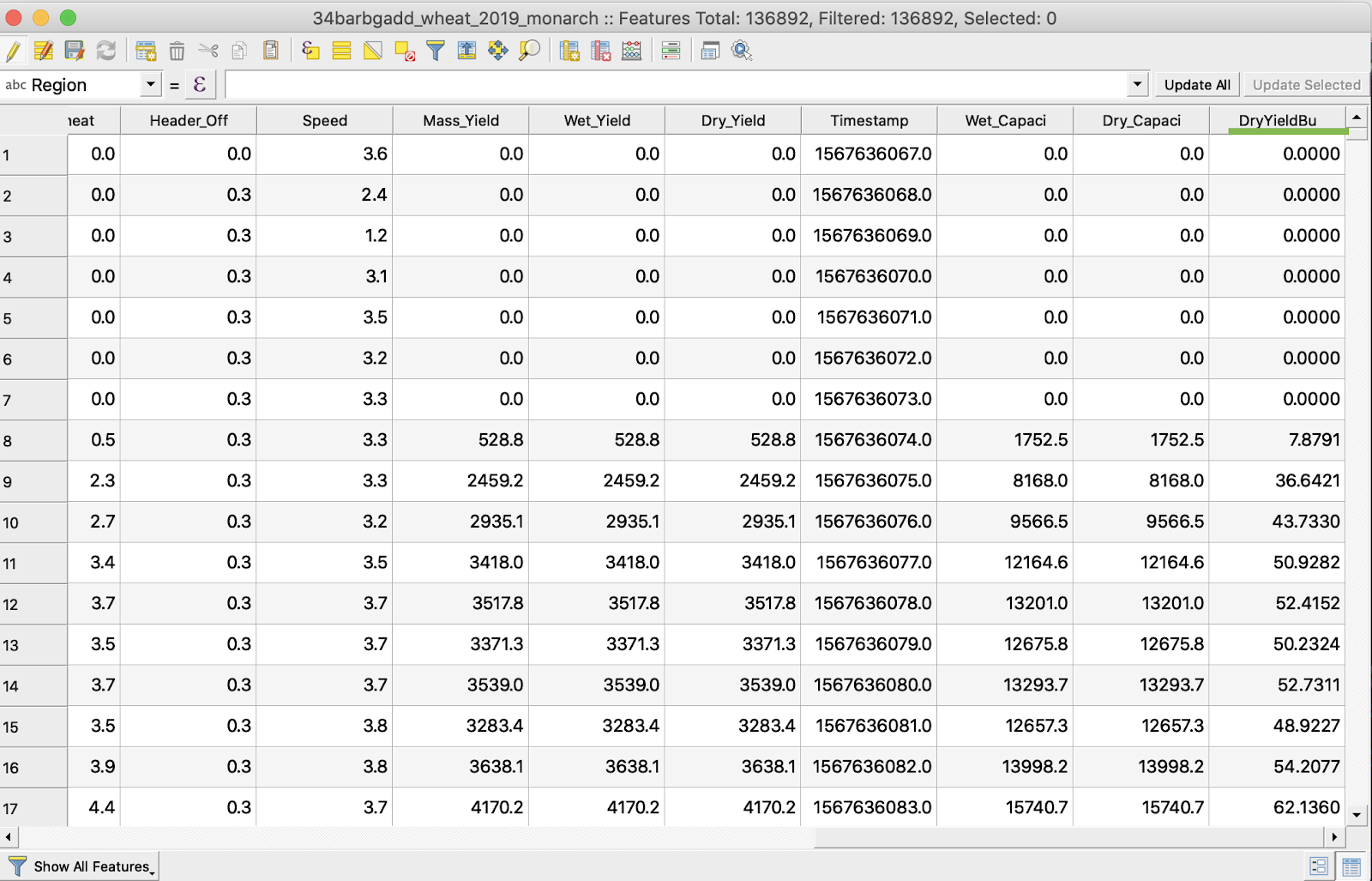
6. Salvați modificările
7. 1. Faceți clic dreapta pe shapefile-ul de interes
2. Alegeți Comută la editare
\
\
\
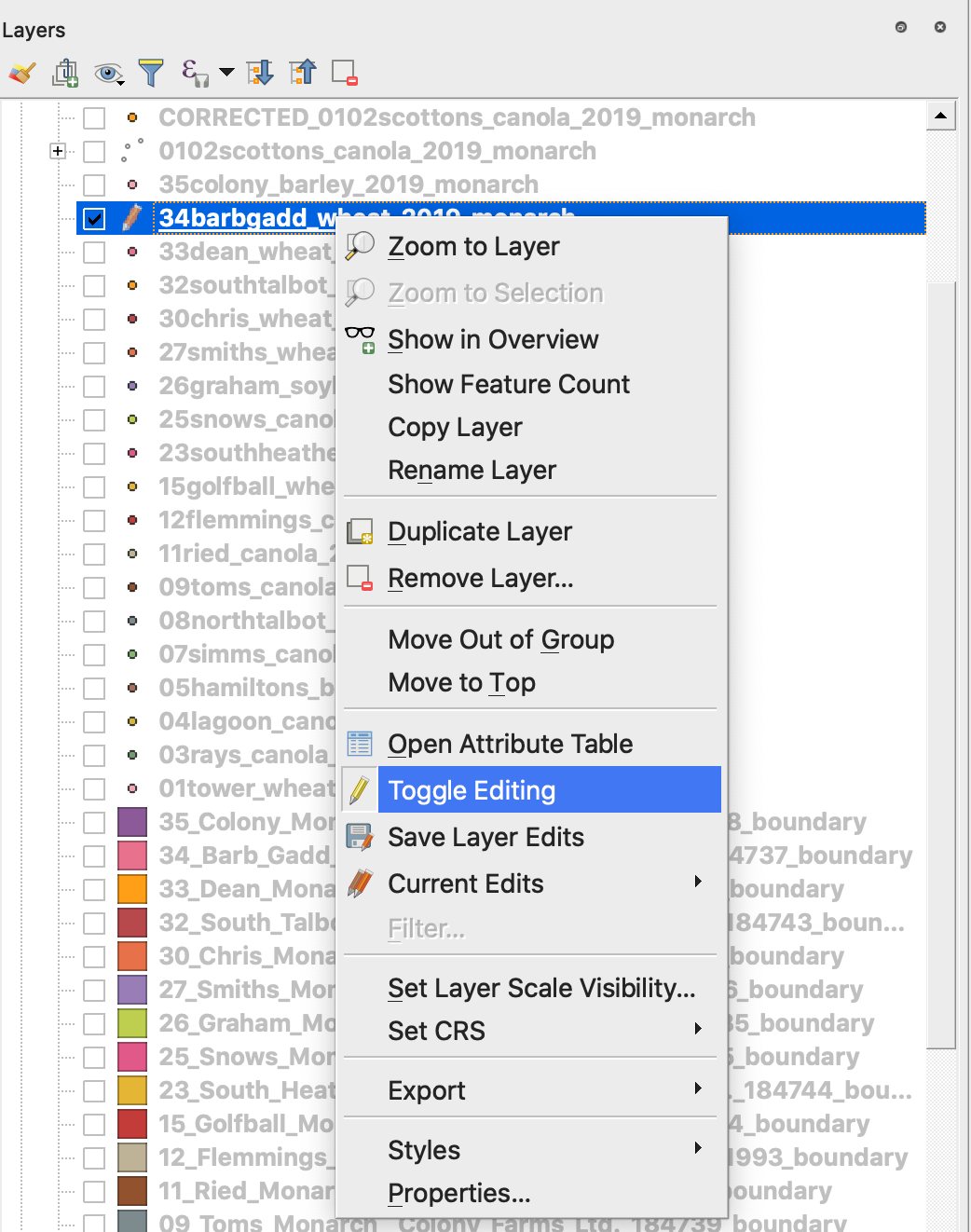
7. Confirmați salvarea modificărilor
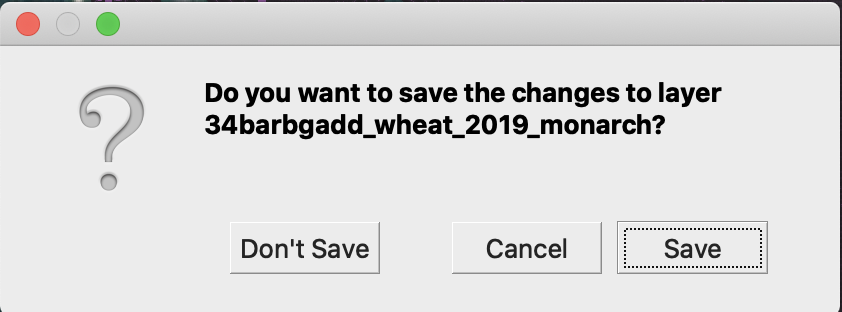
Shapefile-ul de interes nu mai este marcat cu creionul. Datele din shapefile au fost actualizate.
---
# Agent Instructions
This documentation is published with GitBook. GitBook is the documentation platform designed so that both humans and AI agents can read, navigate, and reason over technical content effectively. Learn more at gitbook.com.
## Querying This Documentation
If you need additional information that is not directly available in this page, you can query the documentation by asking a question.
Perform an HTTP GET request on the following URL with the `ask` and `goal` query parameters:
```
GET https://docs.geopard.tech/geopard-tutorials/ro/ponturi-rapide-gis/qgis-manipularea-datelor-de-productie.md?ask=&goal=
```
`ask` is the immediate question: it should be specific, self-contained, and written in natural language.
`goal` is what the user is ultimately trying to achieve, the reason they need the answer. Sharing it helps GitBook give you a better, more relevant answer. A goal is most helpful when it describes the outcome the user wants rather than restating the question. For example, with `ask=how do I create an API token`, a goal like `automate deployments from our CI pipeline` lets GitBook tailor the answer to that use case.
The response will contain a direct answer to the question and relevant excerpts and sources from the documentation.
Use this mechanism when the answer is not explicitly present in the current page, you need clarification or additional context, or you want to retrieve related documentation sections.