> For the complete documentation index, see [llms.txt](https://docs.geopard.tech/geopard-tutorials/llms.txt). Markdown versions of documentation pages are available by appending `.md` to page URLs; this page is available as [Markdown](https://docs.geopard.tech/geopard-tutorials/nor/korte-gis-tips/qgis-change-string-to-number-values-in-the-shapefile.md).
# QGIS: konverter et tekstfelt til et tall i en shapefil
Bruk to\_real() eller to\_int() i QGIS-feltkalkulatoren for å gjøre tekstverdier om til tall, beholde desimaler og rette opp i dose- eller avlingskolonner som ikke lar seg importere.
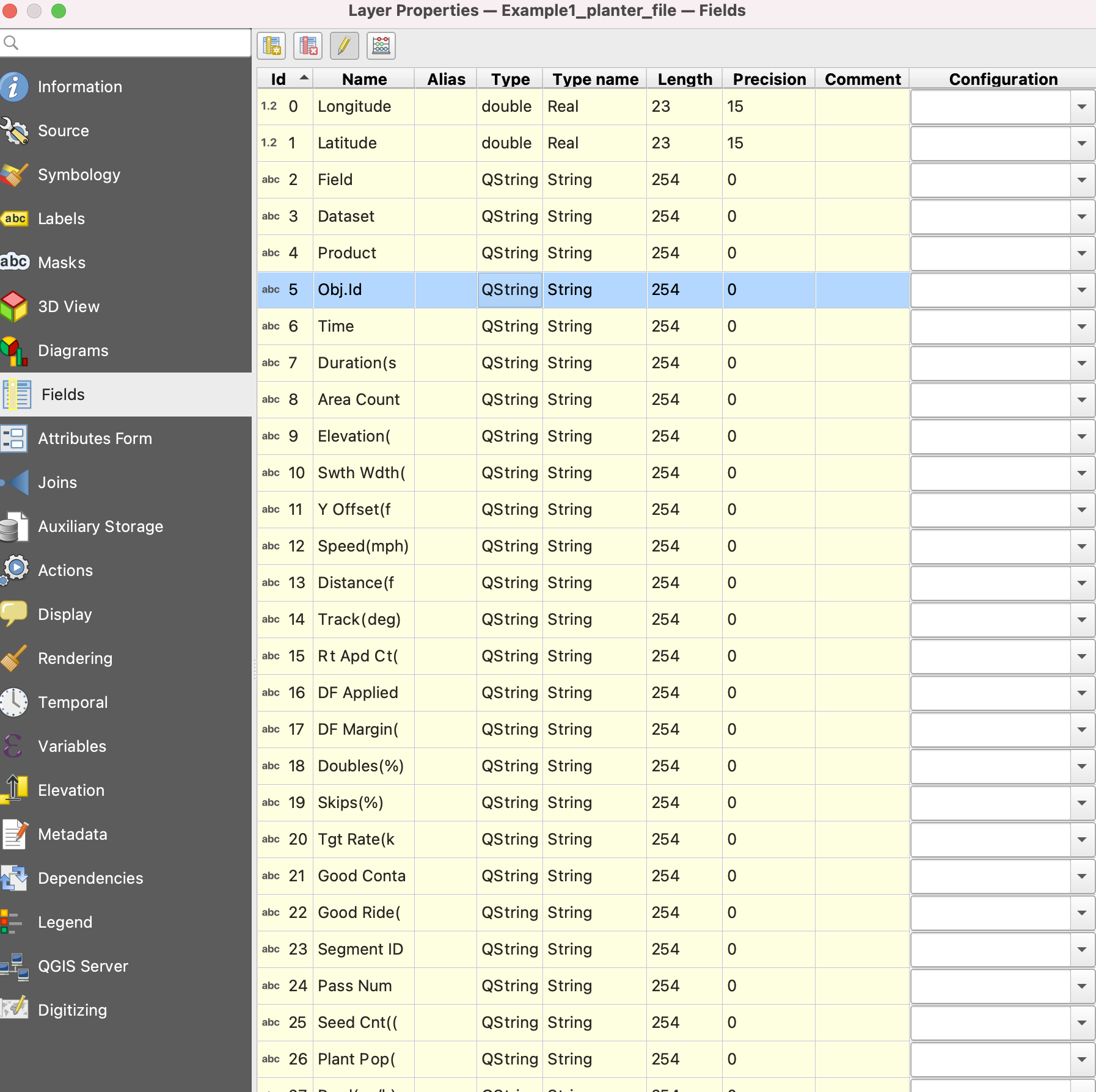
Åpne attributtabellen, start feltkalkulatoren, opprett et nytt desimalfelt og skriv inn `to_real("your_field")`. Bruk `to_int()` for heltall. Hvis desimalene forsvinner etter lagring, setter du lengden på utdatafeltet til 0 eller angir en presisjon større enn null. Tall som er lagret som tekst, er som regel grunnen til at en avlings- eller doseringskolonne ikke kan brukes til å fargelegge et kart eller importeres som en doseringsverdi.
{% hint style="success" %}
Last opp den korrigerte filen og vis den som et kart: [Kom i gang gratis](https://app.geopard.tech/auth/sign-up?utm_source=docs\&utm_medium=cta\&utm_campaign=qgis-change-string-to-number-values-in-the-shapefile)
{% endhint %}
I QGIS kan du konvertere en streng til et tall med verktøyet «Feltkalkulator». Åpne først attributtabellen for laget du vil endre. Klikk deretter på knappen «Åpne feltkalkulator». Skriv inn «to\_real(» etterfulgt av navnet på feltet som inneholder strengen du vil konvertere, og en avsluttende parentes i feltet «Uttrykk». Hvis du for eksempel vil konvertere et strengfelt med navnet «string\_field» til et numerisk felt, skriver du inn «to\_real("string\_field")» i feltet «Uttrykk». Du kan også endre navnet på utdatafeltet og datatypen ved å velge de aktuelle alternativene. Klikk til slutt på «OK» for å fullføre konverteringen. Det opprinnelige strengfeltet blir værende i attributtabellen, mens det nye numeriske feltet legges til i tabellen.
1. Åpne «Egenskaper»
2. Gå til «Feltkalkulator»
3. Merk av for «Oppdater eksisterende felt»
4. to\_real("attributeName")
5. Lagre redigeringene
6. Gjenta det samme for hvert attributt
{% hint style="success" %}
Last opp den korrigerte filen og vis den som et kart: [Kom i gang gratis](https://app.geopard.tech/auth/sign-up?utm_source=docs\&utm_medium=cta\&utm_campaign=qgis-change-string-to-number-values-in-the-shapefile)
{% endhint %}
---
# Agent Instructions
This documentation is published with GitBook. GitBook is the documentation platform designed so that both humans and AI agents can read, navigate, and reason over technical content effectively. Learn more at gitbook.com.
## Querying This Documentation
If you need additional information that is not directly available in this page, you can query the documentation by asking a question.
Perform an HTTP GET request on the following URL with the `ask` and `goal` query parameters:
```
GET https://docs.geopard.tech/geopard-tutorials/nor/korte-gis-tips/qgis-change-string-to-number-values-in-the-shapefile.md?ask=&goal=
```
`ask` is the immediate question: it should be specific, self-contained, and written in natural language.
`goal` is what the user is ultimately trying to achieve, the reason they need the answer. Sharing it helps GitBook give you a better, more relevant answer. A goal is most helpful when it describes the outcome the user wants rather than restating the question. For example, with `ask=how do I create an API token`, a goal like `automate deployments from our CI pipeline` lets GitBook tailor the answer to that use case.
The response will contain a direct answer to the question and relevant excerpts and sources from the documentation.
Use this mechanism when the answer is not explicitly present in the current page, you need clarification or additional context, or you want to retrieve related documentation sections.