> For the complete documentation index, see [llms.txt](https://docs.geopard.tech/geopard-tutorials/llms.txt). Markdown versions of documentation pages are available by appending `.md` to page URLs; this page is available as [Markdown](https://docs.geopard.tech/geopard-tutorials/lva/produkta-apskats-mobila-lietotne/darbs-bezsaiste.md).
# Darbs bezsaistē
Izmantojiet GeoPard mobilo lietotni bezsaistē un turpiniet lauka darbus bez signāla.
Darbs bezsaistē
Pirms sākat darbu ar GeoPard mobilo lietotni, iesakām saglabāt savus piekļuves datus, lai jums nerastos problēmas ar lietotnes atvēršanu bez tīkla savienojuma.
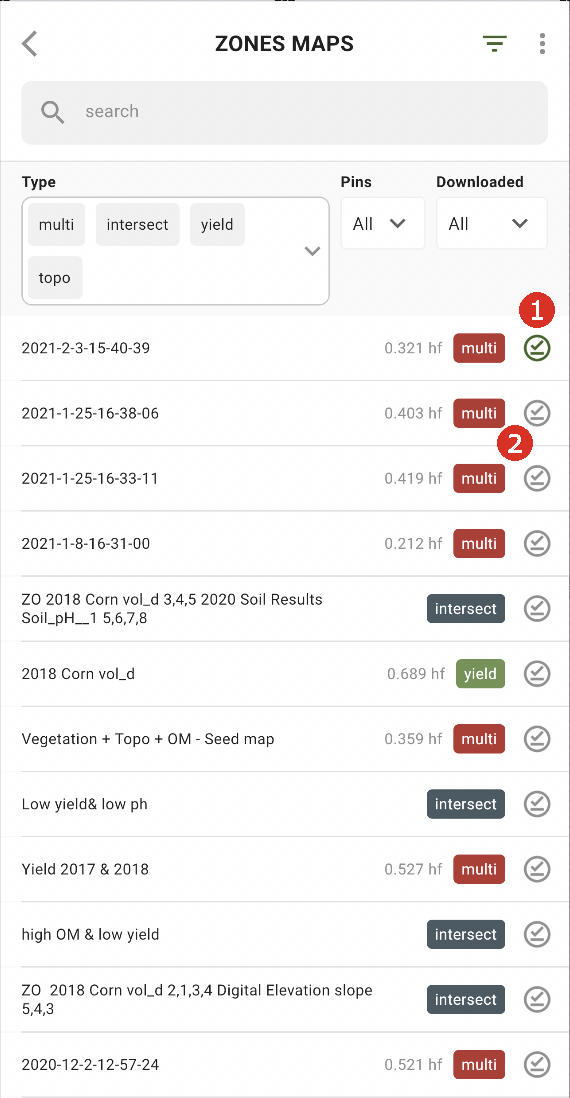
Lai varētu strādāt bezsaistē, jums ir jālejupielādē Zonu karte savā viedtālrunī. Pieskarieties lejupielādes pogai pie Zonu kartes, kuru vēlaties lejupielādēt (2).
Kad karte būs lejupielādēta jūsu ierīcē, tai blakus būs zaļa atzīme (1).
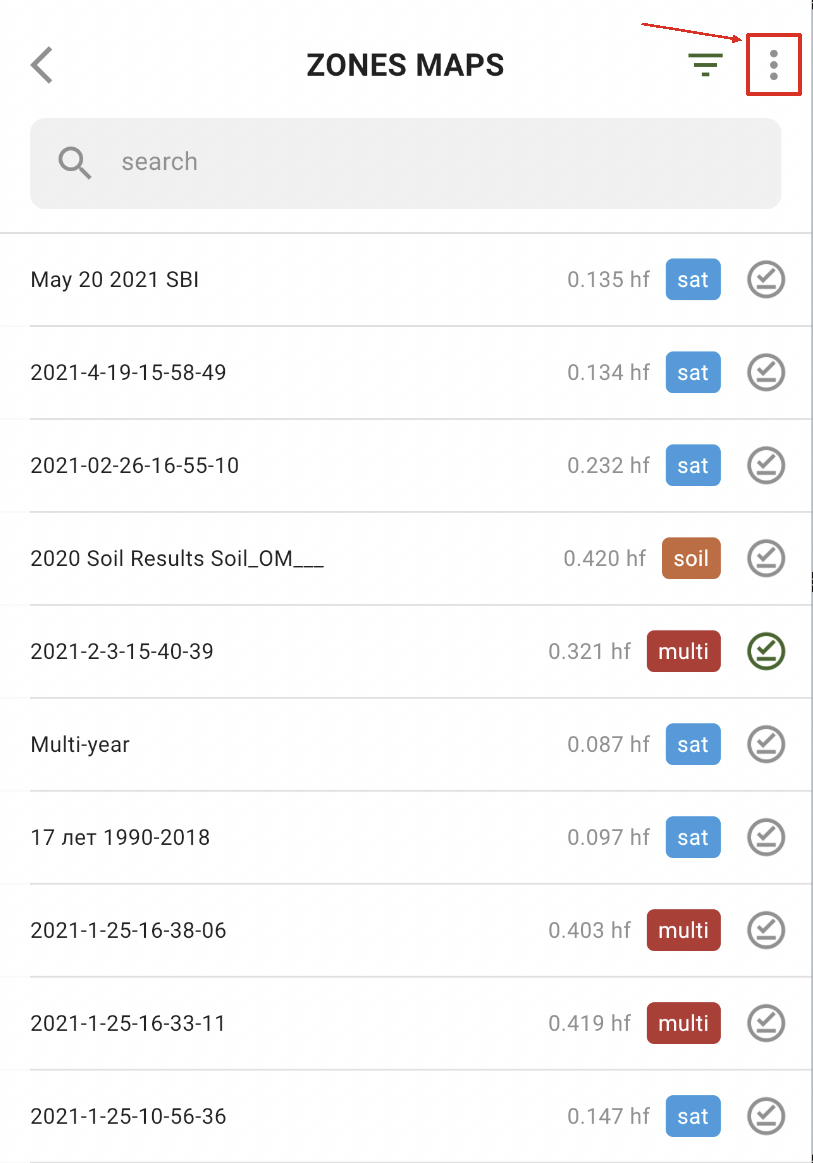
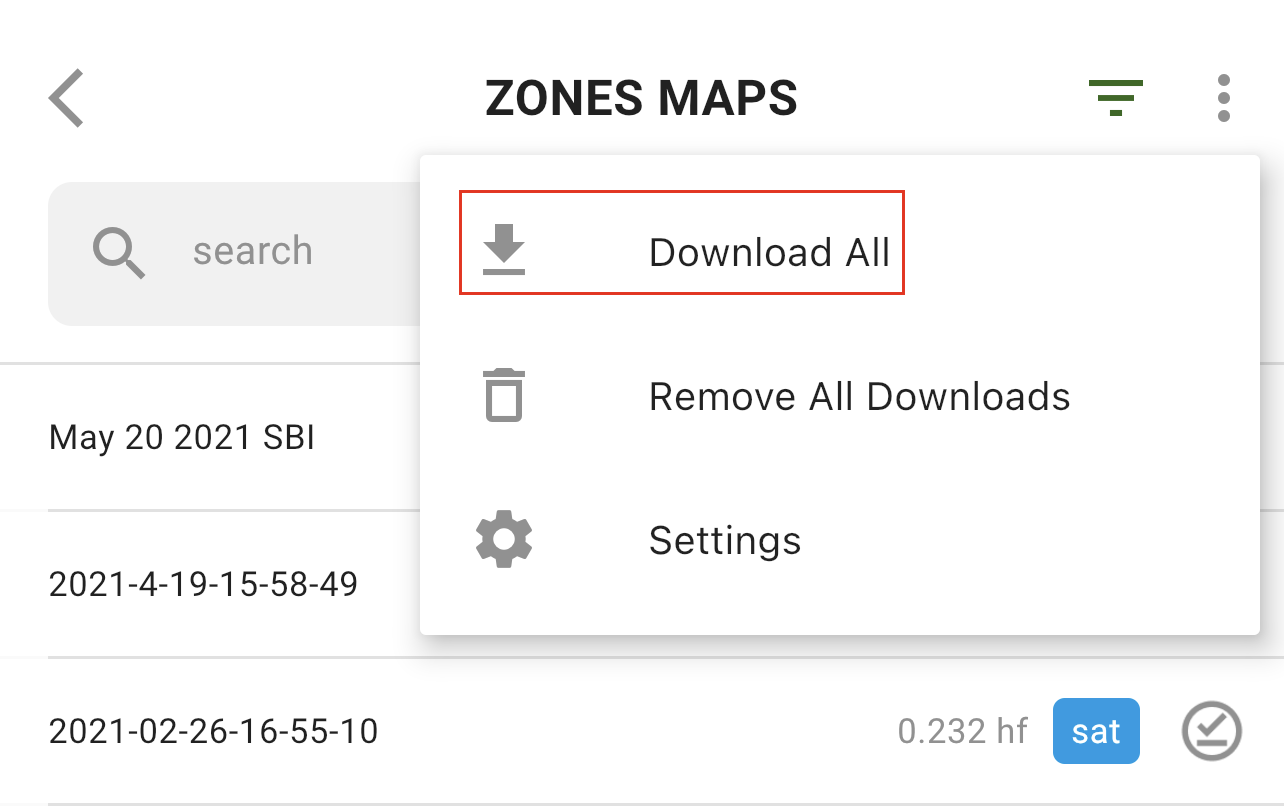
Lai lejupielādētu visas Zonu kartes uzreiz, pieskarieties opcijai Vairāk:
un atlasiet opciju “Lejupielādēt visu”:
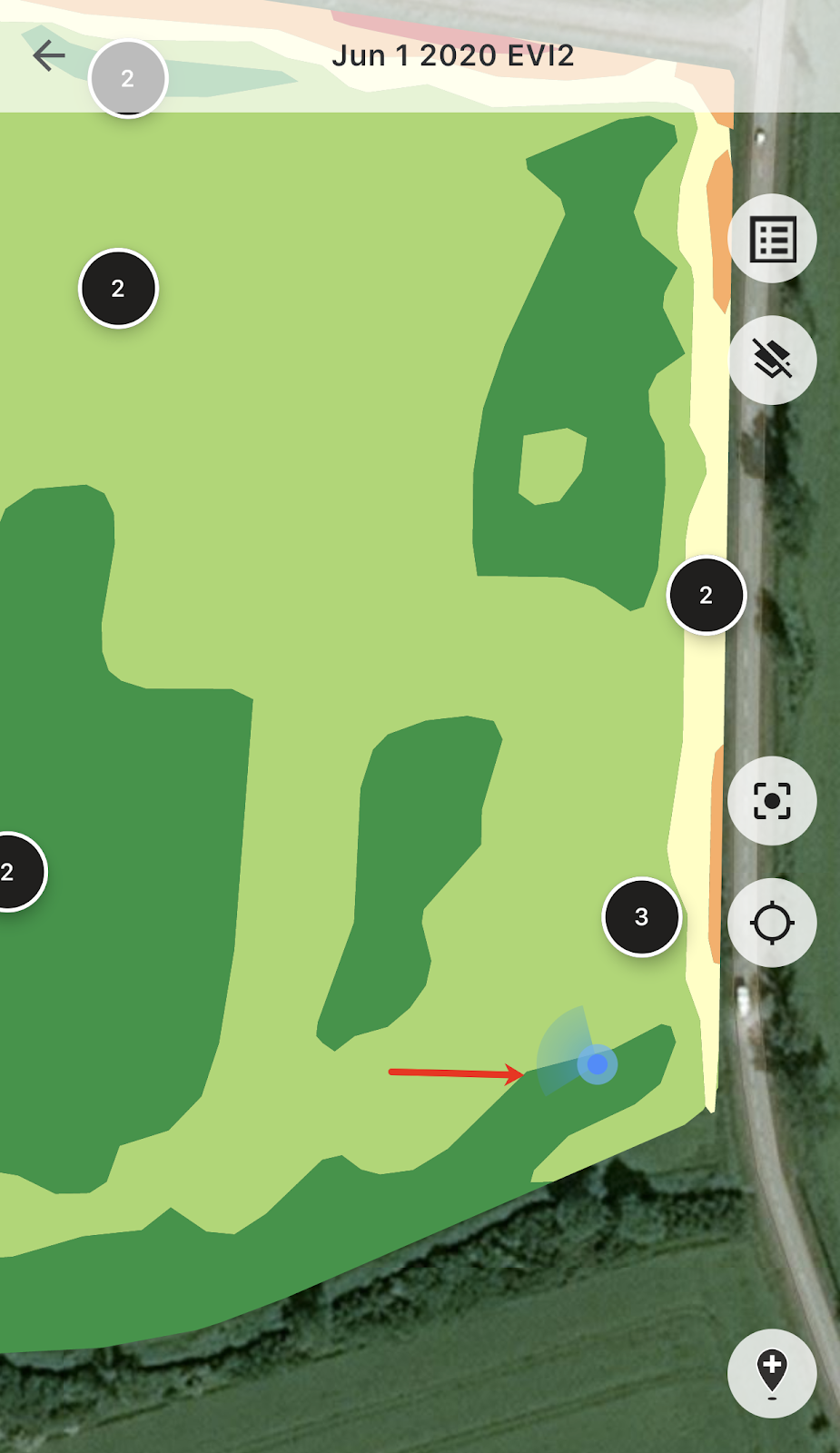
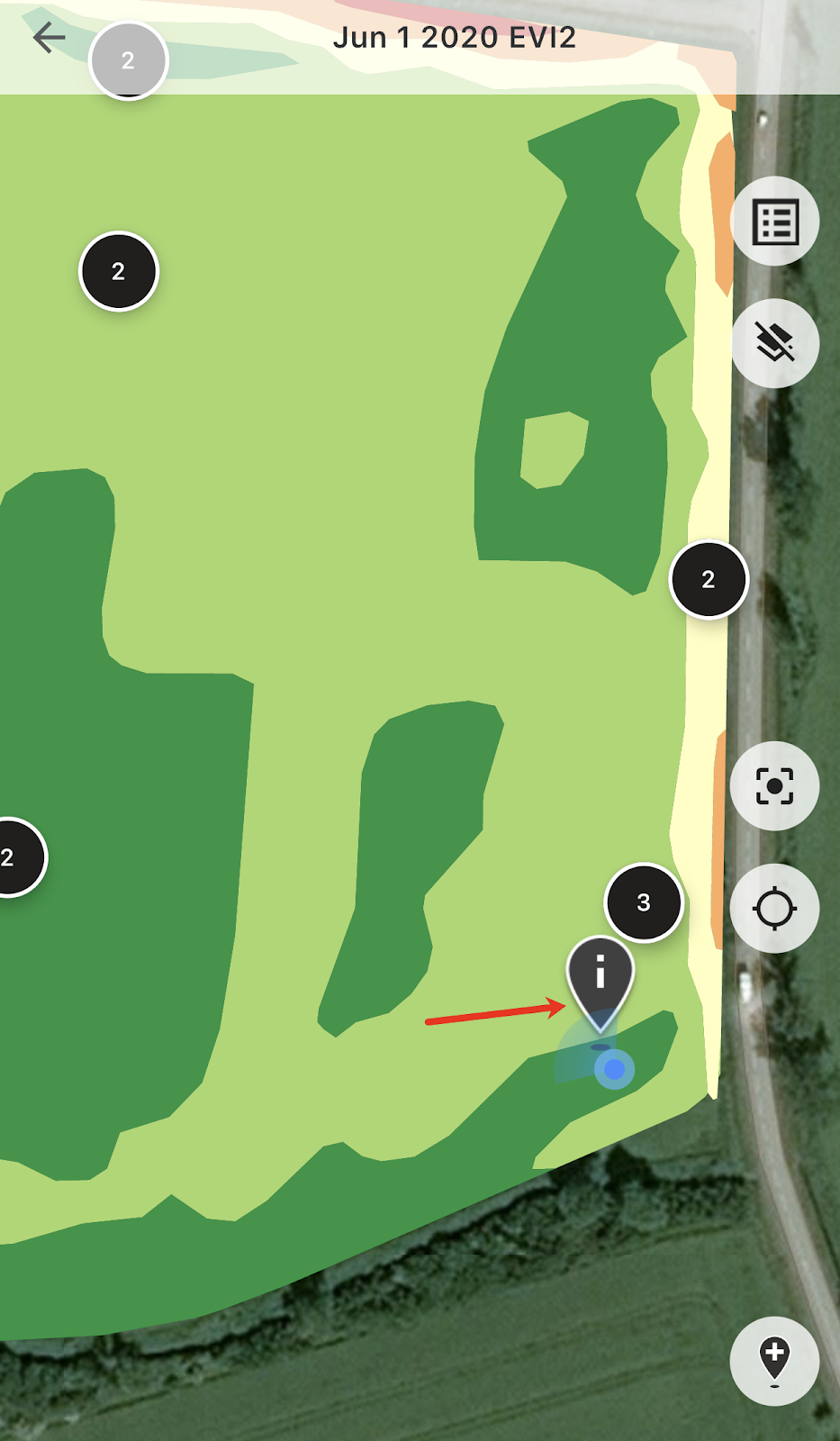
Kad esat laukā, varat sekot līdzi savai atrašanās vietai un redzēt kustības virzienu.
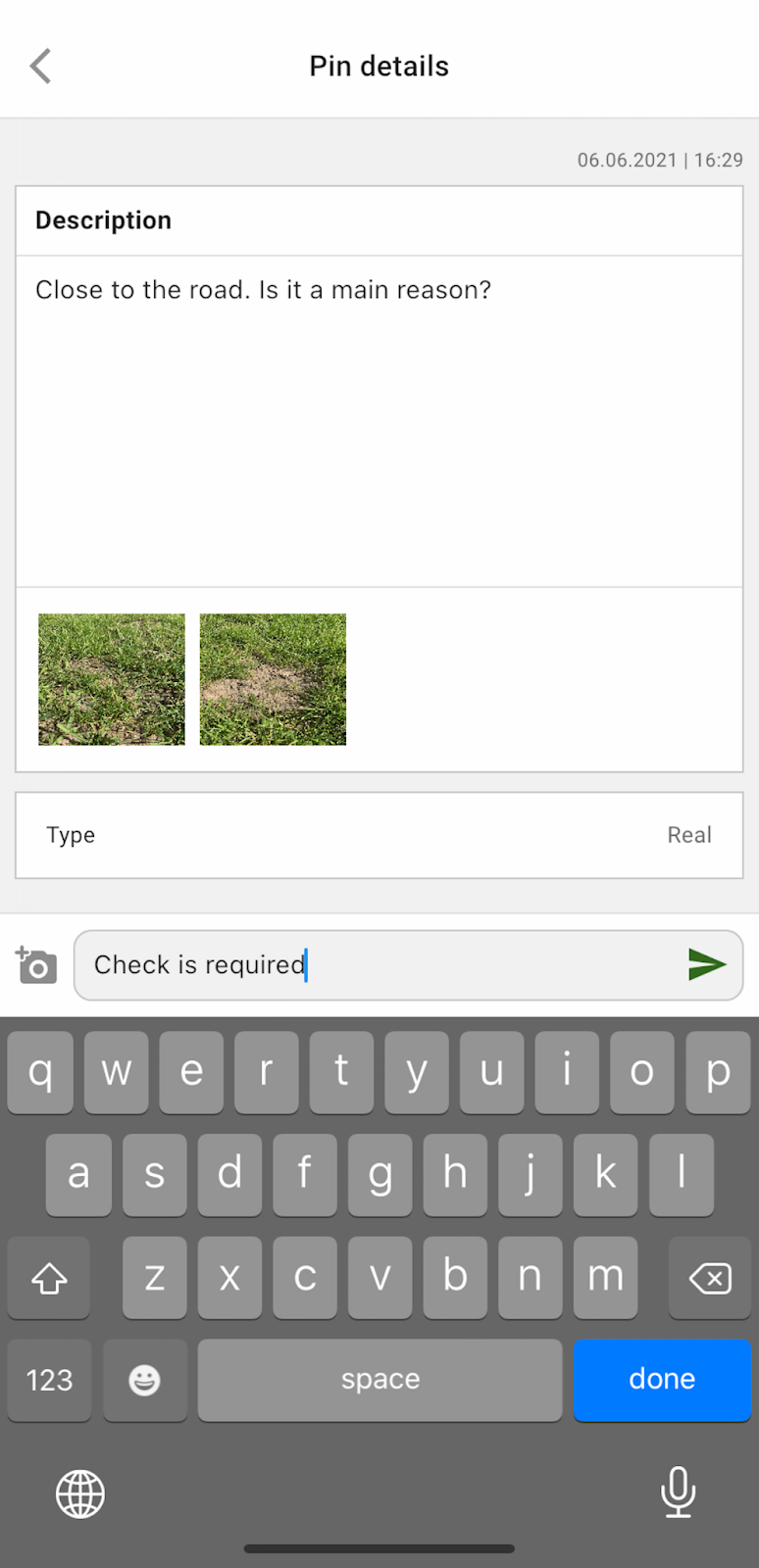
Varat pieskarties jebkuram no plānotajiem piespraudņiem un pievienot/rediģēt komentārus.
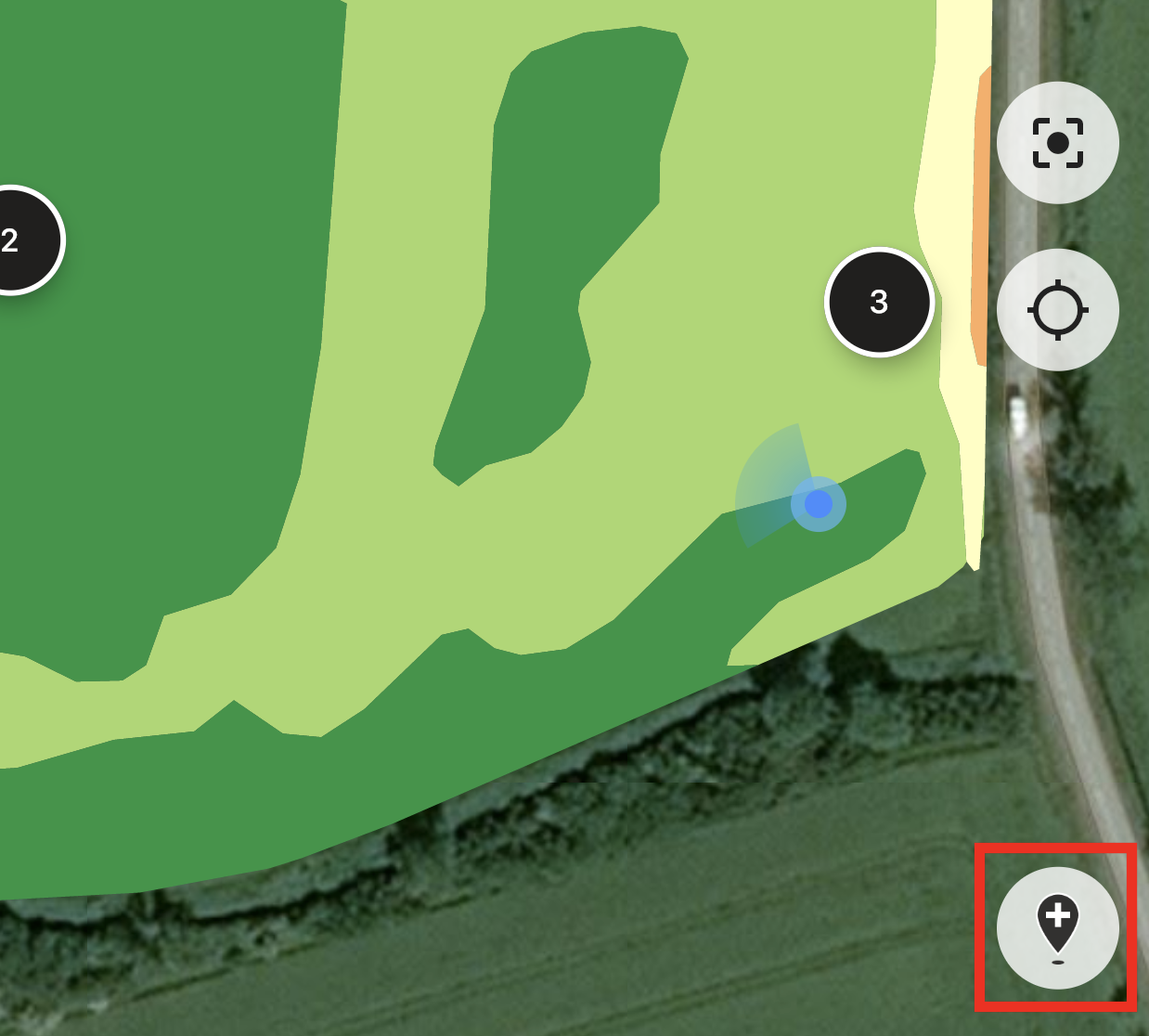
Vai arī, ja pamanāt kaut ko, kam nepieciešama uzmanība (anomāliju vai nepareizu lauka robežu), pieskarieties pogai Pievienot jaunu piespraudni.
Ievadiet savus komentārus un pieskarieties pogai “Saglabāt”, lai pievienotu jaunu piespraudni Zonu kartei.
Piespraudnēm, kuras pievienojat, izmantojot mobilo ierīci, ir cita ikona nekā plānotajiem piespraudņiem, kurus pievienojat, izmantojot tīmekļa lietotni.
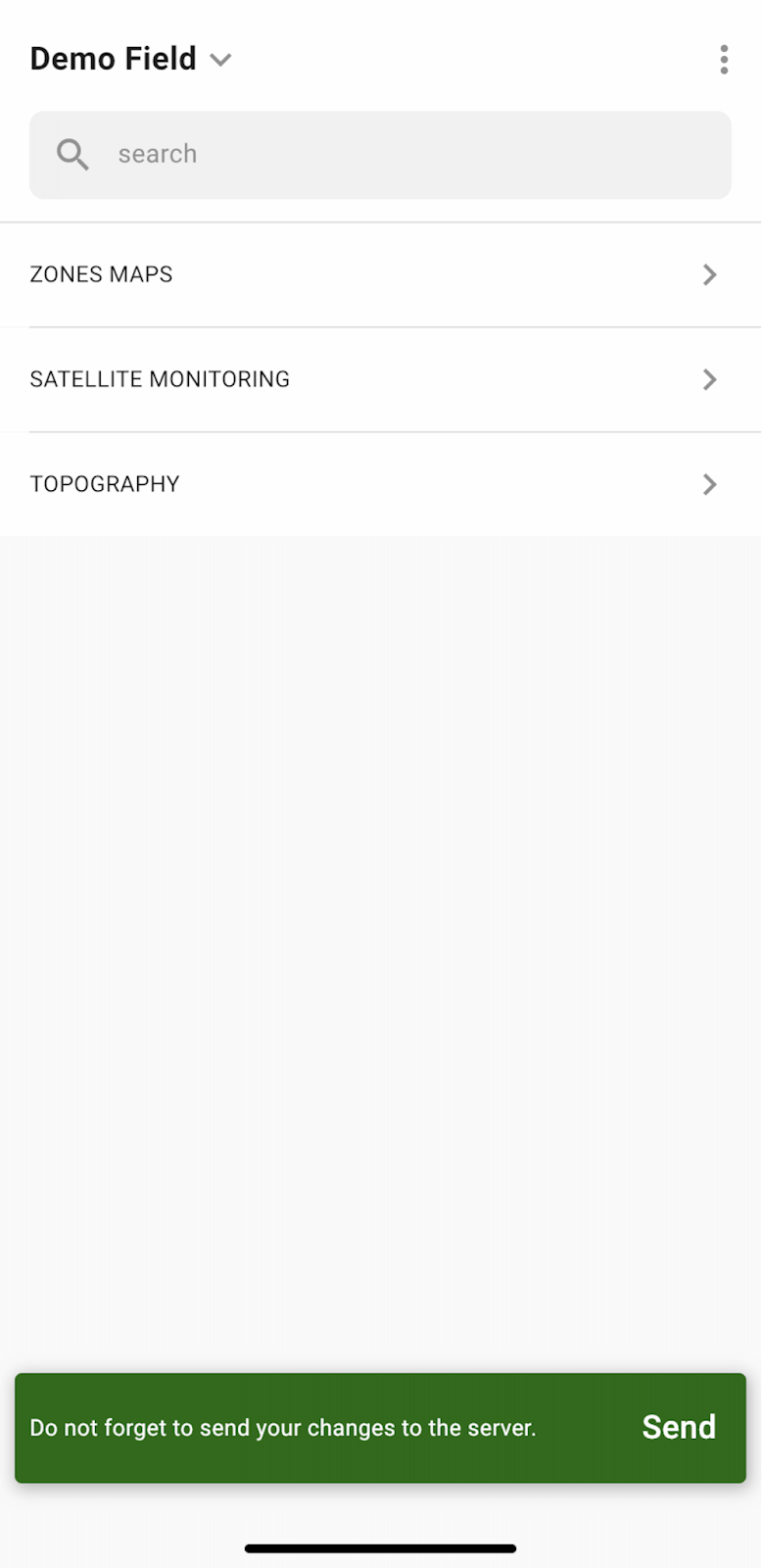
Kad būsiet pabeidzis darbu laukā un pievienojis/rediģējis piespraudnes, tiks parādīts paziņojums ar aicinājumu augšupielādēt izmaiņas serverī. Vai arī, ja strādājat bezsaistē, jūs tiksiet aicināts augšupielādēt izmaiņas, tiklīdz izveidosiet savienojumu ar tīklu.
Pieskarieties “Sūtīt”, lai sinhronizētu savas izmaiņas ar serveri.
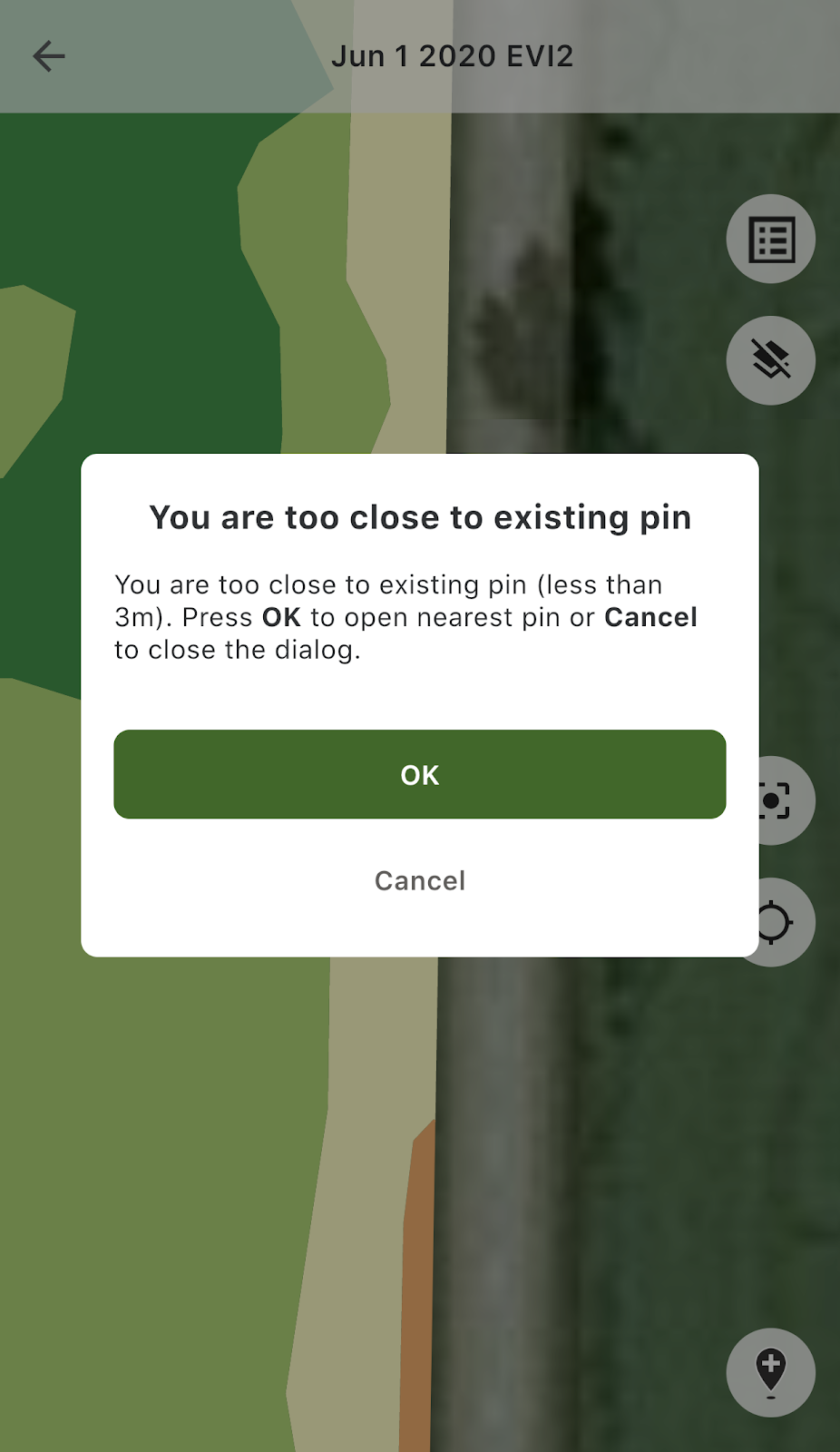
Ja atrodaties tuvu esošai piespraudnei un mēģināt pievienot jaunu piespraudni, tiks parādīts šāds paziņojums:
Tādā gadījumā varat pieskarties vai nu “OK”, lai atvērtu tuvāko piespraudni, vai “Atcelt”, lai aizvērtu uznirstošo paziņojumu.
---
# Agent Instructions
This documentation is published with GitBook. GitBook is the documentation platform designed so that both humans and AI agents can read, navigate, and reason over technical content effectively. Learn more at gitbook.com.
## Querying This Documentation
If you need additional information that is not directly available in this page, you can query the documentation by asking a question.
Perform an HTTP GET request on the following URL with the `ask` and `goal` query parameters:
```
GET https://docs.geopard.tech/geopard-tutorials/lva/produkta-apskats-mobila-lietotne/darbs-bezsaiste.md?ask=&goal=
```
`ask` is the immediate question: it should be specific, self-contained, and written in natural language.
`goal` is what the user is ultimately trying to achieve, the reason they need the answer. Sharing it helps GitBook give you a better, more relevant answer. A goal is most helpful when it describes the outcome the user wants rather than restating the question. For example, with `ask=how do I create an API token`, a goal like `automate deployments from our CI pipeline` lets GitBook tailor the answer to that use case.
The response will contain a direct answer to the question and relevant excerpts and sources from the documentation.
Use this mechanism when the answer is not explicitly present in the current page, you need clarification or additional context, or you want to retrieve related documentation sections.