> For the complete documentation index, see [llms.txt](https://docs.geopard.tech/geopard-tutorials/llms.txt). Markdown versions of documentation pages are available by appending `.md` to page URLs; this page is available as [Markdown](https://docs.geopard.tech/geopard-tutorials/lva/izmainu-zurnals-un-produktu-relizes/timekla-versija-2024.-gada-augusts-datu-slanu-prieksskatijumi-telpiski-lokalizetas-zonas-atkartoti-i.md).
# Tīmekļa versija, 2024. gada augusts (datu slāņu priekšskatījumi, telpiski lokalizētas zonas, atkārtoti izmantojamas zonas)
Šis atjauninājums uzlabo datu slāņu priekšskatījumus zonu kartes izveidē un pievieno atbalstu līdz 50 telpiski lokalizētām zonām.
### Uzlaboti datu slāņu priekšskatījumi zonu kartes izveidei
Tagad, veidojot zonu kartes, varat priekšskatīt atlasītos datu slāņus, tostarp satelītattēlus un tādus datu kopumus kā augsnes, ražas un izkliedes dati. Zonu kartes izveides sadaļā Datu slāņi lapas apakšdaļā redzēsiet šo slāņu sīktēlu priekšskatījumus. Katrs priekšskatījums ietver etiķeti ar satelītattēla datumu vai datu kopas nosaukumu. Slāņus var arī noņemt vai, izmantojot paskaidrojumus, atvērt plašāku informāciju. Aktīvā satelītattēla vai datu kopas nosaukums tiek rādīts virs kartes, atvieglojot atlasīto datu izsekošanu.
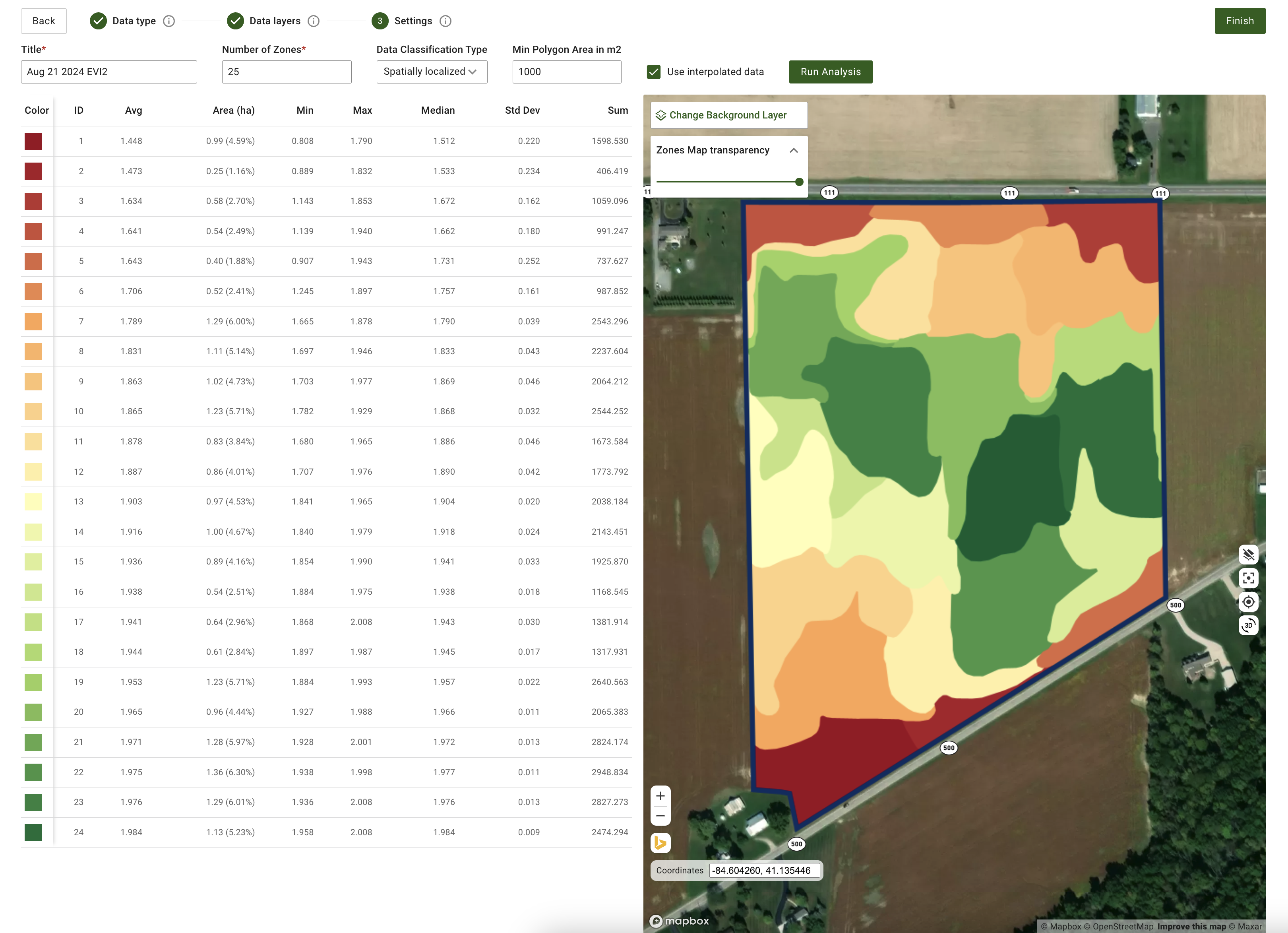
### Atjauninātas vadīklas telpiski lokalizētu zonu kartes ģenerēšanai
Esam pievienojuši lielāku elastību telpiski lokalizētu zonu ģenerēšanā. Tagad sistēma atbalsta vairāk nekā 11 zonu izveidi, diapazonā no 3 līdz 50 zonām. Vienkārši ievadiet vēlamo zonu skaitu tieši ievades laukā. Šis atjauninājums nodrošina detalizētāku kontroli, garantējot pietiekamu ģeotelpisko detalizāciju.
### Papildu uzlabojumi un kļūdu labojumi
Papildus šīm funkcijām, programmatūras izstrādes komanda turpina pilnveidot GeoPard kodolu. Šajā mēnesī šie uzlabojumi ietver paplašinātu automatizēto testu pārklājumu un precīzāk pielāgotu mākoņinfrastruktūru lai uzlabotu kopējo veiktspēju.
---
# Agent Instructions
This documentation is published with GitBook. GitBook is the documentation platform designed so that both humans and AI agents can read, navigate, and reason over technical content effectively. Learn more at gitbook.com.
## Querying This Documentation
If you need additional information that is not directly available in this page, you can query the documentation by asking a question.
Perform an HTTP GET request on the following URL with the `ask` and `goal` query parameters:
```
GET https://docs.geopard.tech/geopard-tutorials/lva/izmainu-zurnals-un-produktu-relizes/timekla-versija-2024.-gada-augusts-datu-slanu-prieksskatijumi-telpiski-lokalizetas-zonas-atkartoti-i.md?ask=&goal=
```
`ask` is the immediate question: it should be specific, self-contained, and written in natural language.
`goal` is what the user is ultimately trying to achieve, the reason they need the answer. Sharing it helps GitBook give you a better, more relevant answer. A goal is most helpful when it describes the outcome the user wants rather than restating the question. For example, with `ask=how do I create an API token`, a goal like `automate deployments from our CI pipeline` lets GitBook tailor the answer to that use case.
The response will contain a direct answer to the question and relevant excerpts and sources from the documentation.
Use this mechanism when the answer is not explicitly present in the current page, you need clarification or additional context, or you want to retrieve related documentation sections.