> For the complete documentation index, see [llms.txt](https://docs.geopard.tech/geopard-tutorials/llms.txt). Markdown versions of documentation pages are available by appending `.md` to page URLs; this page is available as [Markdown](https://docs.geopard.tech/geopard-tutorials/ltu/gis-greiti-patarimai/qgis-derliaus-duomenu-tvarkymas.md).
# QGIS: derliaus duomenų tvarkymas
Paruoškite ir išvalykite derliaus duomenis QGIS prieš juos importuodami ar analizuodami GeoPard.
APŽVALGA
Vadovas su nuosekliu aprašymu, kaip išspręsti šias problemas su derlingumo monitoriaus duomenimis:
1. Trūkstamas projekcijos failas (.prj) shapefile faile
2. Taikyti konvertavimo taisykles kiekvienam shapefile atributo laukui (pagal pavyzdį iš kg/ha į bu/ac)
Naudojama programinė įranga yra QGIS ([NUORODOJE](https://qgis.org/en/site/forusers/download.html)).
Atsisiuntimas ir įdiegimas yra privalomi.
### TRŪKSTAMAS PROJEKCIJOS FAILAS
1. Atverkite shapefile su derlingumo duomenimis. Perkelkite failą į QGIS langą.
2. Shapefile tampa prieinamas tolesniems veiksmams Sluoksnių bloke.
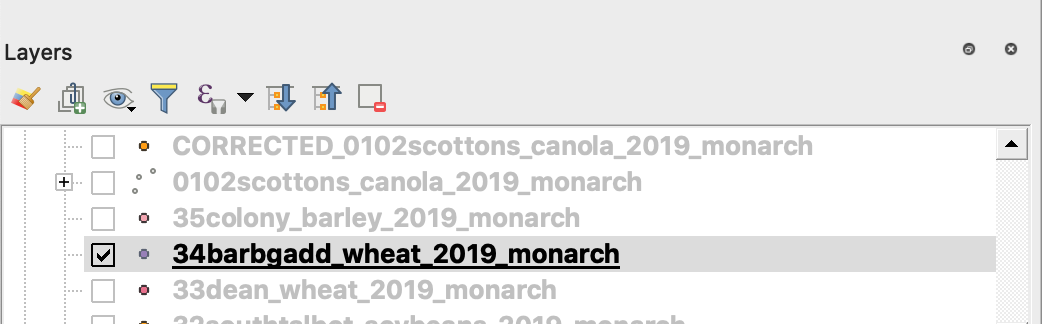
3. Pradėkite išsaugojimo procesą
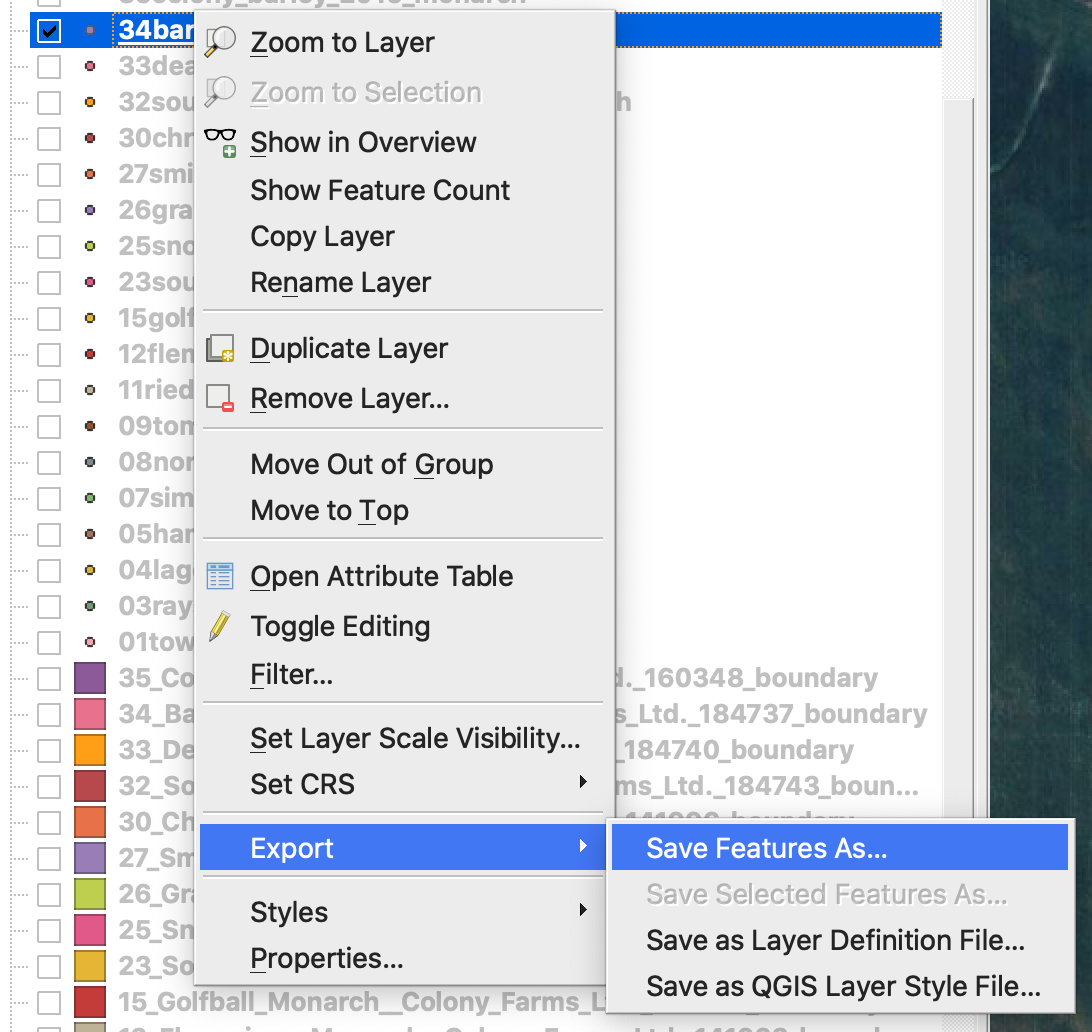
4. 1. Paspauskite dešinįjį pelės mygtuką ir spustelėkite shapefile
2. Pasirinkite Export -> Save Feature As ...
4. Pasirinkite
5. 1. Formatas -> ESRI Shapefile,
2. Failo vardas -> spustelėkite … ir pasirinkite norimą katalogą bei failo pavadinimą,
3. CRS -> EPSG:4326
4. Kodavimas -> UTF8
5. Pridėti išsaugotą failą į žemėlapį (neprivaloma, jei norite jį matyti tiesiogiai QGIS)
6. Geometrijos tipas -> Taškas
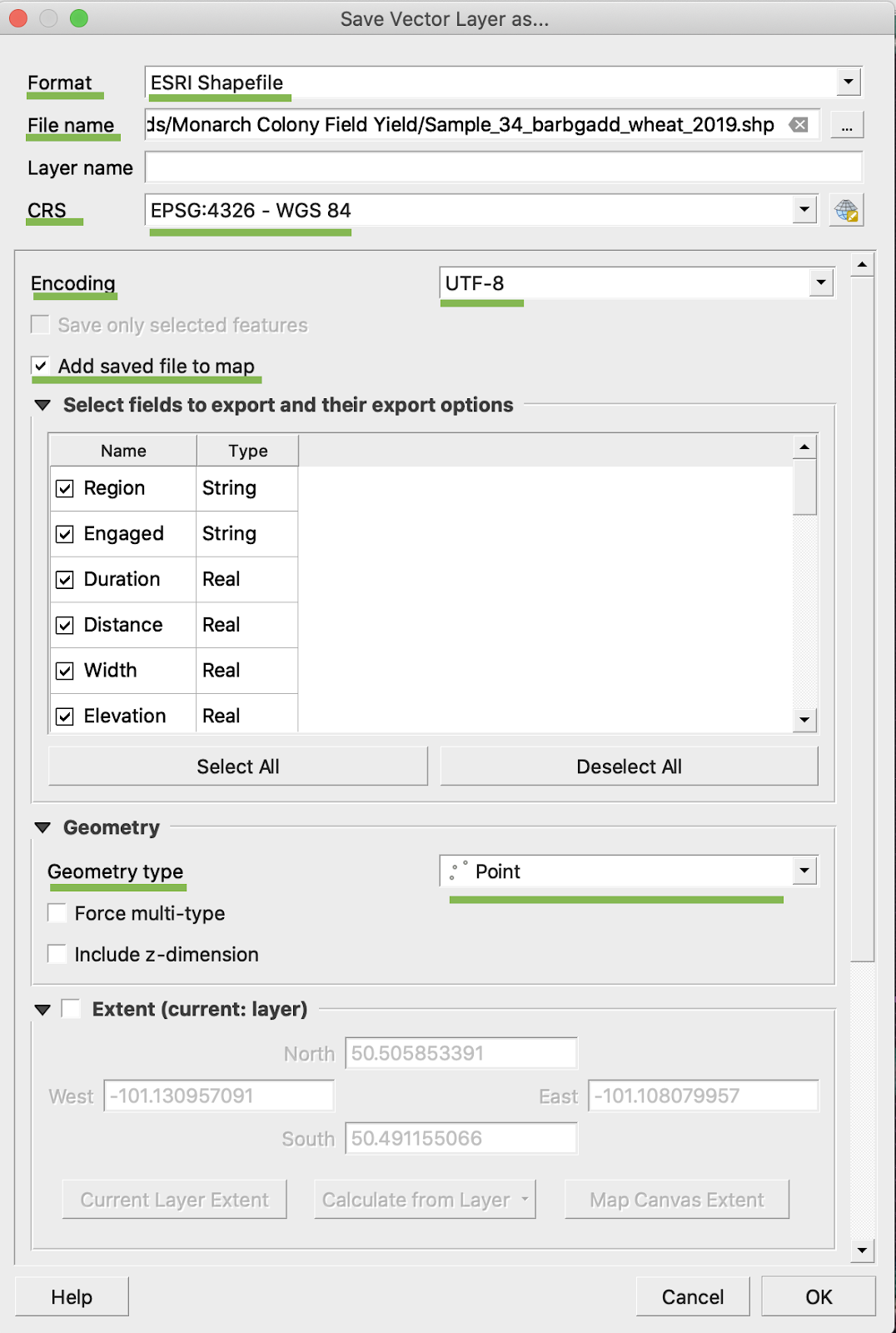
5. Spustelėkite Gerai
6. Sukuriamas papildomas shapefile failas su tais pačiais derlingumo duomenimis. Projekcijos failas (.prj) buvo pridėtas.
\
### KONVERSIJA IŠ BU/AC
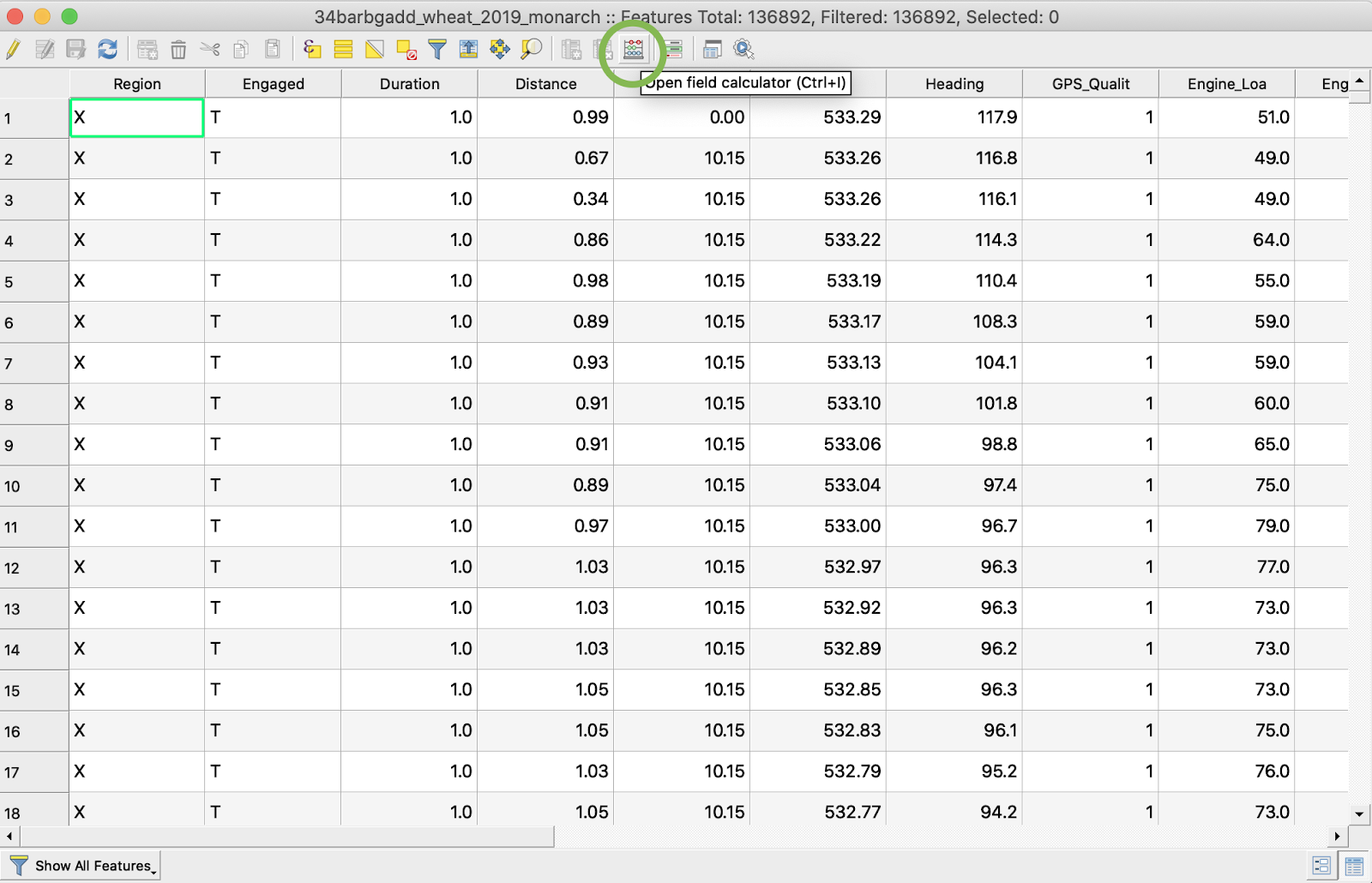
1. Paspauskite dešinįjį pelės mygtuką ant shapefile ir pasirinkite Open Attribute Table
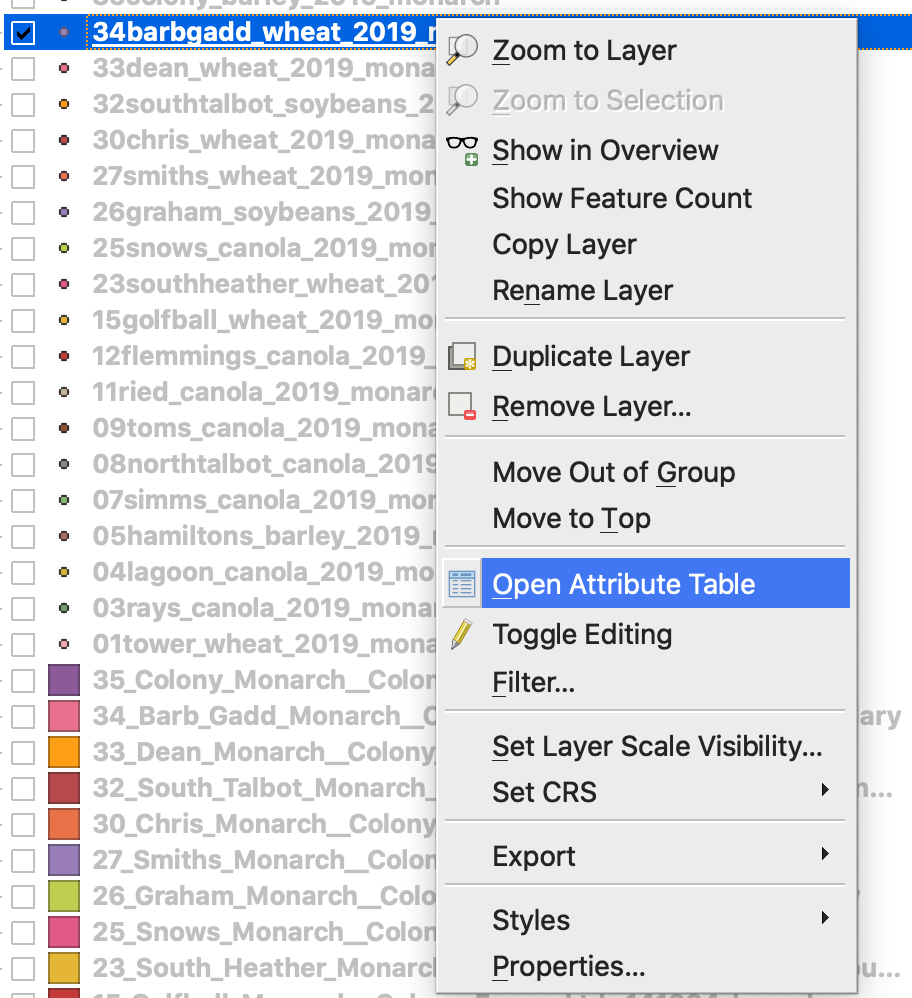
2. Spustelėkite Open field calculator
3. Sukurkite naują lauką
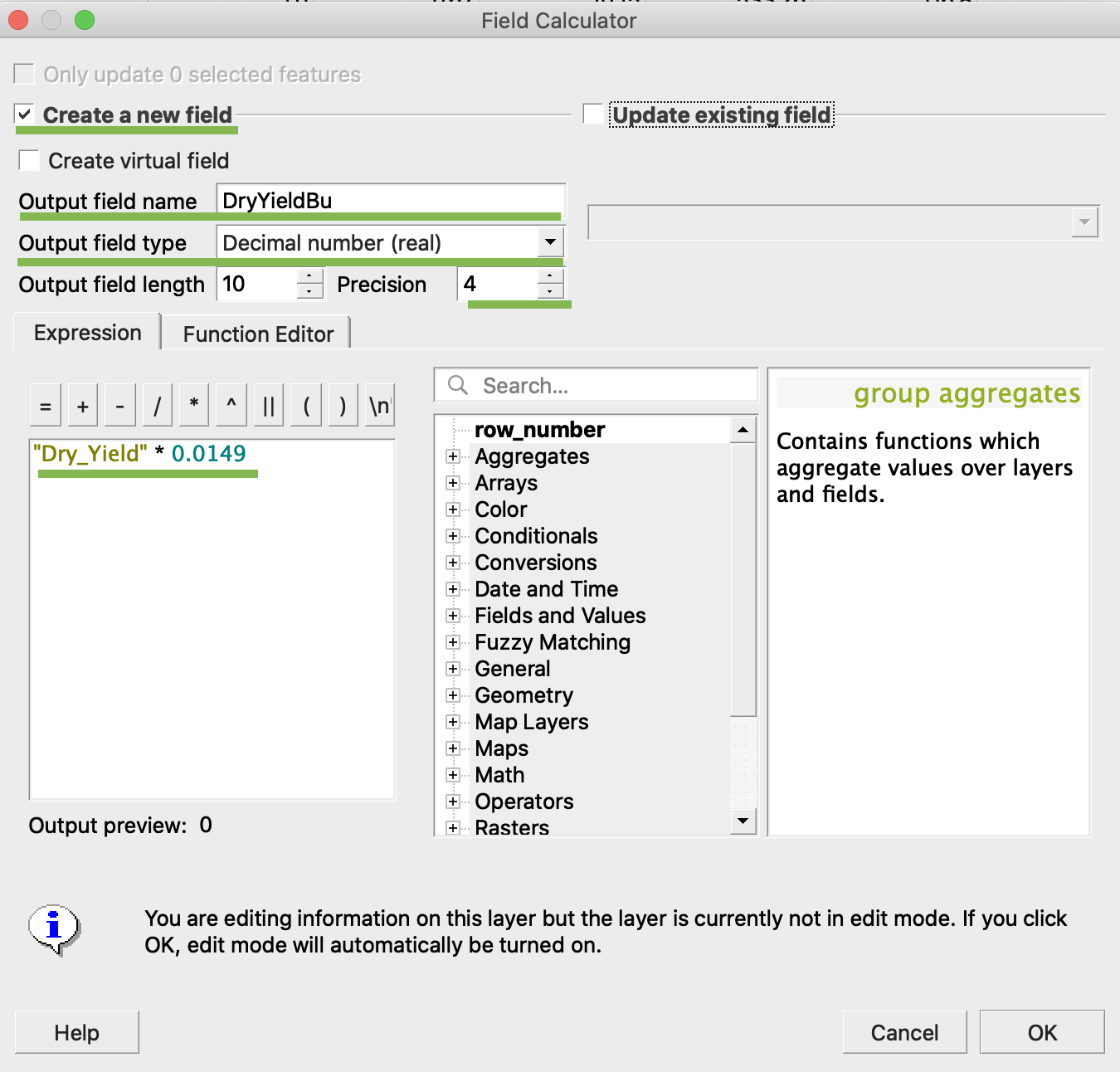
4. 1. Pažymėkite Create a new field
2. Įveskite Output field name -> DryYieldBu
3. Pasirinkite Output field type -> Decimal number (real)
4. Pakeiskite Precision -> 4
5. Įveskite taisyklę konvertuoti kg/ha į bu/ac -> "Dry\_Yield" \* 0.0149
4. Spustelėkite Gerai
5. Lentelėje atsirado papildomas atributas DryYieldBu
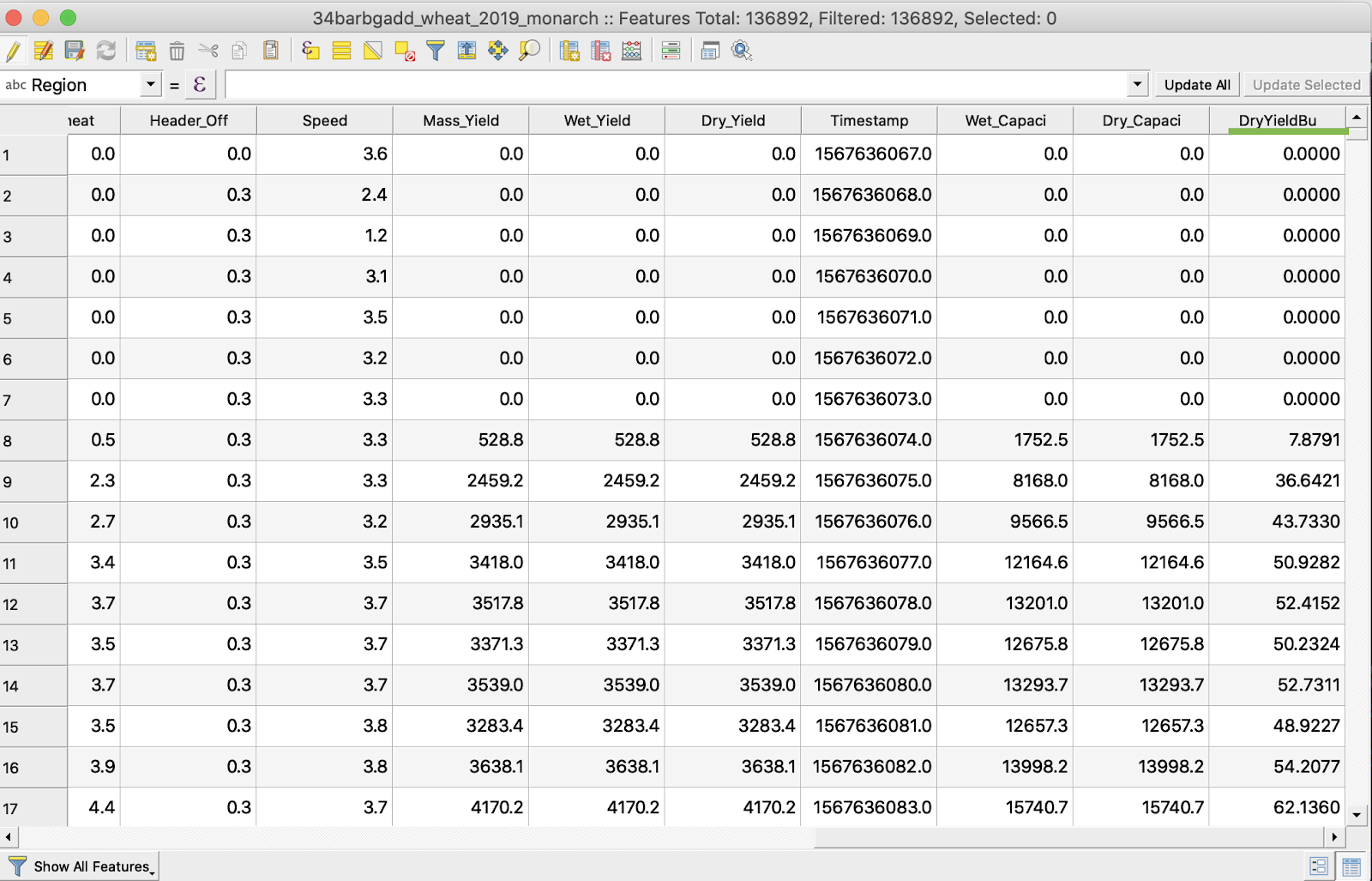
6. Išsaugokite pakeitimus
7. 1. Paspauskite dešinįjį pelės mygtuką ant norimo shapefile
2. Pasirinkite Toggle Editing
\
\
\
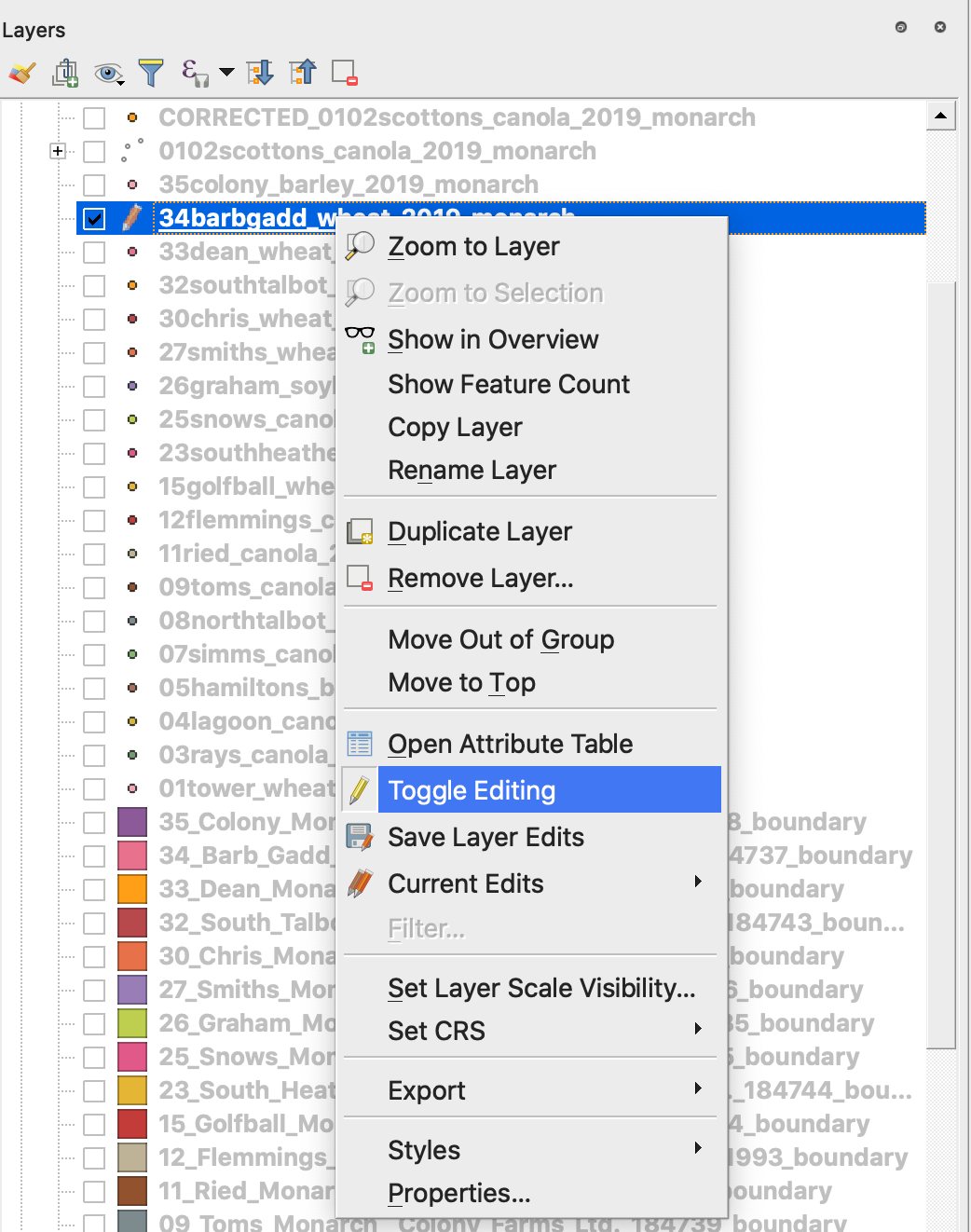
7. Patvirtinkite pakeitimų išsaugojimą
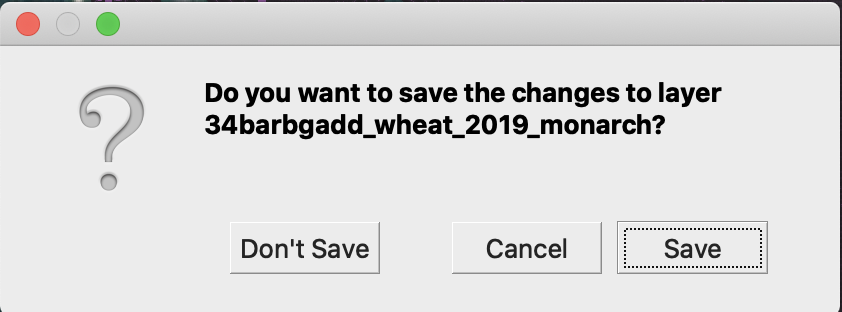
Norimas shapefile nebėra pažymėtas pieštuku. Duomenys shapefile faile buvo atnaujinti.
---
# Agent Instructions
This documentation is published with GitBook. GitBook is the documentation platform designed so that both humans and AI agents can read, navigate, and reason over technical content effectively. Learn more at gitbook.com.
## Querying This Documentation
If you need additional information that is not directly available in this page, you can query the documentation by asking a question.
Perform an HTTP GET request on the following URL with the `ask` and `goal` query parameters:
```
GET https://docs.geopard.tech/geopard-tutorials/ltu/gis-greiti-patarimai/qgis-derliaus-duomenu-tvarkymas.md?ask=&goal=
```
`ask` is the immediate question: it should be specific, self-contained, and written in natural language.
`goal` is what the user is ultimately trying to achieve, the reason they need the answer. Sharing it helps GitBook give you a better, more relevant answer. A goal is most helpful when it describes the outcome the user wants rather than restating the question. For example, with `ask=how do I create an API token`, a goal like `automate deployments from our CI pipeline` lets GitBook tailor the answer to that use case.
The response will contain a direct answer to the question and relevant excerpts and sources from the documentation.
Use this mechanism when the answer is not explicitly present in the current page, you need clarification or additional context, or you want to retrieve related documentation sections.