> For the complete documentation index, see [llms.txt](https://docs.geopard.tech/geopard-tutorials/llms.txt). Markdown versions of documentation pages are available by appending `.md` to page URLs; this page is available as [Markdown](https://docs.geopard.tech/geopard-tutorials/jpn/tsu-webapuri/znmapputo/bu-jun-yi-xing-xi-shu.md).
# 不均一性係数
圃場内のばらつきを測定し、ゾーニングと可変施肥が最も効果を発揮する圃場を特定します。
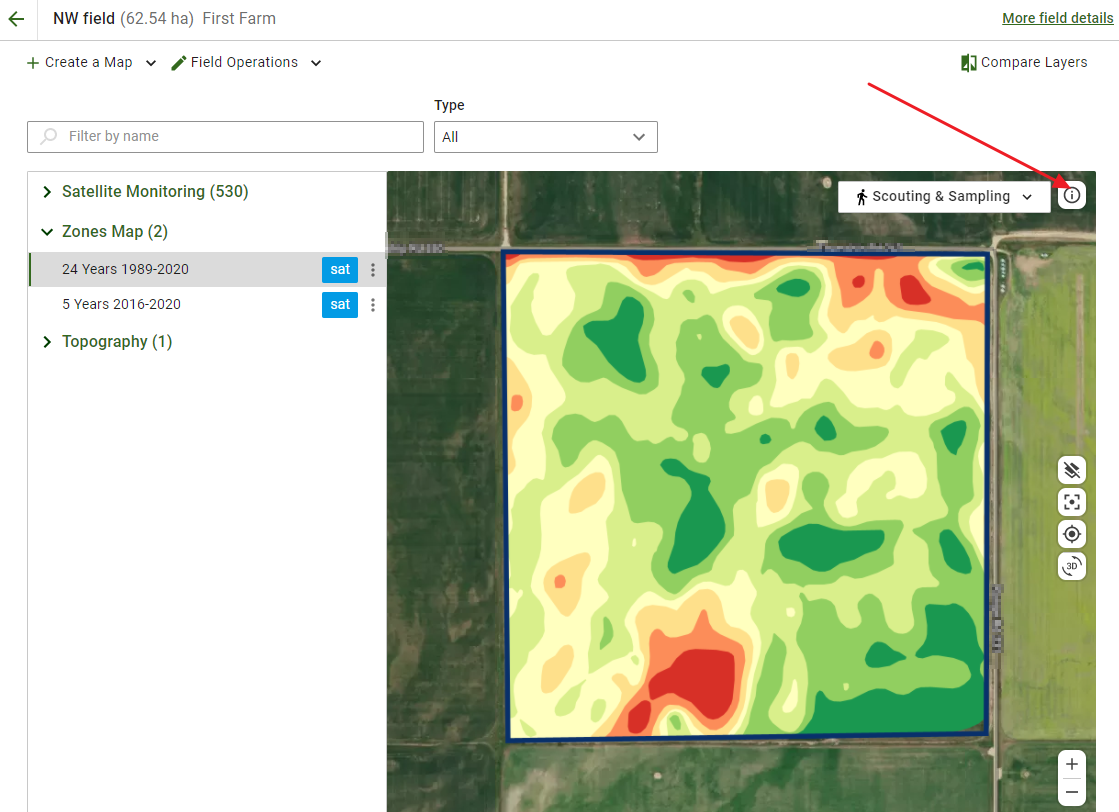
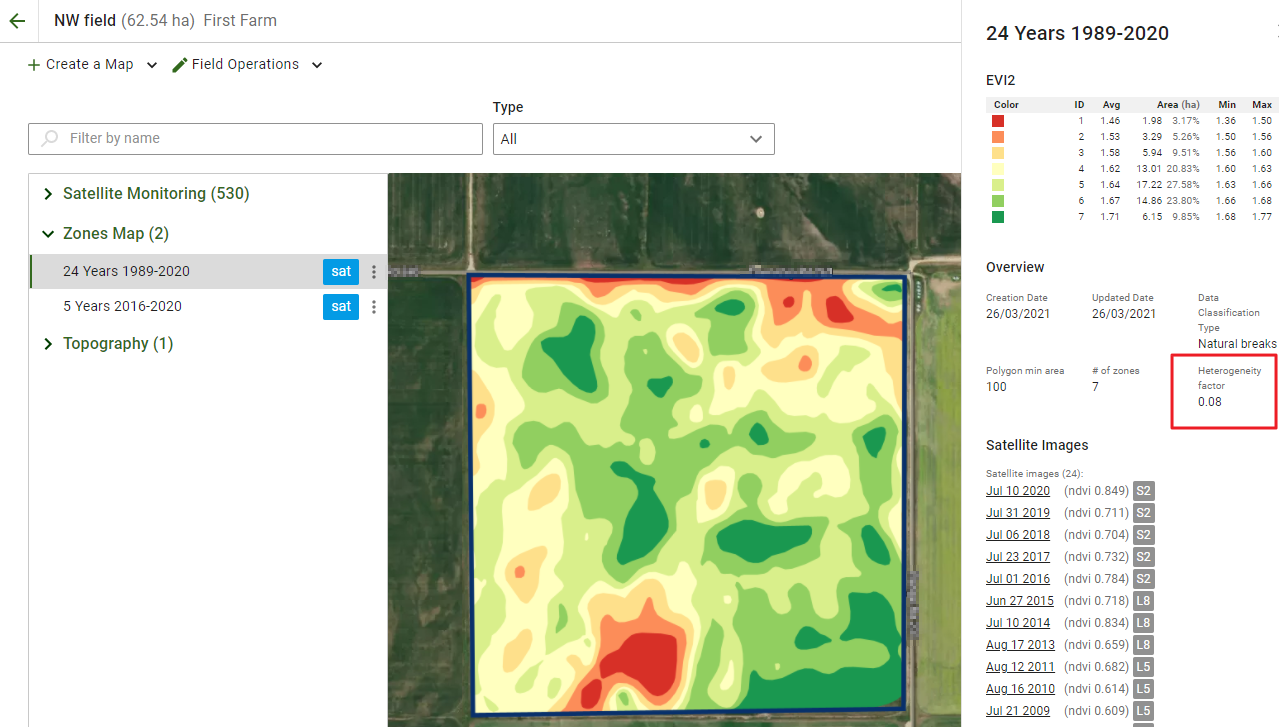
GeoPardが提供する機能の一つに、圃場の不均一性係数があります。確認するには、対象の圃場を開き、ゾーンマップを選択して、地図上の **情報** アイコンをクリックします。サイドパネルが開きます。
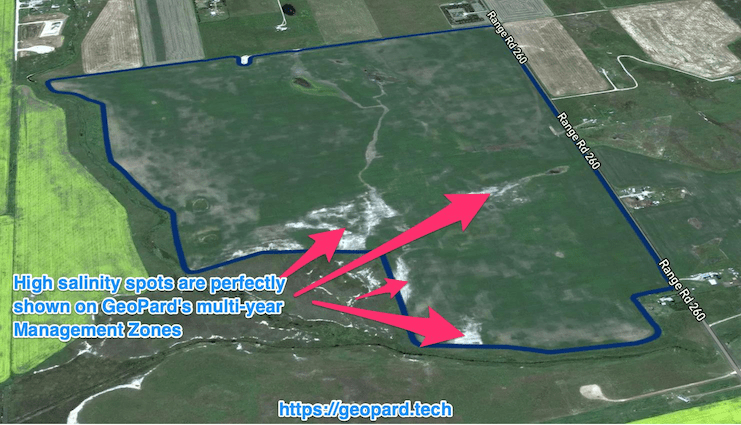
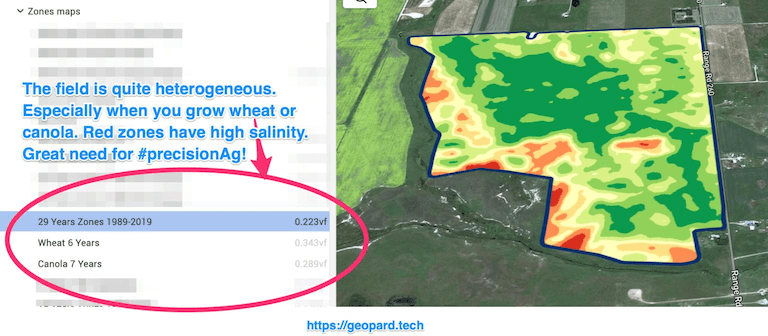
不均一性係数は、圃場の不均一性/ばらつきの度合いを示す数値です。圃場のばらつきが大きいほど、精密農業技術の必要性も高くなります。特に、GeoPardの複数年解析(30年履歴)と併用すると効果的です。
圃場が多い場合は、どの圃場を最初に対象にすべきかを [可変施用](http://test/) (播種、施肥、散布)とともに判断するのに役立ちます。
GeoPardの不均一性係数と複数年解析を組み合わせることで、最も不均一な圃場で農薬コストを最大限に削減できます。
---
# Agent Instructions
This documentation is published with GitBook. GitBook is the documentation platform designed so that both humans and AI agents can read, navigate, and reason over technical content effectively. Learn more at gitbook.com.
## Querying This Documentation
If you need additional information that is not directly available in this page, you can query the documentation by asking a question.
Perform an HTTP GET request on the following URL with the `ask` and `goal` query parameters:
```
GET https://docs.geopard.tech/geopard-tutorials/jpn/tsu-webapuri/znmapputo/bu-jun-yi-xing-xi-shu.md?ask=&goal=
```
`ask` is the immediate question: it should be specific, self-contained, and written in natural language.
`goal` is what the user is ultimately trying to achieve, the reason they need the answer. Sharing it helps GitBook give you a better, more relevant answer. A goal is most helpful when it describes the outcome the user wants rather than restating the question. For example, with `ask=how do I create an API token`, a goal like `automate deployments from our CI pipeline` lets GitBook tailor the answer to that use case.
The response will contain a direct answer to the question and relevant excerpts and sources from the documentation.
Use this mechanism when the answer is not explicitly present in the current page, you need clarification or additional context, or you want to retrieve related documentation sections.