> For the complete documentation index, see [llms.txt](https://docs.geopard.tech/geopard-tutorials/llms.txt). Markdown versions of documentation pages are available by appending `.md` to page URLs; this page is available as [Markdown](https://docs.geopard.tech/geopard-tutorials/jpn/tsu-webapuri/yz/sabusukuripushonakaunto-puran.md).
# サブスクリプション、アカウント上限 & プラン
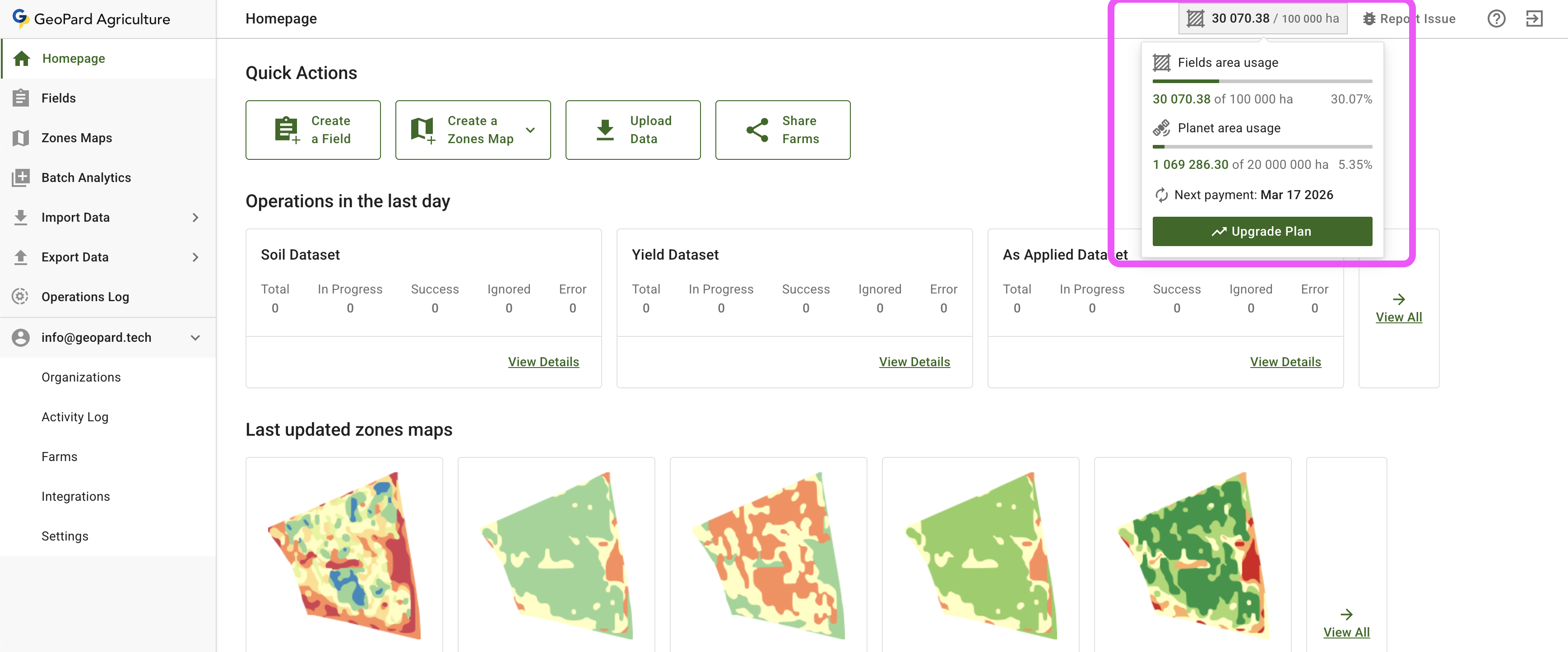
アプリ右上のセクションで、いつでも上限を確認できます。
GeoPard - アカウントの上限、総圃場面積、Planet画像の上限
GeoPardは、従量課金の月額プランと年額サブスクリプションプランに対応しています。
プラン間の違いについては、以下で詳しく説明しています。 [GeoPardの料金ページ](https://geopard.tech/pricing).
### 上限の種類
#### 圃場面積
計算方法: 取得面積から、アップロードまたは作図した圃場の面積を差し引きます。
{% hint style="warning" %}
削除された圃場は、次の支払期間になってから使用済み面積が減算されます。
{% endhint %}
**従量課金の月額プランでは、すべての上限はソフトリミットです。**
[必要であればお知らせください](mailto:support@geopard.tech) 上限の引き上げが必要な場合はお知らせください。月額請求額は、プラットフォームの利用状況と各操作の価格に基づいて計算されます。以下をご覧ください。 [料金ページ](https://geopard.tech/pricing).
**アドオン - Planet画像の利用**
これは、お客様が取得したPlanet画像のクォータに対して計算され、従量課金プランと月額サブスクリプションプランの両方で利用できます。
---
# Agent Instructions
This documentation is published with GitBook. GitBook is the documentation platform designed so that both humans and AI agents can read, navigate, and reason over technical content effectively. Learn more at gitbook.com.
## Querying This Documentation
If you need additional information that is not directly available in this page, you can query the documentation by asking a question.
Perform an HTTP GET request on the following URL with the `ask` and `goal` query parameters:
```
GET https://docs.geopard.tech/geopard-tutorials/jpn/tsu-webapuri/yz/sabusukuripushonakaunto-puran.md?ask=&goal=
```
`ask` is the immediate question: it should be specific, self-contained, and written in natural language.
`goal` is what the user is ultimately trying to achieve, the reason they need the answer. Sharing it helps GitBook give you a better, more relevant answer. A goal is most helpful when it describes the outcome the user wants rather than restating the question. For example, with `ask=how do I create an API token`, a goal like `automate deployments from our CI pipeline` lets GitBook tailor the answer to that use case.
The response will contain a direct answer to the question and relevant excerpts and sources from the documentation.
Use this mechanism when the answer is not explicitly present in the current page, you need clarification or additional context, or you want to retrieve related documentation sections.