> For the complete documentation index, see [llms.txt](https://docs.geopard.tech/geopard-tutorials/llms.txt). Markdown versions of documentation pages are available by appending `.md` to page URLs; this page is available as [Markdown](https://docs.geopard.tech/geopard-tutorials/jpn/tsu-webapuri/import-precision-agriculture-data/machinery-proprietary-formats.md).
# 機械メーカー独自形式
圃場作業や農学データセットの取り込みに対応する、機械ファイル形式を確認できます。
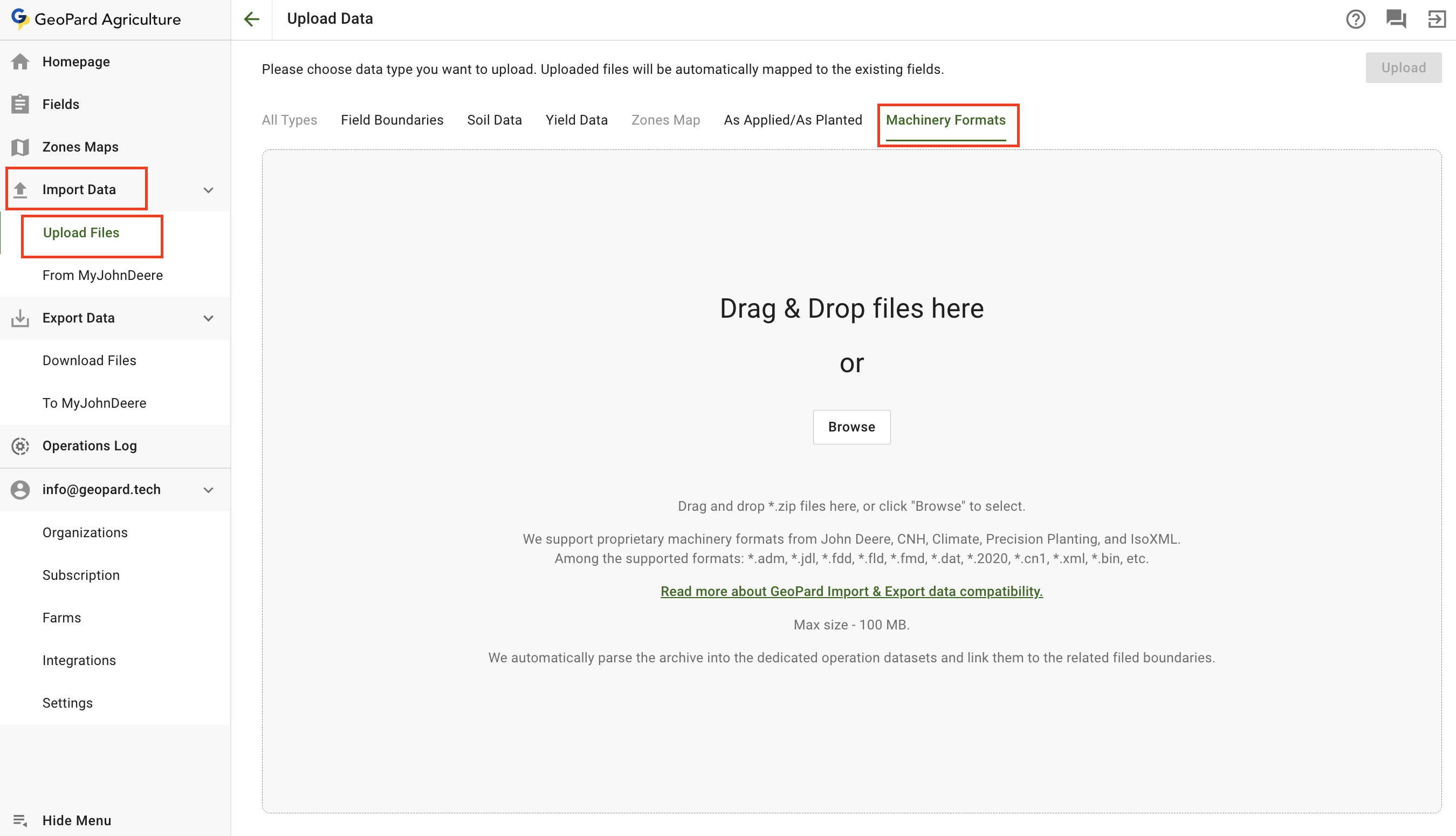
農業機械独自の形式のファイルをアップロードするには、 **データをインポート** メニューから **ファイルをアップロード** を選択し、次に **農業機械の形式**.
以下の制限にご注意ください:
* GeoPardは、John Deere、CNH、Climate、Precision Planting、IsoXMLの農業機械独自の形式に対応しています。
* 対応形式の例:\*.adm、\*.jdl、\*.fdd、\*.fld、\*.fmd、\*.dat、\*.2020、\*.cn1、\*.xml、\*.binなど。
[GeoPardのデータのインポートとエクスポートの互換性について詳しくはこちらをご覧ください。](https://geopard.tech/data-compatibility/)
* 最大サイズ:100 MB。
* GeoPardはアーカイブを自動的に解析して専用の作業データセットに分割し、該当する圃場境界に関連付けます。
---
# Agent Instructions
This documentation is published with GitBook. GitBook is the documentation platform designed so that both humans and AI agents can read, navigate, and reason over technical content effectively. Learn more at gitbook.com.
## Querying This Documentation
If you need additional information that is not directly available in this page, you can query the documentation by asking a question.
Perform an HTTP GET request on the following URL with the `ask` and `goal` query parameters:
```
GET https://docs.geopard.tech/geopard-tutorials/jpn/tsu-webapuri/import-precision-agriculture-data/machinery-proprietary-formats.md?ask=&goal=
```
`ask` is the immediate question: it should be specific, self-contained, and written in natural language.
`goal` is what the user is ultimately trying to achieve, the reason they need the answer. Sharing it helps GitBook give you a better, more relevant answer. A goal is most helpful when it describes the outcome the user wants rather than restating the question. For example, with `ask=how do I create an API token`, a goal like `automate deployments from our CI pipeline` lets GitBook tailor the answer to that use case.
The response will contain a direct answer to the question and relevant excerpts and sources from the documentation.
Use this mechanism when the answer is not explicitly present in the current page, you need clarification or additional context, or you want to retrieve related documentation sections.