> For the complete documentation index, see [llms.txt](https://docs.geopard.tech/geopard-tutorials/llms.txt). Markdown versions of documentation pages are available by appending `.md` to page URLs; this page is available as [Markdown](https://docs.geopard.tech/geopard-tutorials/jpn/rirsu/webrirsu-20237rogupjidtasettono.md).
# Webリリース 2023年7月(作業ログページ、データセット内の合計)
2023年7月のリリースをご紹介します。このアップデートでは、圃場ページでのデータセットのグループ化や、データセットと方程式の凡例強化など、GeoPardに多数の新機能と改善が追加されました。
## 操作ログページ
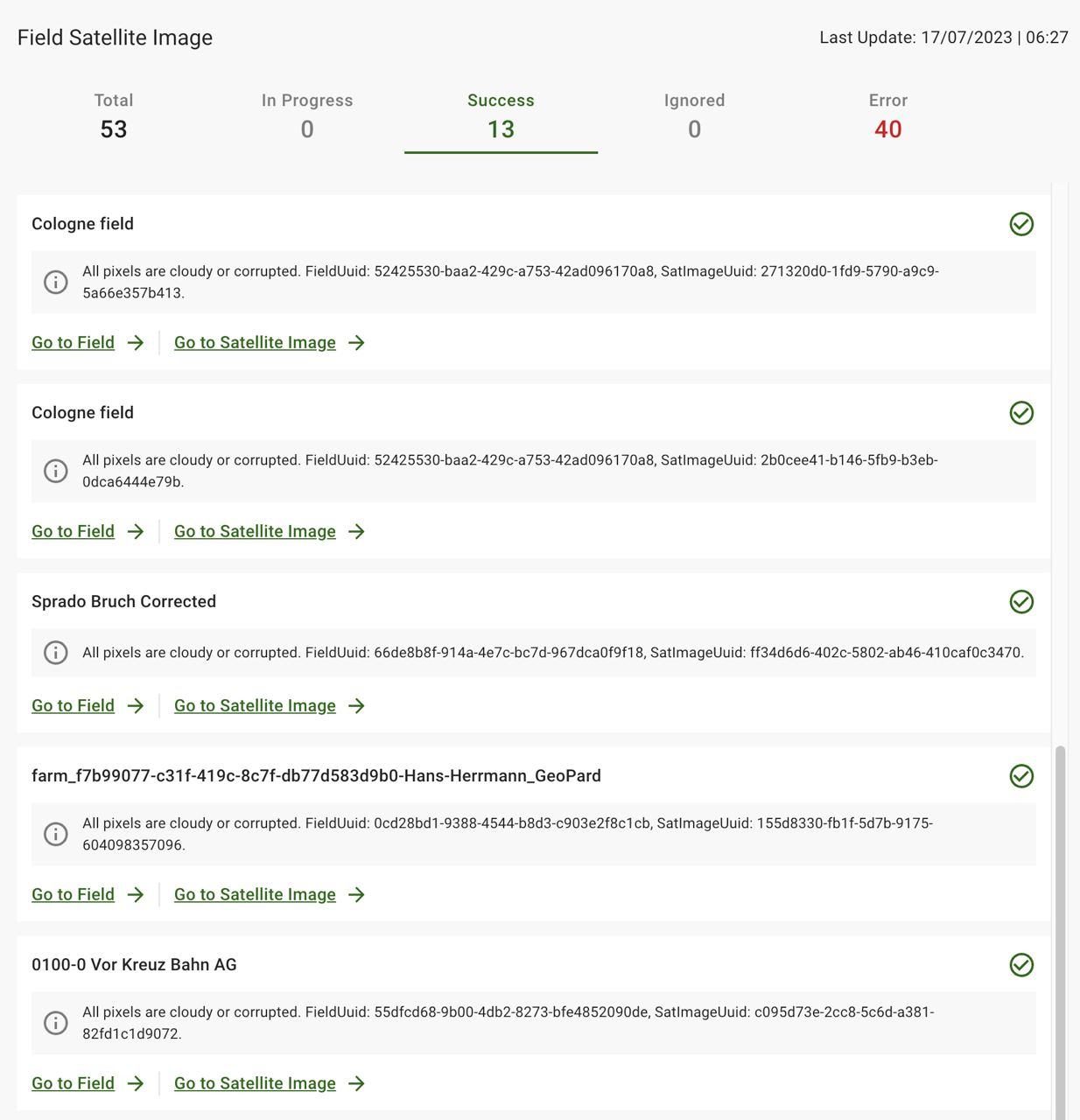
\[FTR] 警告を成功カテゴリに表示し、無視されたカテゴリを追加する
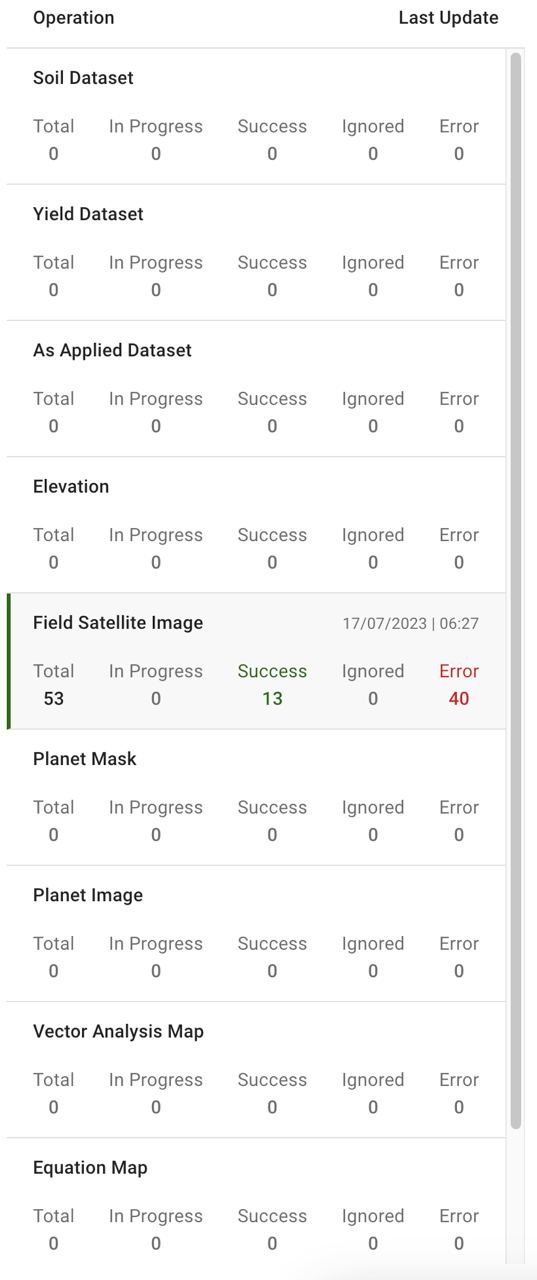
\[FTR] エンティティ別に操作を分割する
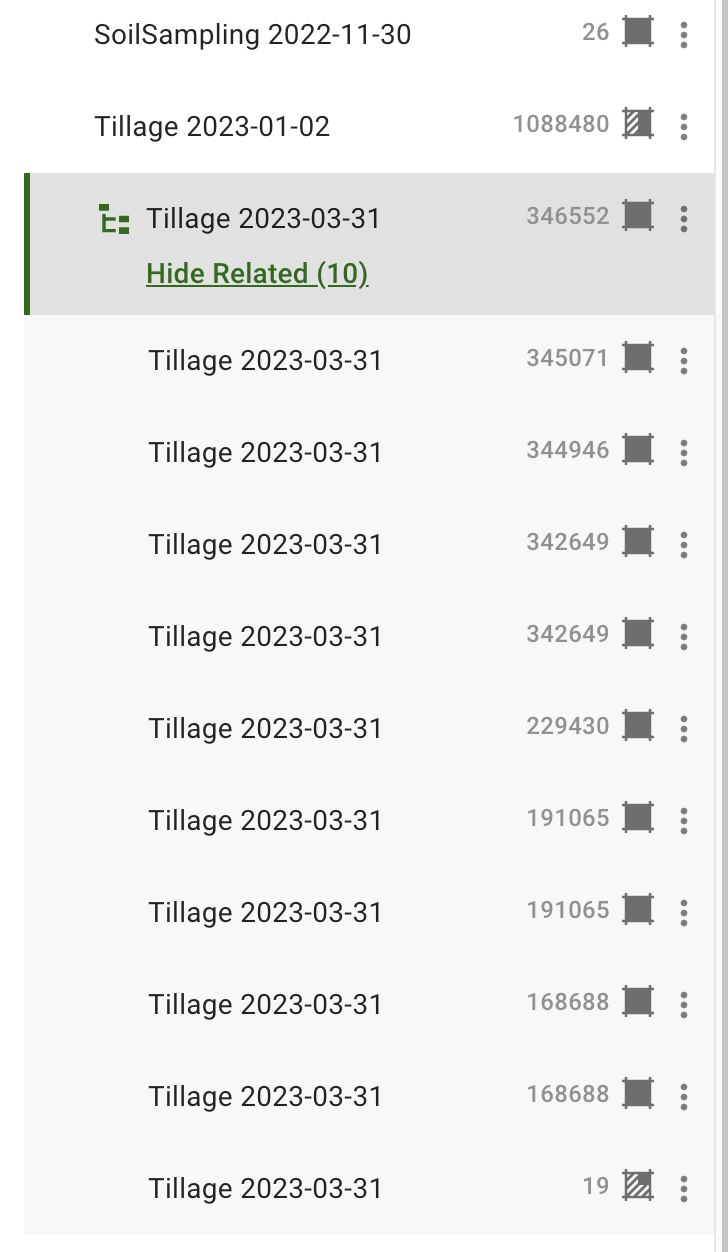
\[FTR] 圃場ページでのデータセットのグルーピング
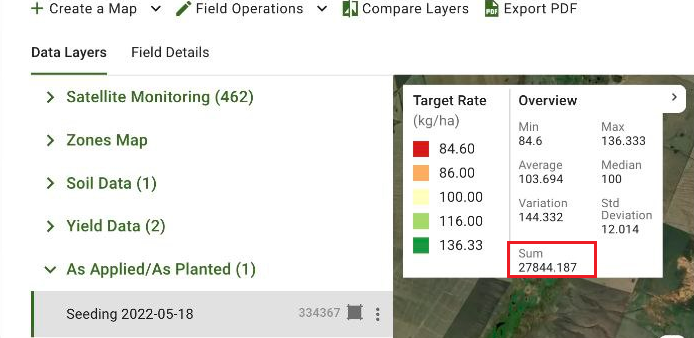
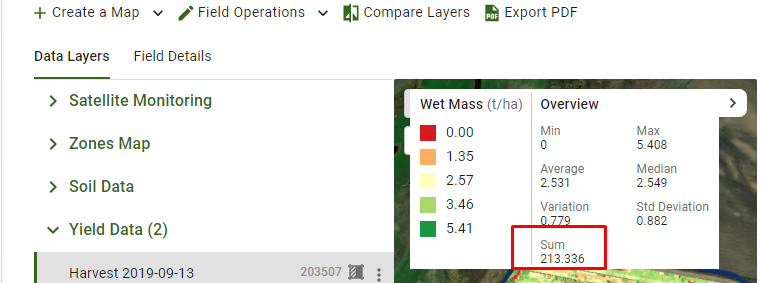
## 追加の統計派生値としての合計
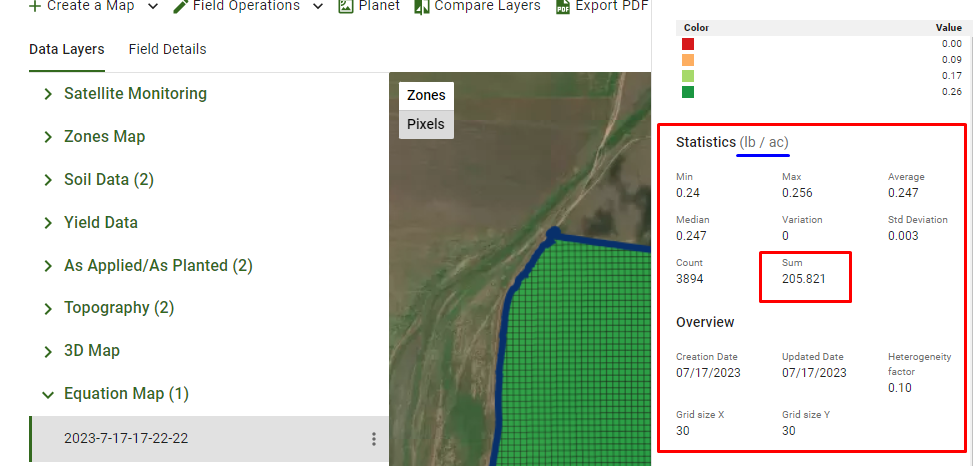
\[FTR] データセットおよび方程式マップの凡例を強化:合計は方程式マップ統計、収量データ、および散布/播種時の概要に表示される
## その他の技術的改善
\[FTR] クリーンされていないグループ化データセットを末尾に移動、ユニットテストを追加、ツールチップを更新する
\[BUG] を使用した取得の修正 `Numpy` 方程式マップ凡例のフラグ
\[BUG] 衛星画像のバッチリクエストのエラー処理を更新
\[BUG] データレイヤーツリーのプレースホルダーリンクを修正
---
# Agent Instructions
This documentation is published with GitBook. GitBook is the documentation platform designed so that both humans and AI agents can read, navigate, and reason over technical content effectively. Learn more at gitbook.com.
## Querying This Documentation
If you need additional information that is not directly available in this page, you can query the documentation by asking a question.
Perform an HTTP GET request on the following URL with the `ask` and `goal` query parameters:
```
GET https://docs.geopard.tech/geopard-tutorials/jpn/rirsu/webrirsu-20237rogupjidtasettono.md?ask=&goal=
```
`ask` is the immediate question: it should be specific, self-contained, and written in natural language.
`goal` is what the user is ultimately trying to achieve, the reason they need the answer. Sharing it helps GitBook give you a better, more relevant answer. A goal is most helpful when it describes the outcome the user wants rather than restating the question. For example, with `ask=how do I create an API token`, a goal like `automate deployments from our CI pipeline` lets GitBook tailor the answer to that use case.
The response will contain a direct answer to the question and relevant excerpts and sources from the documentation.
Use this mechanism when the answer is not explicitly present in the current page, you need clarification or additional context, or you want to retrieve related documentation sections.