> For the complete documentation index, see [llms.txt](https://docs.geopard.tech/geopard-tutorials/llms.txt). Markdown versions of documentation pages are available by appending `.md` to page URLs; this page is available as [Markdown](https://docs.geopard.tech/geopard-tutorials/jpn/apidokyumento/geopard-api-overview.md).
# GeoPard API概要
最終更新: 2023年7月10日
GeoPardは、すべての機能をAPI経由で利用できる精密農業プラットフォームです
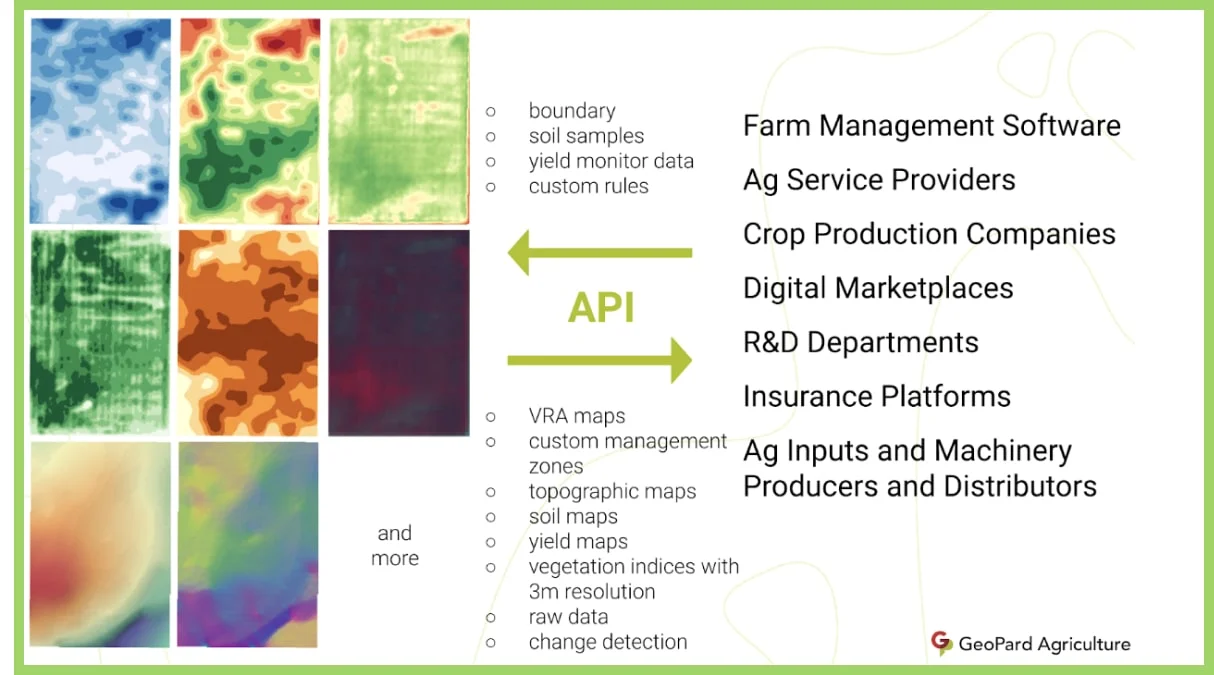
GeoPard APIは、シームレスに連携できるGraphQLおよびRESTエンドポイントを提供します。受動的なインターフェースとしても能動的なインターフェースとしても機能し、他のアプリケーションからプログラムで分析派生データの作成をリクエストしたり、複雑なデータ処理に関する更新を受け取ったりできます。
GeoPard APIを通じて、収穫データ、農業機械データ、土壌サンプリングデータやスキャナーのデータ、衛星画像、地形データなどの生データセットに加え、管理ゾーン、計算式マップ、推奨事項、ラスタサーフェスなどの分析派生データも、追加設定なしですぐに利用できます。
GeoPard APIは、地理空間データのさまざまな描画形式に対応しており、ラスタ(`jpg`, `png`, `geotiff`)形式とベクター(`shp`, `geojson`, `isoxml`)形式を利用できます。APIの全体像については、こちらをご覧ください。 [ブログ記事](https://geopard.tech/blog/upkdhsnyk1-precision-agriculture-api/).
{% hint style="success" %}
APIを通じて圃場を連携する前に、GeoPardに圃場データをアップロードしてください。 [無料で始める](https://app.geopard.tech/auth/sign-up?utm_source=docs\&utm_medium=cta\&utm_campaign=geopard-api-overview)
{% endhint %}
---
# Agent Instructions
This documentation is published with GitBook. GitBook is the documentation platform designed so that both humans and AI agents can read, navigate, and reason over technical content effectively. Learn more at gitbook.com.
## Querying This Documentation
If you need additional information that is not directly available in this page, you can query the documentation by asking a question.
Perform an HTTP GET request on the following URL with the `ask` and `goal` query parameters:
```
GET https://docs.geopard.tech/geopard-tutorials/jpn/apidokyumento/geopard-api-overview.md?ask=&goal=
```
`ask` is the immediate question: it should be specific, self-contained, and written in natural language.
`goal` is what the user is ultimately trying to achieve, the reason they need the answer. Sharing it helps GitBook give you a better, more relevant answer. A goal is most helpful when it describes the outcome the user wants rather than restating the question. For example, with `ask=how do I create an API token`, a goal like `automate deployments from our CI pipeline` lets GitBook tailor the answer to that use case.
The response will contain a direct answer to the question and relevant excerpts and sources from the documentation.
Use this mechanism when the answer is not explicitly present in the current page, you need clarification or additional context, or you want to retrieve related documentation sections.