> For the complete documentation index, see [llms.txt](https://docs.geopard.tech/geopard-tutorials/llms.txt). Markdown versions of documentation pages are available by appending `.md` to page URLs; this page is available as [Markdown](https://docs.geopard.tech/geopard-tutorials/hu/termektura-mobilalkalmazas/bejelentkezes-a-geopard-mobilalkalmazasba.md).
# Bejelentkezés a GeoPard mobilalkalmazásba
Jelentkezz be a GeoPard mobilalkalmazásba, és férj hozzá a gazdaságaidhoz, tábláidhoz és térképeidhez.
Jelentkezzen be a GeoPard mobilalkalmazásba
A GeoPard alkalmazásba való bejelentkezéshez koppintson az app ikonjára a képernyőn.
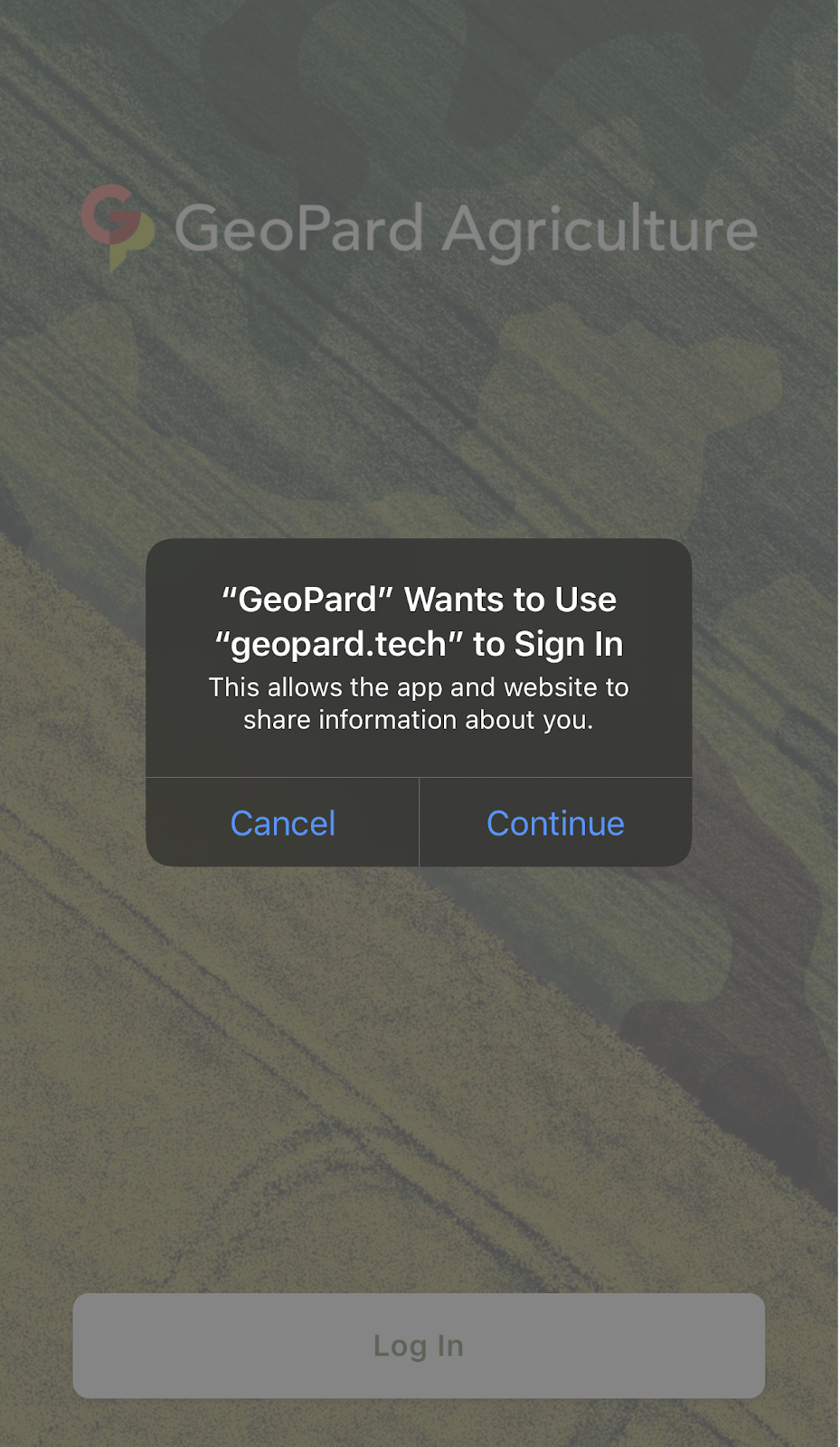
Az alkalmazás betöltődik, majd koppintson a „Bejelentkezés” gombra.
A következő képernyőn koppintson a „Folytatás” gombra, hogy engedélyezze az alkalmazásnak és a weboldalnak az Önre vonatkozó információk megosztását.
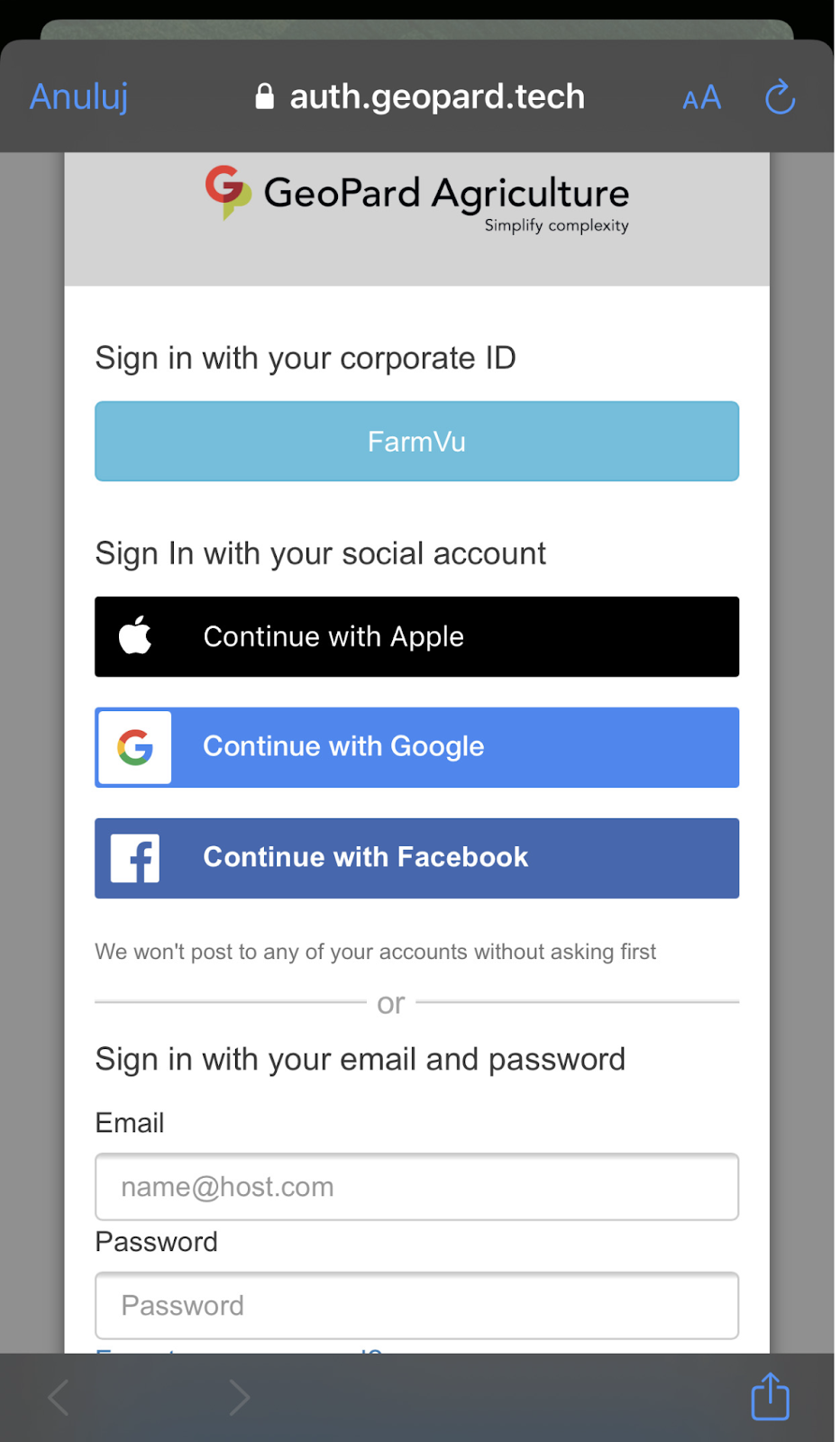
A következő képernyőn válassza ki azt a fiókot, amelyet a GeoPard webalkalmazás eléréséhez használ, vagy adja meg a GeoPardnál történő regisztrációhoz használt e-mail-címet és jelszót.
Sikeres bejelentkezés után ugyanazt a gazdaságlistát fogja látni, mint ami a webalkalmazás Táblanézetében szerepel.
A gazdaságai alatt felsorolt minden táblához megtekintheti a Zónatérképeket.
---
# Agent Instructions
This documentation is published with GitBook. GitBook is the documentation platform designed so that both humans and AI agents can read, navigate, and reason over technical content effectively. Learn more at gitbook.com.
## Querying This Documentation
If you need additional information that is not directly available in this page, you can query the documentation by asking a question.
Perform an HTTP GET request on the following URL with the `ask` and `goal` query parameters:
```
GET https://docs.geopard.tech/geopard-tutorials/hu/termektura-mobilalkalmazas/bejelentkezes-a-geopard-mobilalkalmazasba.md?ask=&goal=
```
`ask` is the immediate question: it should be specific, self-contained, and written in natural language.
`goal` is what the user is ultimately trying to achieve, the reason they need the answer. Sharing it helps GitBook give you a better, more relevant answer. A goal is most helpful when it describes the outcome the user wants rather than restating the question. For example, with `ask=how do I create an API token`, a goal like `automate deployments from our CI pipeline` lets GitBook tailor the answer to that use case.
The response will contain a direct answer to the question and relevant excerpts and sources from the documentation.
Use this mechanism when the answer is not explicitly present in the current page, you need clarification or additional context, or you want to retrieve related documentation sections.