> For the complete documentation index, see [llms.txt](https://docs.geopard.tech/geopard-tutorials/llms.txt). Markdown versions of documentation pages are available by appending `.md` to page URLs; this page is available as [Markdown](https://docs.geopard.tech/geopard-tutorials/hu/api-dokumentacio/geo-vegpontok-terbeli-adatelereshez/wms-raszterkepek-lekerese-terbeli-adatretegekrol/11.-topographymap-magassag-abszolut-ertekben.md).
# 11. TopographyMap: magasság abszolút értékben
A TopographyMap a következő modelleket tartalmazza: `digitális terepmodell, hillshade (árnyékolás), lejtés, kitettség (aspekt), domborzati pozíció, durvaság, tagoltság`, és ezek kombinációja. A megjelenítés pontosan a táblaszinten elérhető (nem pixeles) és a határ mentén vágott. A domborzat minősége a tábla elhelyezkedésétől és a legjobb elérhető adatkészlettől függ (USA, GB, EU és AU esetében LIDAR lefedettség). A TopographyMap gépi adatokból is felépíthető, például hozam-/talajérzékelőkből vagy alkalmazott rétegekből, ha azok magassági attribútumokat tartalmaznak.
A tábla domborzathoz kapcsolódó rétegei megtalálhatók a `mezőben` -> `topographyMaps` -> `"geoMaps"` attribútumban. `geoTérkép` Minden `url`, színkódok, osztályok és rétegnevek alatt.
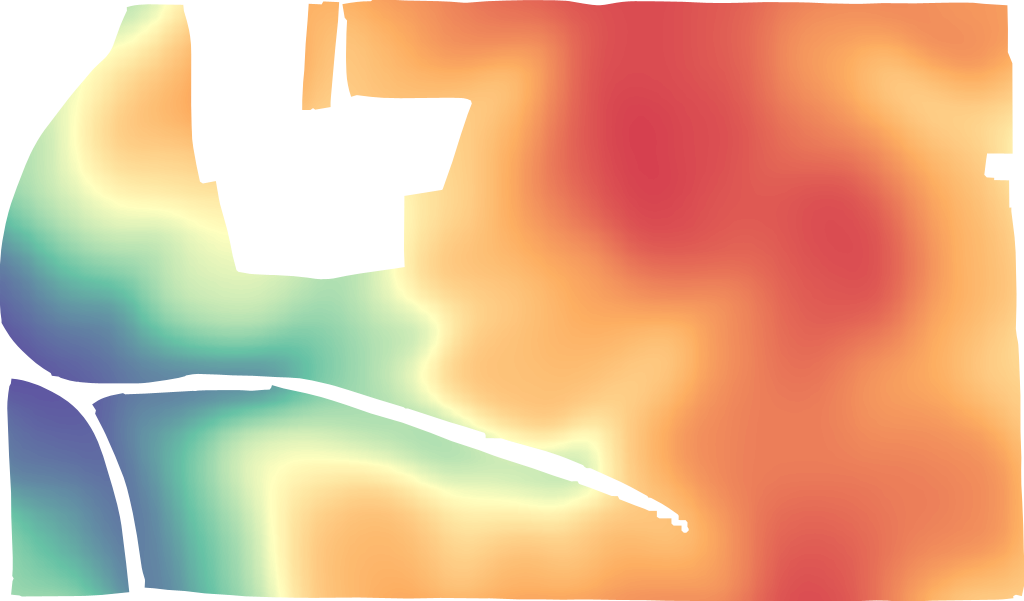
LIDAR magasság
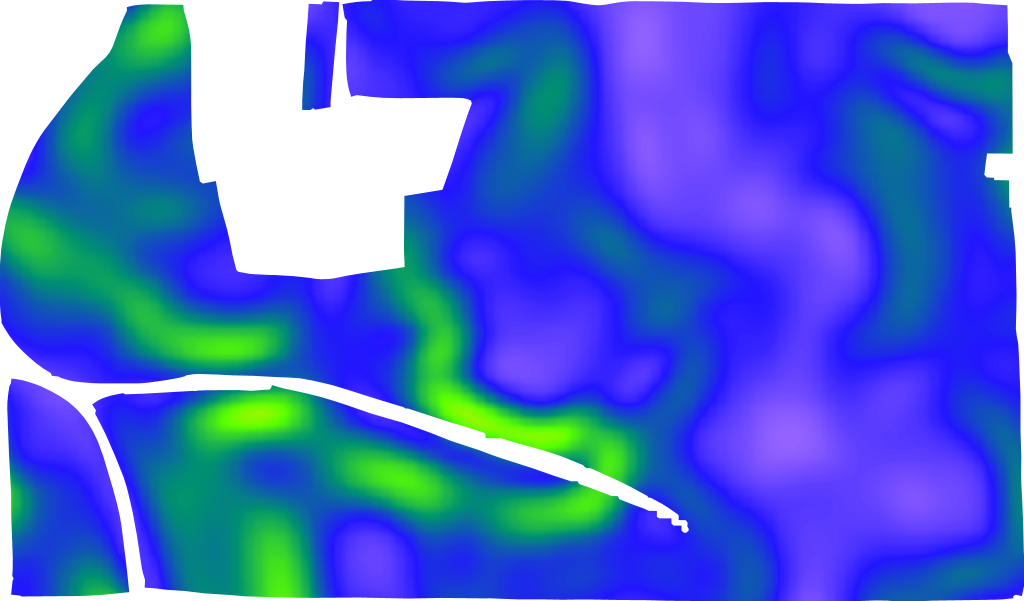
LIDAR lejtés
LIDAR domborzati pozíció
A lekérdezés formátuma [https://api.geopard.tech/geo/map/reflect?TRANSPARENT=true\&BBOX=\\&LAYERS=elevation\_cropped,field\_view\&STYLES=dem\_elevation,crop\_boundary\&SRS=EPSG%3A900913\&WIDTH=512\&env=ve1:160.4%3Bve2:163.15%3Bve3:165.9%3Bve4:168.65%3Bve5:171.4\&VIEWPARAMS=uuid:\\&CQL\_FILTER=uuid=%27\%27%3Buuid=%27\%27\&geopardApiKey=\](https://api.geopard.tech/geo/map/reflect?TRANSPARENT=true\&BBOX=). Ahol a bemeneti attribútumok:
1. `BBOX=` tartalmazza a "Tábla" határoló dobozát (URL-kódolva) EPSG:3857 vetületben;
2. `STYLES=dem_elevation,crop_boundary` tartalmazza a "TopographyMap" entitás stílusát mint első attribútumot, támogatott értékei:
`dem_aspect`
`dem_elevation`
`dem_hillshade`
`dem_roughness`
`dem_slope`
`dem _tpi`
`dem_tri`
3. `WIDTH=512` visszatükrözi a kimeneti kép méretét pixelekben (a pontos szám csak akkor fontos, ha bélyegképként használják);
4. `env=ve1:160.4%3Bve2:163.15%3Bve3:165.9%3Bve4:168.65%3Bve5:171.4` tükrözi az adott tábla magassági értéktartományát, a részletek a "TopographyMap" -> "geoMaps" -> "classes" alatt találhatók (MEGJEGYZÉS: %3B URL-kódolt ; karakter);
5. `VIEWPARAMS=uuid:` tartalmazza a "Tábla" UUID-ját;
6. `CQL_FILTER=uuid=%27%27%3Buuid=%27%27` tartalmazza a "Tábla" és a "TopographyMap" UUID-jait (MEGJEGYZÉS: %27 URL-kódolt ‘ karakter);
7. `geopardApiKey=` API-kulcson keresztül kapcsolódik a jogosultsági opcióhoz.
---
# Agent Instructions
This documentation is published with GitBook. GitBook is the documentation platform designed so that both humans and AI agents can read, navigate, and reason over technical content effectively. Learn more at gitbook.com.
## Querying This Documentation
If you need additional information that is not directly available in this page, you can query the documentation by asking a question.
Perform an HTTP GET request on the following URL with the `ask` and `goal` query parameters:
```
GET https://docs.geopard.tech/geopard-tutorials/hu/api-dokumentacio/geo-vegpontok-terbeli-adatelereshez/wms-raszterkepek-lekerese-terbeli-adatretegekrol/11.-topographymap-magassag-abszolut-ertekben.md?ask=&goal=
```
`ask` is the immediate question: it should be specific, self-contained, and written in natural language.
`goal` is what the user is ultimately trying to achieve, the reason they need the answer. Sharing it helps GitBook give you a better, more relevant answer. A goal is most helpful when it describes the outcome the user wants rather than restating the question. For example, with `ask=how do I create an API token`, a goal like `automate deployments from our CI pipeline` lets GitBook tailor the answer to that use case.
The response will contain a direct answer to the question and relevant excerpts and sources from the documentation.
Use this mechanism when the answer is not explicitly present in the current page, you need clarification or additional context, or you want to retrieve related documentation sections.