> For the complete documentation index, see [llms.txt](https://docs.geopard.tech/geopard-tutorials/llms.txt). Markdown versions of documentation pages are available by appending `.md` to page URLs; this page is available as [Markdown](https://docs.geopard.tech/geopard-tutorials/fin/tuote-esittely-verkkosovellus/tuo-tarkkuusmaatalouden-data/konevalmistajien-omat-tiedostomuodot.md).
# Konevalmistajien omat tiedostomuodot
Katso tuetut koneiden tiedostomuodot lohkotoimien ja agronomisten aineistojen tuontia varten.
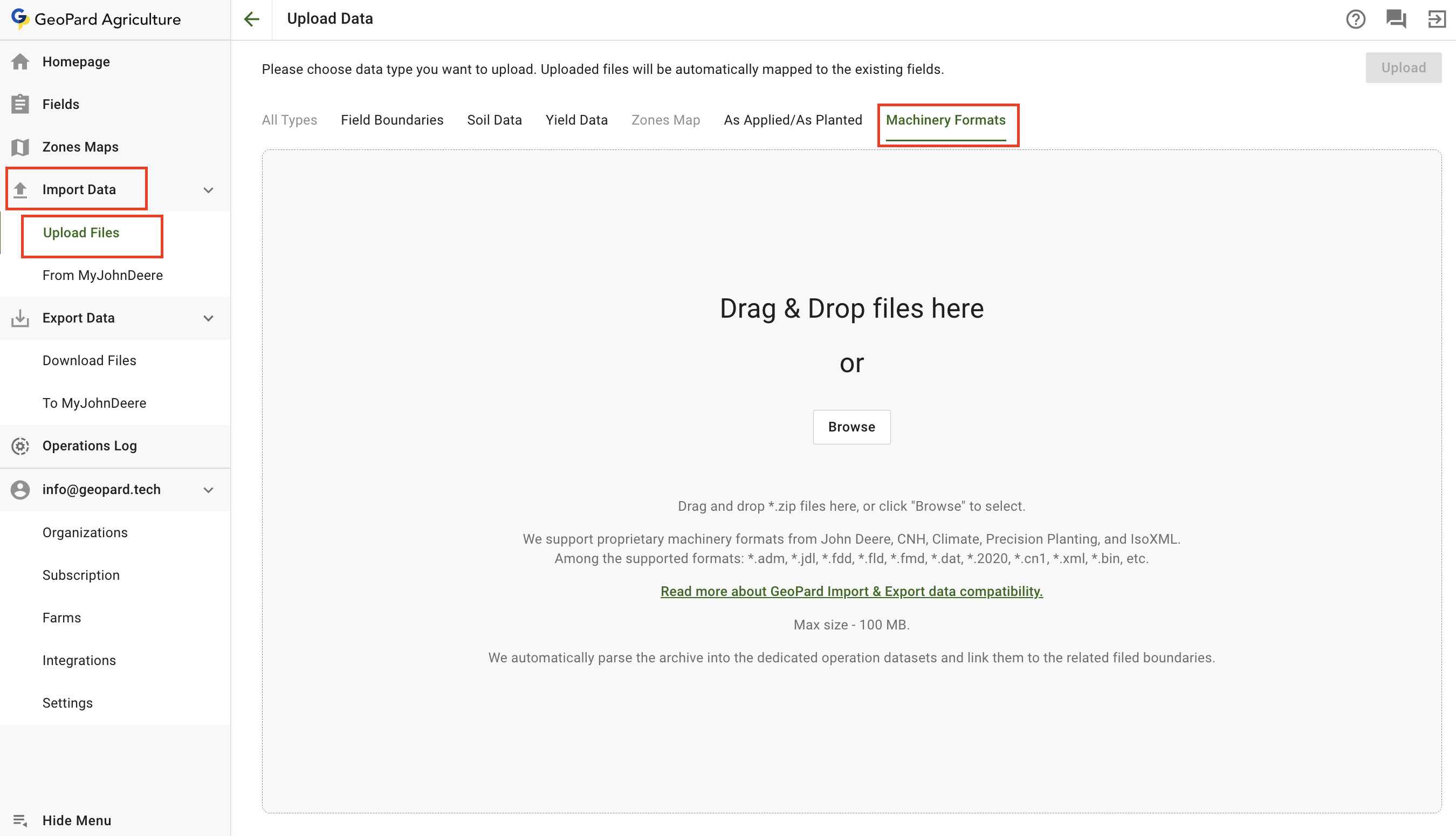
Lataa tiedostoja koneiden omissa formaateissa valitsemalla **Tuo data** valikko ja **Lataa tiedostot** kohta. Valitse sitten **Koneformaatit**.
Huomaa, että on joitakin rajoituksia:
* GeoPard tukee John Deerellä, CNH:lla, Climatella, Precision Plantingilla ja IsoXML:llä käytössä olevia koneiden omia formaatteja.
* Tuettuja formaatteja ovat muun muassa: \*.adm, \*.jdl, \*.fdd, \*.fld, \*.fmd, \*.dat, \*.2020, \*.cn1, \*.xml, \*.bin jne.
[Lue lisää GeoPardin tuonti- ja vientitietojen yhteensopivuudesta.](https://geopard.tech/data-compatibility/)
* Maksimikoko - 100 Mt.
* GeoPard purkaa arkiston automaattisesti erillisiin toimenpideaineistoihin ja linkittää ne asiaankuuluviin peltolohkon rajoihin.
Lataa koneiden omia tiedostoja
1. Valitse tila, johon haluat ladata tiedot. Napsauta **Ajettuna / kylvettynä** välilehdelle.
2. Voit vetää ja pudottaa yhden tai useita toteutuneita aineistoja paneeliin tai napsauttaa **Selaa** painiketta ja valita aineiston tietokoneeltasi.
3. Napsauta **Lataa** painiketta. Sen jälkeen sovellus tarkistaa, että tiedosto täyttää vaatimukset, ja tallentaa tiedot.
Odota vahvistusikkunaa nähdäksesi, että aineisto ladattiin onnistuneesti:
Puretut aineistot ovat saatavilla puussa niihin liittyvissä osioissa jatkotoimia varten.
Satomittauksen aineisto purettu DAT-formaatista
---
# Agent Instructions
This documentation is published with GitBook. GitBook is the documentation platform designed so that both humans and AI agents can read, navigate, and reason over technical content effectively. Learn more at gitbook.com.
## Querying This Documentation
If you need additional information that is not directly available in this page, you can query the documentation by asking a question.
Perform an HTTP GET request on the following URL with the `ask` and `goal` query parameters:
```
GET https://docs.geopard.tech/geopard-tutorials/fin/tuote-esittely-verkkosovellus/tuo-tarkkuusmaatalouden-data/konevalmistajien-omat-tiedostomuodot.md?ask=&goal=
```
`ask` is the immediate question: it should be specific, self-contained, and written in natural language.
`goal` is what the user is ultimately trying to achieve, the reason they need the answer. Sharing it helps GitBook give you a better, more relevant answer. A goal is most helpful when it describes the outcome the user wants rather than restating the question. For example, with `ask=how do I create an API token`, a goal like `automate deployments from our CI pipeline` lets GitBook tailor the answer to that use case.
The response will contain a direct answer to the question and relevant excerpts and sources from the documentation.
Use this mechanism when the answer is not explicitly present in the current page, you need clarification or additional context, or you want to retrieve related documentation sections.