> For the complete documentation index, see [llms.txt](https://docs.geopard.tech/geopard-tutorials/llms.txt). Markdown versions of documentation pages are available by appending `.md` to page URLs; this page is available as [Markdown](https://docs.geopard.tech/geopard-tutorials/fin/tuote-esittely-verkkosovellus/john-deere-operations-center-integraatio/datan-jakamisen-vaihtoehdot/4.-kumppaniorganisaatio-jaon-ongelmien-ratkaisu.md).
# 4. "Kumppaniorganisaatio" -jaon ongelmien ratkaisu
Ratkaise John Deeren ja GeoPardin väliset kumppaniorganisaatioiden jakamisen ongelmat.
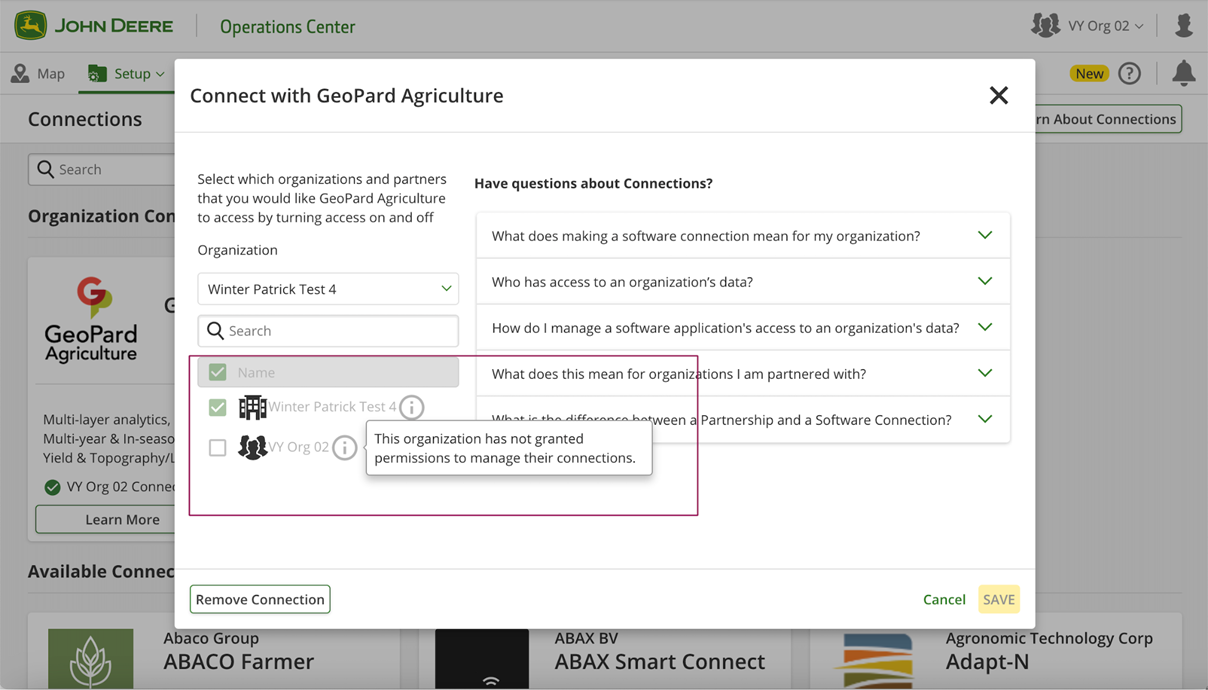
## 4.1 Jos kumppani EI voi yhdistää jaettua organisaatiota GeoPard-sovellukseen.
1. Kumppani näkee ponnahdusikkunan käyttöoikeuksien myöntämisestä.
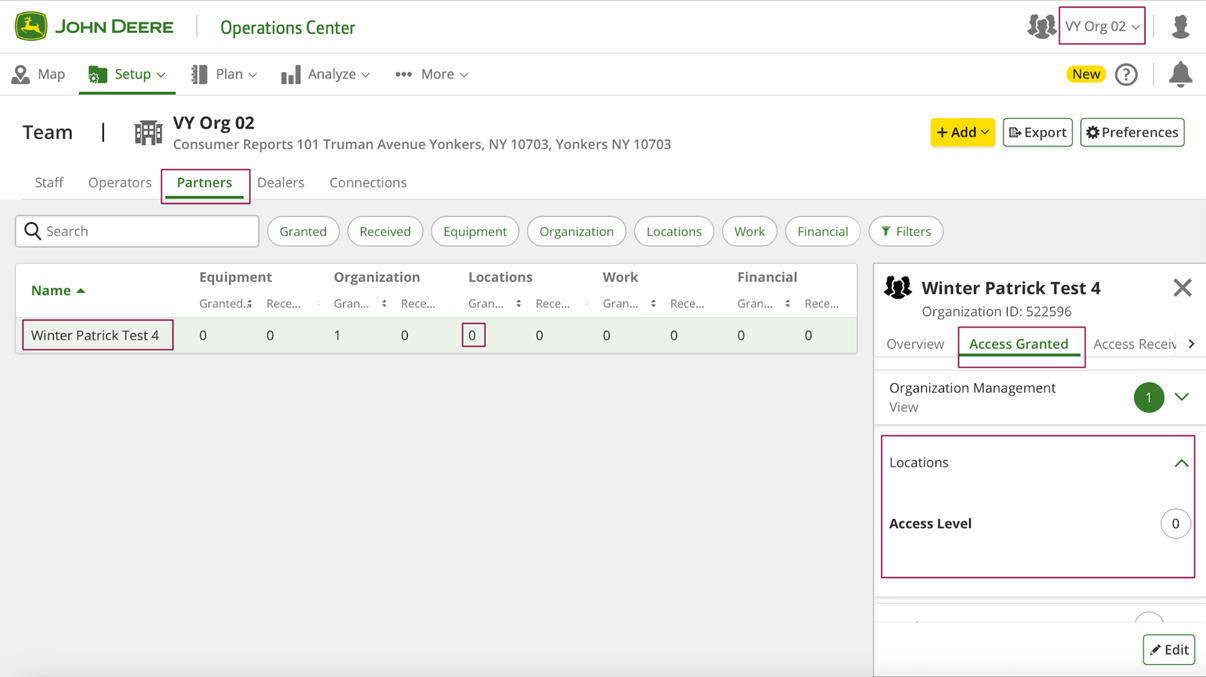
2. Kumppanin tulee siirtyä "Setup" >> "Team" -sivulle (tai ) ja tarkista "Myönnetty pääsy" -välilehti.
3. "Jaa organisaation tiedot yhdistettyjen ohjelmistoyritysten kanssa" -vaihtoehdon pitäisi olla käytettävissä.
Jos tämä vaihtoehto ei ole käytettävissä, kumppanin tulee ilmoittaa asiasta omistajalle korjausta varten.
4. Sen jälkeen kumppanilla on mahdollisuus yhdistää uusi organisaatio.
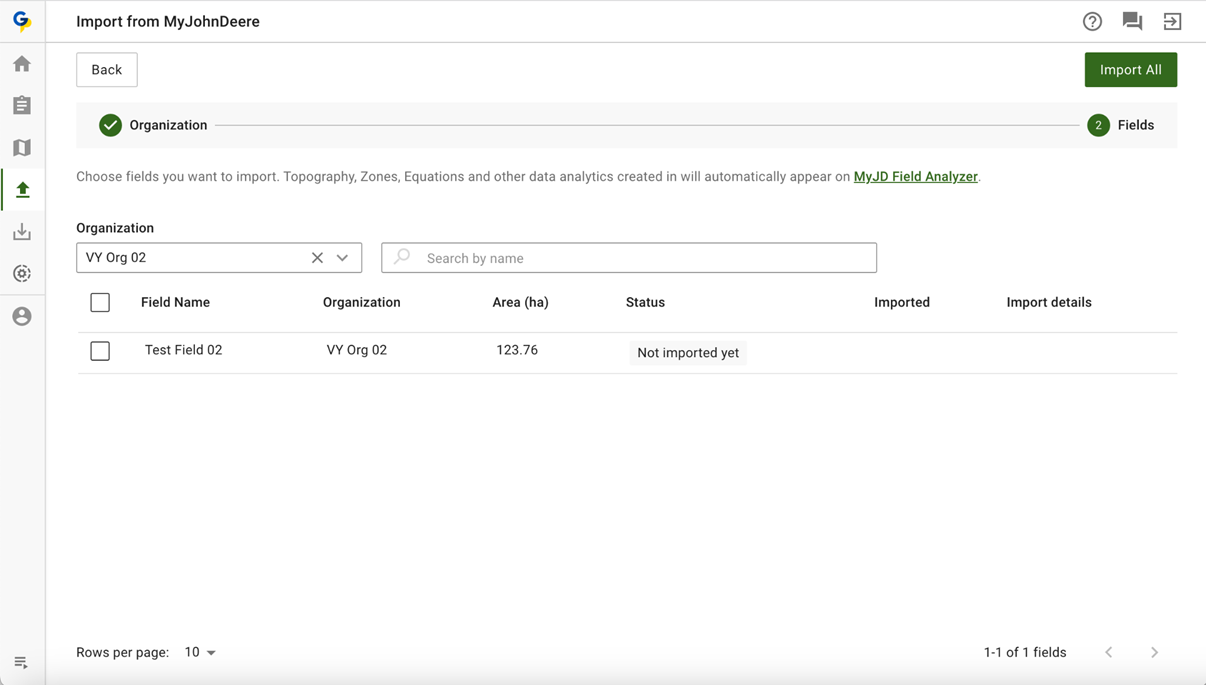
## 4.2 Jos kumppani EI näe jaetun organisaation peltoja GeoPard-sovelluksessa.
1. Jos kumppani ei näe peltoja GeoPard-sovelluksessa.
2. Kumppanin tulee siirtyä "Setup" >> "Team" -sivulle (tai ) ja tarkista "Myönnetty pääsy" -välilehti.
3. "Sijainnit"-käyttöoikeustason pitäisi olla 3.
Jos tämä vaihtoehto ei ole käytettävissä, kumppanin tulee ilmoittaa asiasta omistajalle korjausta varten.
4. Lohkojen pitäisi olla käytettävissä jaetussa organisaatiossa GeoPard-sovelluksessa.
---
# Agent Instructions
This documentation is published with GitBook. GitBook is the documentation platform designed so that both humans and AI agents can read, navigate, and reason over technical content effectively. Learn more at gitbook.com.
## Querying This Documentation
If you need additional information that is not directly available in this page, you can query the documentation by asking a question.
Perform an HTTP GET request on the following URL with the `ask` and `goal` query parameters:
```
GET https://docs.geopard.tech/geopard-tutorials/fin/tuote-esittely-verkkosovellus/john-deere-operations-center-integraatio/datan-jakamisen-vaihtoehdot/4.-kumppaniorganisaatio-jaon-ongelmien-ratkaisu.md?ask=&goal=
```
`ask` is the immediate question: it should be specific, self-contained, and written in natural language.
`goal` is what the user is ultimately trying to achieve, the reason they need the answer. Sharing it helps GitBook give you a better, more relevant answer. A goal is most helpful when it describes the outcome the user wants rather than restating the question. For example, with `ask=how do I create an API token`, a goal like `automate deployments from our CI pipeline` lets GitBook tailor the answer to that use case.
The response will contain a direct answer to the question and relevant excerpts and sources from the documentation.
Use this mechanism when the answer is not explicitly present in the current page, you need clarification or additional context, or you want to retrieve related documentation sections.