> For the complete documentation index, see [llms.txt](https://docs.geopard.tech/geopard-tutorials/llms.txt). Markdown versions of documentation pages are available by appending `.md` to page URLs; this page is available as [Markdown](https://docs.geopard.tech/geopard-tutorials/fin/api-dokumentaatio/geo-paatepisteet-paikkatiedon-kayttoon/wms-hae-paikkatietokerrosten-rasterikuvat/11.-topographymap-korkeus-absoluuttisina-arvoina.md).
# 11. TopographyMap: korkeus absoluuttisina arvoina
TopographyMap sisältää seuraavat mallit: `digitaalinen korkeusmalli, hillshade (varjostus), kaltevuus, ilmansuunta (aspect), relieffin sijainti, karheus, jyrkkyys`, ja niiden yhdistelmät. Esitys on saatavilla kenttäkohtaisesti tarkasti (ei pikselöitynä) ja rajattu rajalla. Topografian laatu riippuu kentän sijainnista ja parhaasta saatavilla olevasta aineistosta (USA, GB, EU ja AU katettu LIDARilla). TopographyMap voidaan rakentaa myös koneaineistosta, kuten sadonkorjuu-/maanäyteantureista/levitysaineistoista, jos niissä on korkeustiedot mukana.
Kentän topografiaan liittyvät datakerrokset sijaitsevat kohteessa `pelto` -> `topographyMaps` -> `geoMaps` attribuutti. `geoKartta` Jokainen sisältää täydelliset tiedot käytöstä `url`, värikoodit, luokat ja kerrosten nimet.
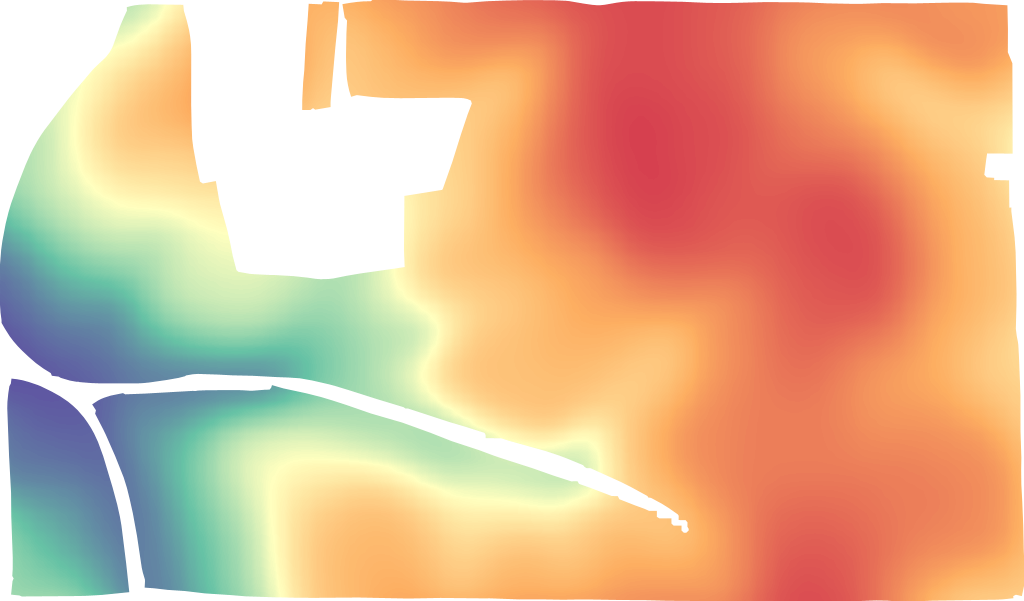
LIDAR-korkeus
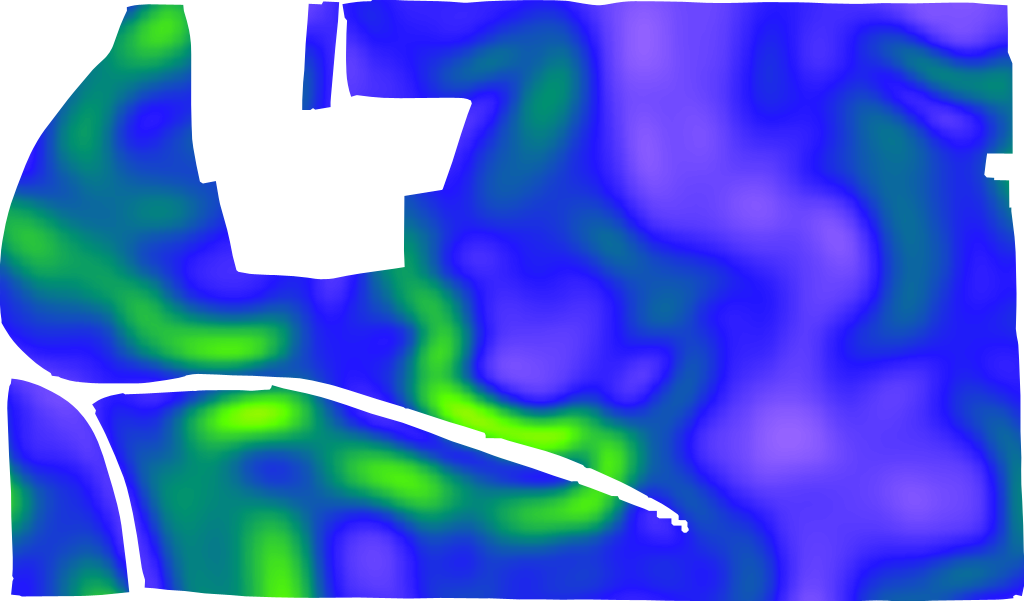
LIDAR-kaltevuus
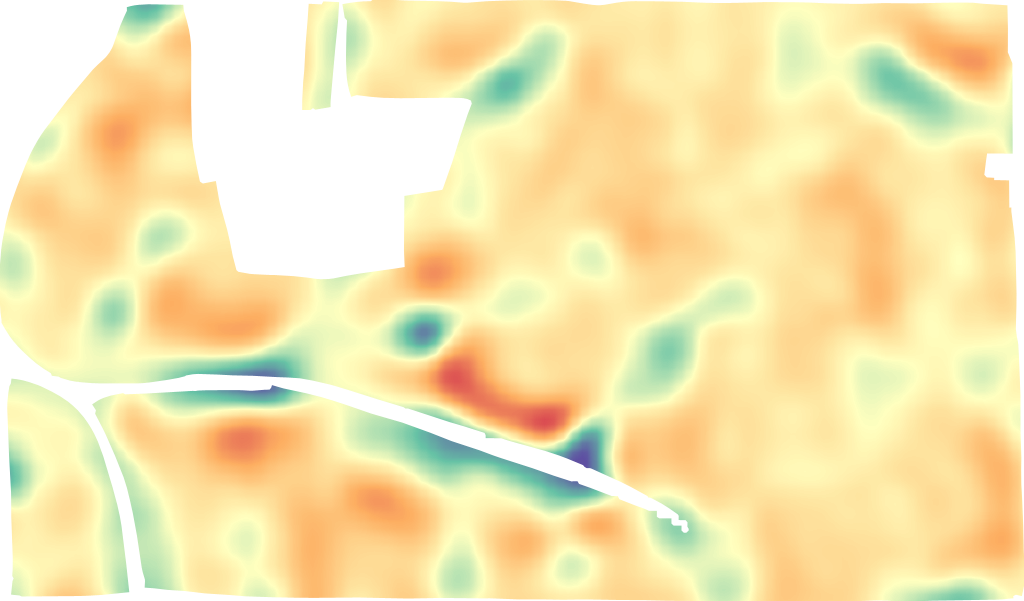
LIDAR-reliefin sijainti
Pyyntömuoto on [https://api.geopard.tech/geo/map/reflect?TRANSPARENT=true\&BBOX=\\&LAYERS=elevation\_cropped,field\_view\&STYLES=dem\_elevation,crop\_boundary\&SRS=EPSG%3A900913\&WIDTH=512\&env=ve1:160.4%3Bve2:163.15%3Bve3:165.9%3Bve4:168.65%3Bve5:171.4\&VIEWPARAMS=uuid:\\&CQL\_FILTER=uuid=%27\%27%3Buuid=%27\%27\&geopardApiKey=\](https://api.geopard.tech/geo/map/reflect?TRANSPARENT=true\&BBOX=). Missä syöteattribuutit ovat:
1. `BBOX=` sisältää kentän rajauslaatikon (URL-koodattuna) EPSG:3857-projektiota varten;
2. `STYLES=dem_elevation,crop_boundary` sisältää TopographyMap-entiteetin tyylin ensimmäisenä attribuuttina, sen tuetut arvot ovat:
`dem_aspect`
`dem_elevation`
`dem_hillshade`
`dem_roughness`
`dem_slope`
`dem _tpi`
`dem_tri`
3. `WIDTH=512` ilmentää tuotetun kuvan kokoa pikseleinä (tarkka luku on tärkeä vain jos sitä käytetään pikkukuvana);
4. `env=ve1:160.4%3Bve2:163.15%3Bve3:165.9%3Bve4:168.65%3Bve5:171.4` heijastaa tietyn pellon korkeusarvojen vaihtelua, yksityiskohdat löytyvät "TopographyMap" -> "geoMaps" -> "classes" (HUOM: %3B on URL-koodattu ;-merkki);
5. `VIEWPARAMS=uuid:` sisältää "Field"-entiteetin UUID:n;
6. `CQL_FILTER=uuid=%27%27%3Buuid=%27%27` sisältää "Field"- ja "TopographyMap"-UUIDt (HUOM: %27 on URL-koodattu ’-merkki);
7. `geopardApiKey=` on sidottu valtuutusvaihtoehtoon API-avaimen kautta.
---
# Agent Instructions
This documentation is published with GitBook. GitBook is the documentation platform designed so that both humans and AI agents can read, navigate, and reason over technical content effectively. Learn more at gitbook.com.
## Querying This Documentation
If you need additional information that is not directly available in this page, you can query the documentation by asking a question.
Perform an HTTP GET request on the following URL with the `ask` and `goal` query parameters:
```
GET https://docs.geopard.tech/geopard-tutorials/fin/api-dokumentaatio/geo-paatepisteet-paikkatiedon-kayttoon/wms-hae-paikkatietokerrosten-rasterikuvat/11.-topographymap-korkeus-absoluuttisina-arvoina.md?ask=&goal=
```
`ask` is the immediate question: it should be specific, self-contained, and written in natural language.
`goal` is what the user is ultimately trying to achieve, the reason they need the answer. Sharing it helps GitBook give you a better, more relevant answer. A goal is most helpful when it describes the outcome the user wants rather than restating the question. For example, with `ask=how do I create an API token`, a goal like `automate deployments from our CI pipeline` lets GitBook tailor the answer to that use case.
The response will contain a direct answer to the question and relevant excerpts and sources from the documentation.
Use this mechanism when the answer is not explicitly present in the current page, you need clarification or additional context, or you want to retrieve related documentation sections.