> For the complete documentation index, see [llms.txt](https://docs.geopard.tech/geopard-tutorials/llms.txt). Markdown versions of documentation pages are available by appending `.md` to page URLs; this page is available as [Markdown](https://docs.geopard.tech/geopard-tutorials/esp/consejos-rapidos-de-sig/qgis-manipulaciones-de-datos-de-rendimiento.md).
# QGIS: manipulaciones de datos de rendimiento
Prepara y limpia los datos de rendimiento en QGIS antes de importarlos o analizarlos en GeoPard.
DESCRIPCIÓN GENERAL
Manual con descripción paso a paso para resolver los siguientes problemas con datos del monitor de rendimiento:
1. Archivo de proyección (.prj) faltante en el shapefile
2. Aplicar reglas de conversión para cada atributo en el shapefile (basado en el ejemplo de kg/ha a bu/ac)
El software que se utilizará es QGIS ([ENLACE](https://qgis.org/en/site/forusers/download.html)).
La descarga y la instalación son obligatorias.
### ARCHIVO DE PROYECCIÓN FALTANTE
1. Abra el shapefile con los datos de rendimiento. Arrastre el archivo dentro de la ventana de QGIS.
2. El shapefile queda disponible para manipulaciones posteriores en el bloque Capas.
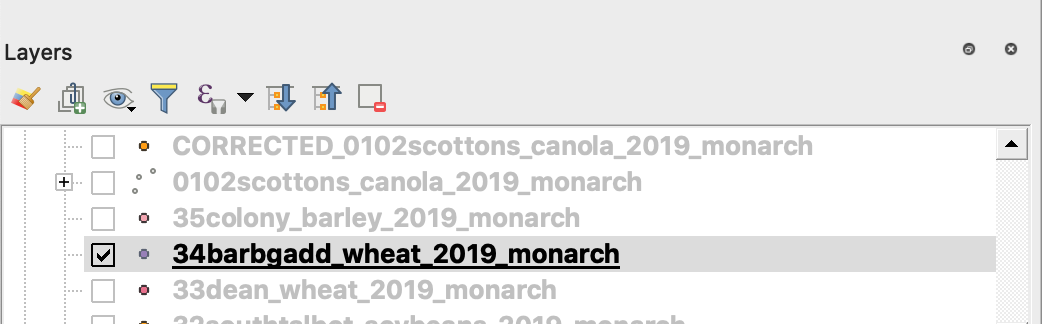
3. Inicie el proceso de guardado
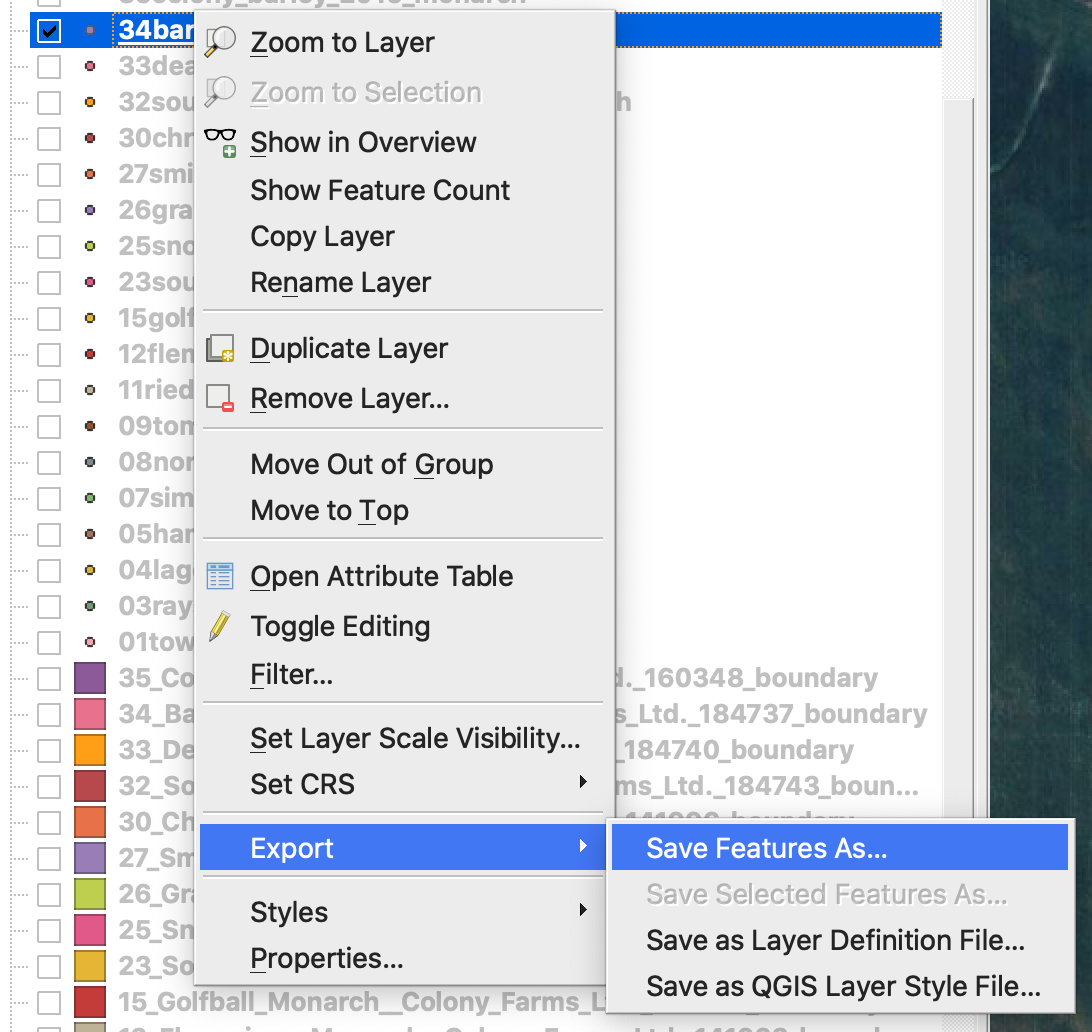
4. 1. Haga clic con el botón derecho del ratón sobre el shapefile
2. Elija Exportar -> Guardar objetos como ...
4. Elija
5. 1. Formato -> ESRI Shapefile,
2. Nombre de archivo -> haga clic en … y seleccione el directorio y el nombre de archivo preferidos,
3. SRC -> EPSG:4326
4. Codificación -> UTF8
5. Añadir el archivo guardado al mapa (opcional si desea verlo directamente en QGIS)
6. Tipo de geometría -> Punto
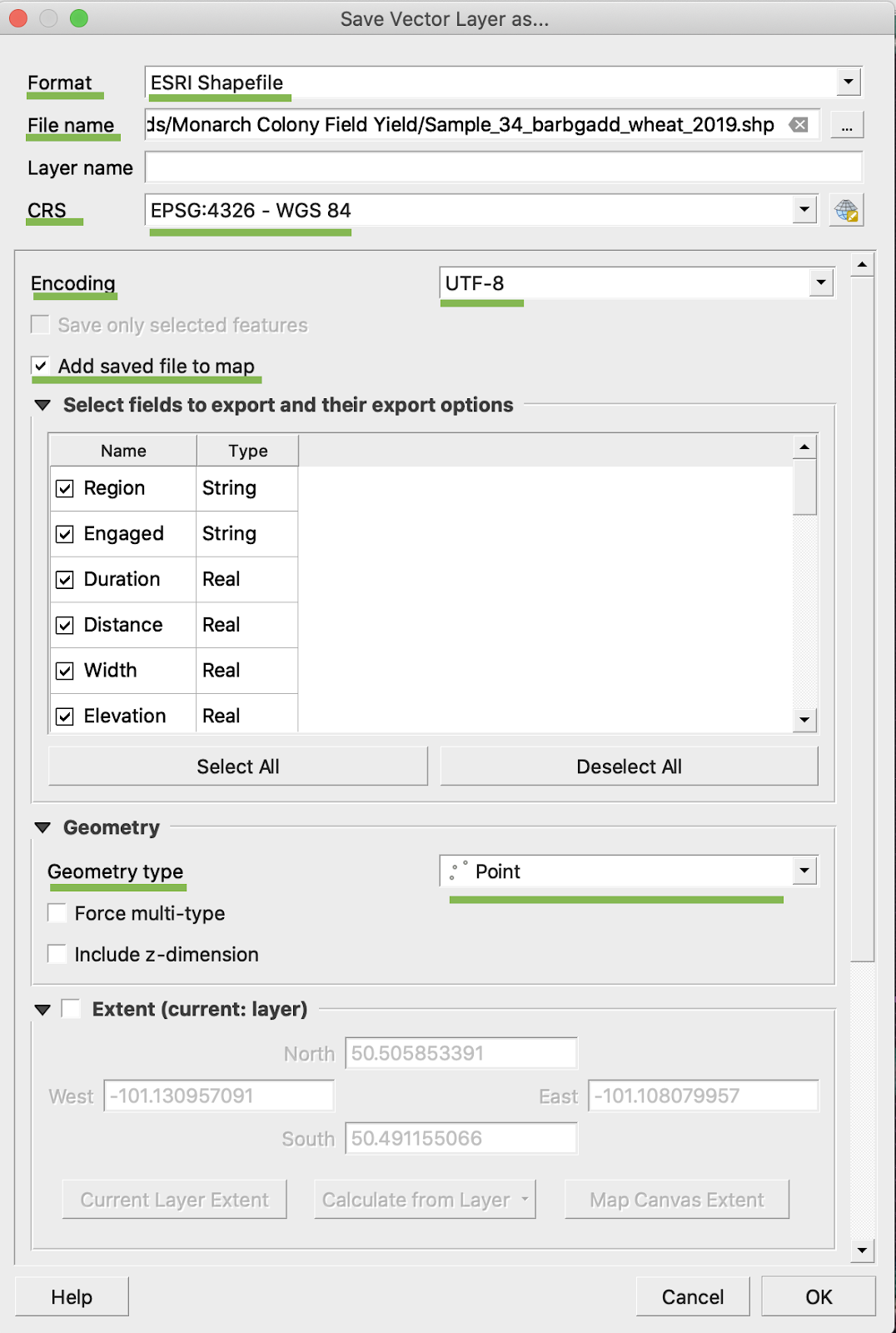
5. Haga clic en Aceptar
6. Se crea un shapefile adicional con los mismos datos de rendimiento. Se agregó el archivo de proyección (.prj).
\
### CONVERSIÓN A BU/AC
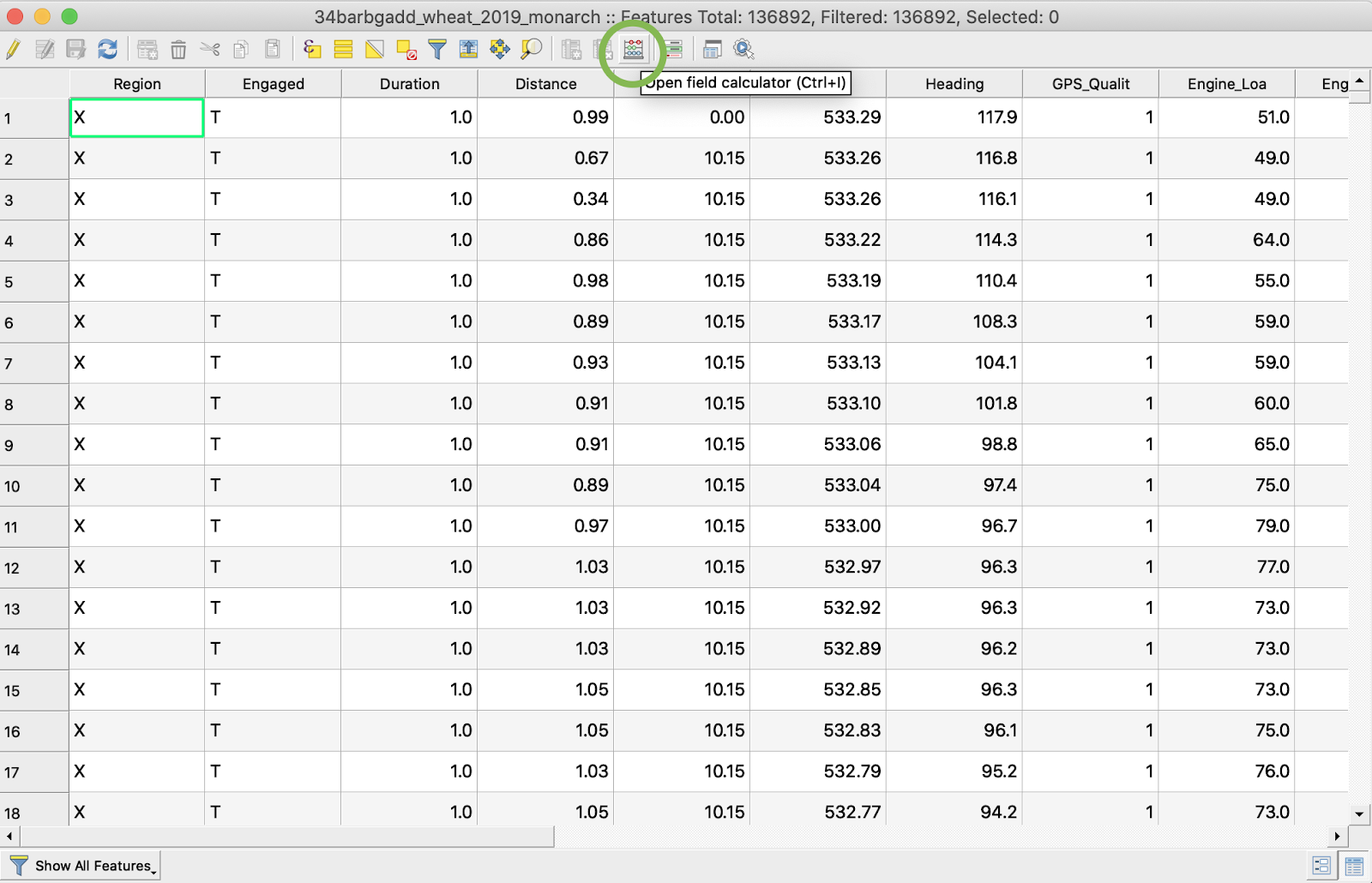
1. Haga clic con el botón derecho del ratón sobre el shapefile y elija Abrir tabla de atributos
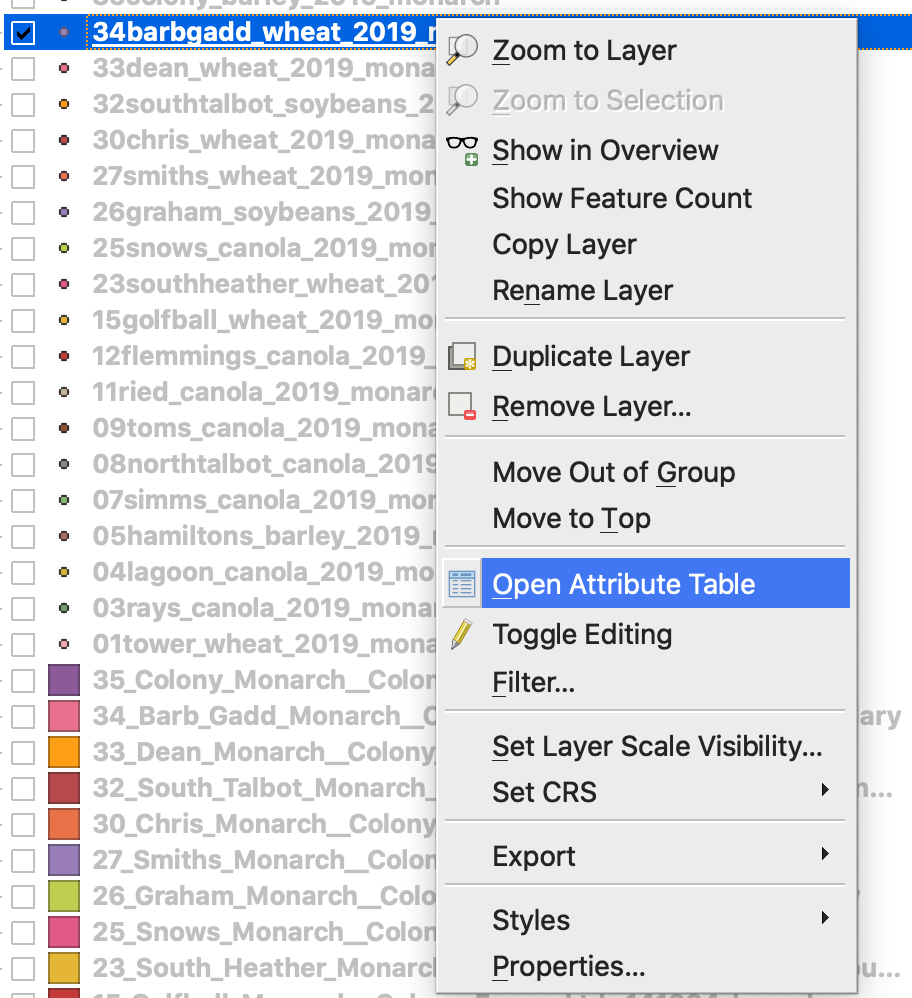
2. Haga clic en Abrir calculadora de campos
3. Crear un nuevo campo
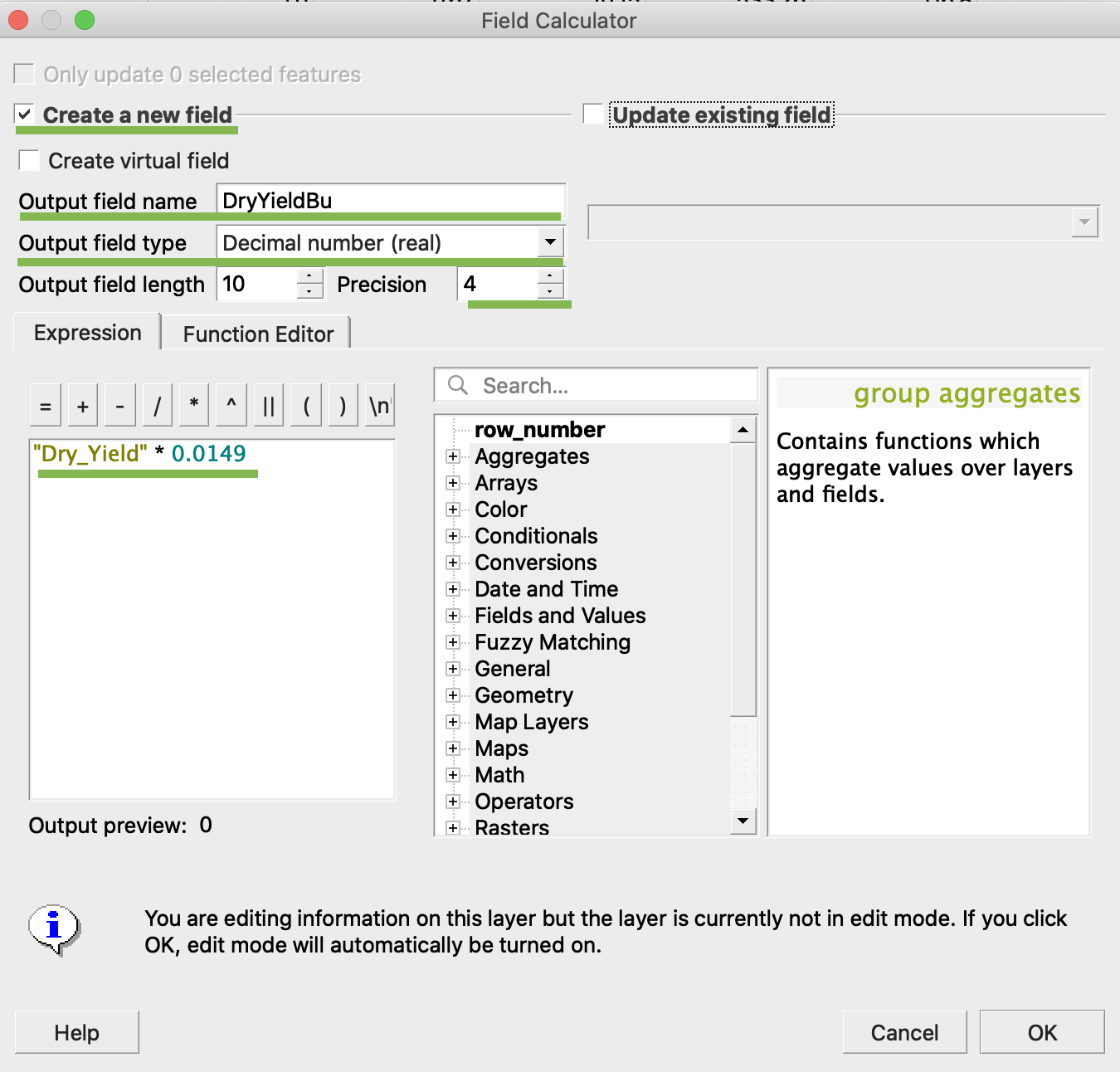
4. 1. Marque Crear un nuevo campo
2. Introduzca Nombre del campo de salida -> DryYieldBu
3. Elija Tipo de campo de salida -> Número decimal (real)
4. Cambie Precisión -> 4
5. Aplique la regla para convertir kg/ha a bu/ac -> "Dry\_Yield" \* 0.0149
4. Haga clic en Aceptar
5. En la tabla ha aparecido un atributo adicional DryYieldBu
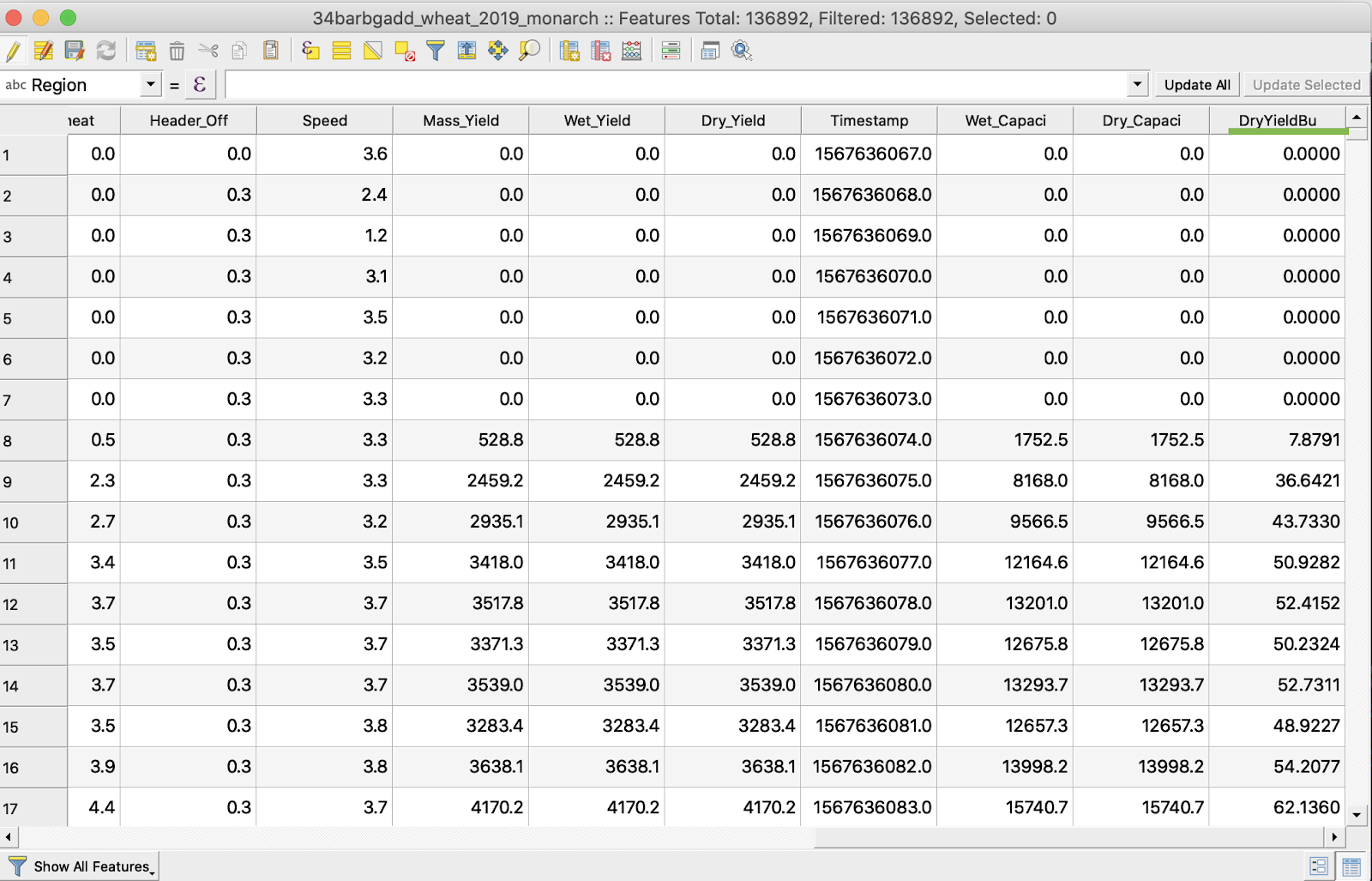
6. Guarde los cambios
7. 1. Haga clic con el botón derecho del ratón sobre el shapefile de interés
2. Elija Alternar edición
\
\
\
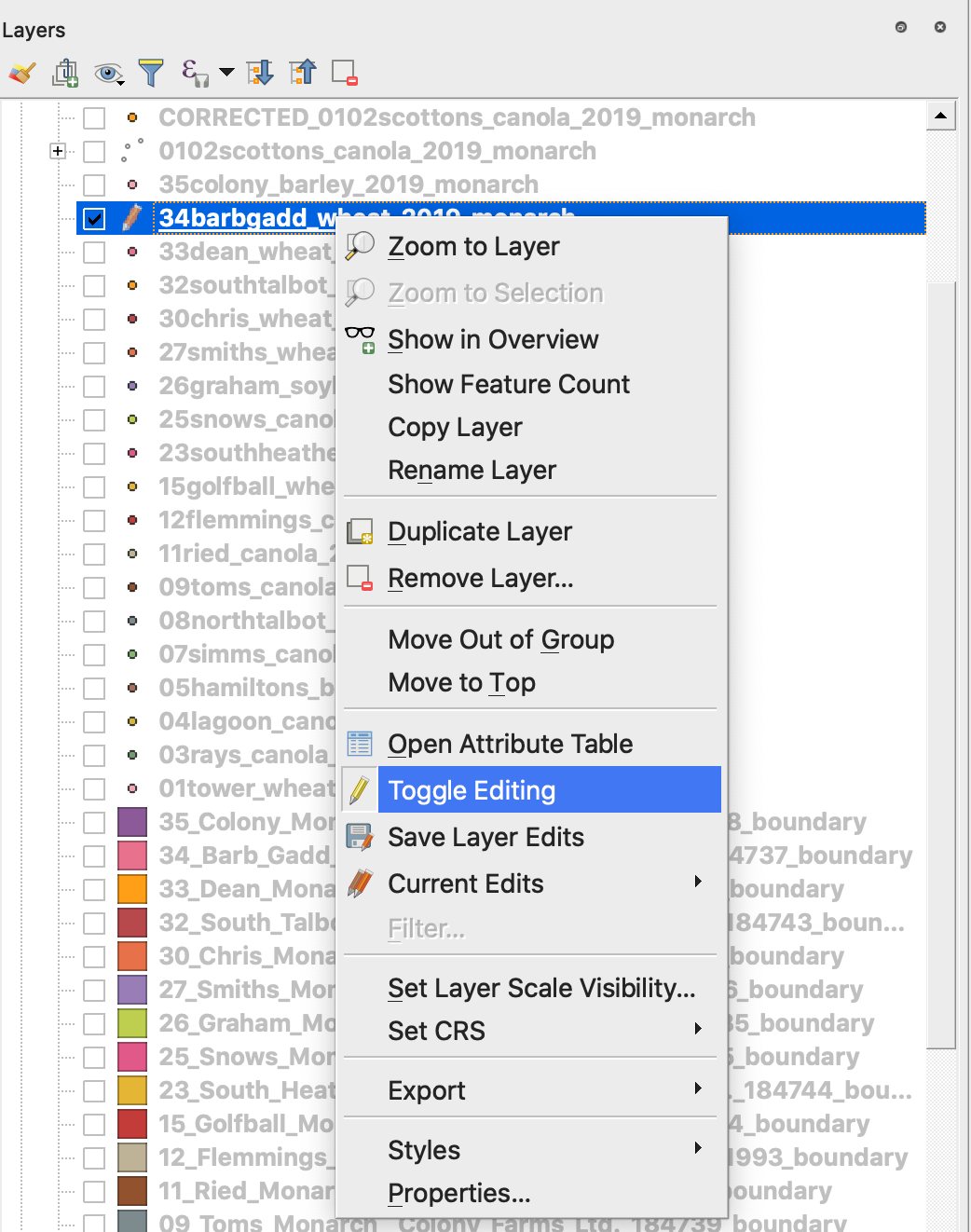
7. Confirme el guardado de los cambios
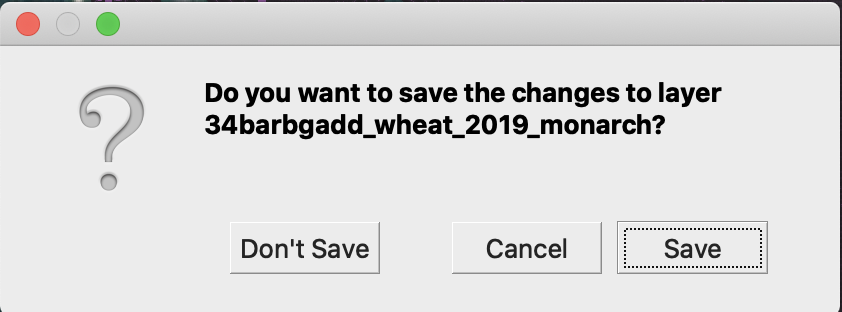
El shapefile de interés ya no está marcado con el lápiz. Los datos del shapefile se han actualizado.
---
# Agent Instructions
This documentation is published with GitBook. GitBook is the documentation platform designed so that both humans and AI agents can read, navigate, and reason over technical content effectively. Learn more at gitbook.com.
## Querying This Documentation
If you need additional information that is not directly available in this page, you can query the documentation by asking a question.
Perform an HTTP GET request on the following URL with the `ask` and `goal` query parameters:
```
GET https://docs.geopard.tech/geopard-tutorials/esp/consejos-rapidos-de-sig/qgis-manipulaciones-de-datos-de-rendimiento.md?ask=&goal=
```
`ask` is the immediate question: it should be specific, self-contained, and written in natural language.
`goal` is what the user is ultimately trying to achieve, the reason they need the answer. Sharing it helps GitBook give you a better, more relevant answer. A goal is most helpful when it describes the outcome the user wants rather than restating the question. For example, with `ask=how do I create an API token`, a goal like `automate deployments from our CI pipeline` lets GitBook tailor the answer to that use case.
The response will contain a direct answer to the question and relevant excerpts and sources from the documentation.
Use this mechanism when the answer is not explicitly present in the current page, you need clarification or additional context, or you want to retrieve related documentation sections.