# Release Web & Mobile February 2026 (Farm View, Soil Lab csv/excel import, Zones dynamic editing)
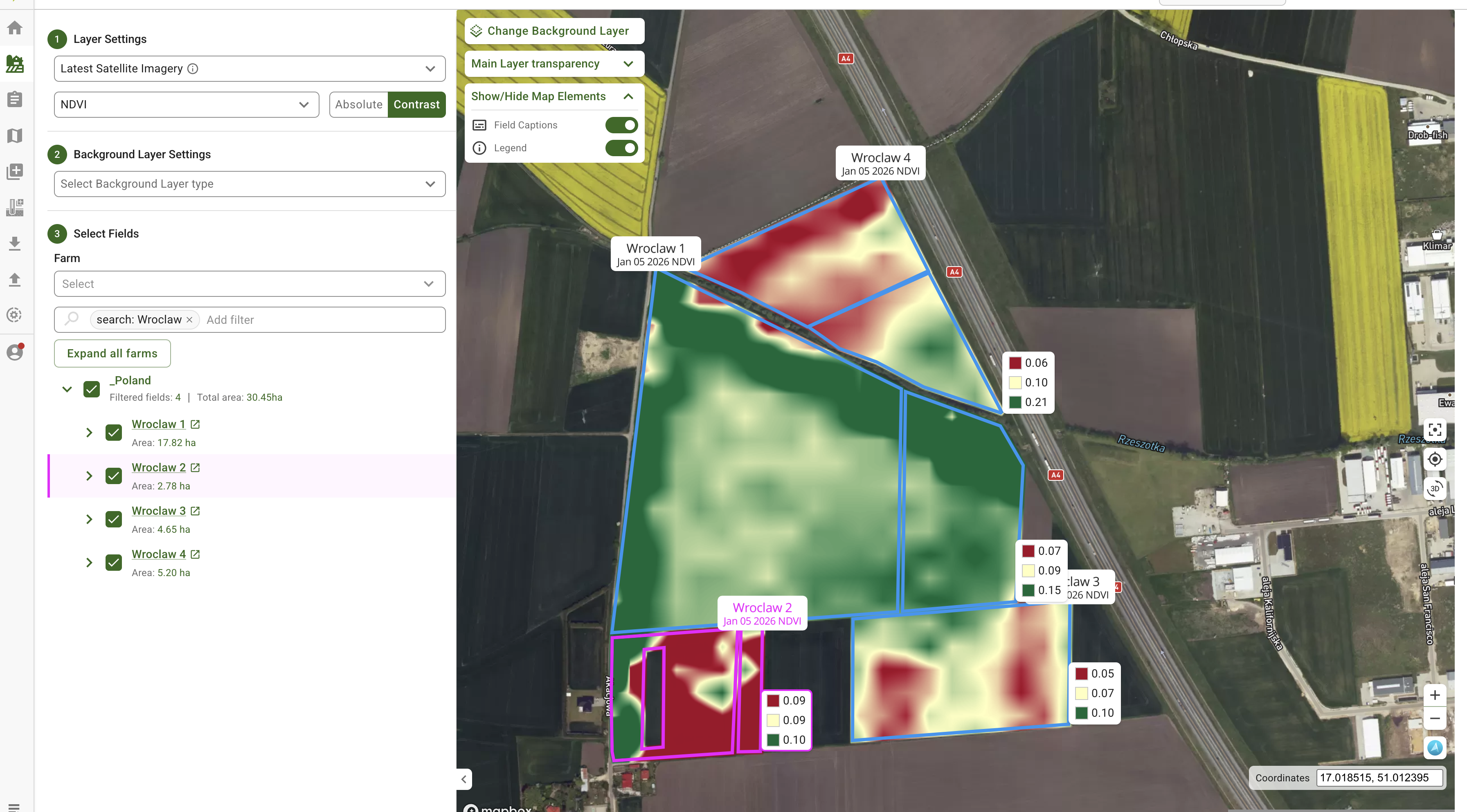
## Farm View: manage many fields with fewer clicks
Farm View introduces a map-first way to work across farms and fields. Instead of opening fields one by one, you can review multiple fields on a single map, filter faster, and keep context while switching layers. The goal is simple: less navigation, quicker insight, and smoother day-to-day management.
{% @arcade/embed flowId="zhO4vF1iSjRPrK7qlyU0" url="" %}
## Zones Maps: edit boundaries without starting over
Zones workflows are now more practical when you need “small fixes” instead of full redraws. You can adjust boundaries, remove unwanted shapes, and get more predictable results when splitting or refining zones. It’s also more comfortable to work with higher zone counts, which matters when building detailed prescriptions.
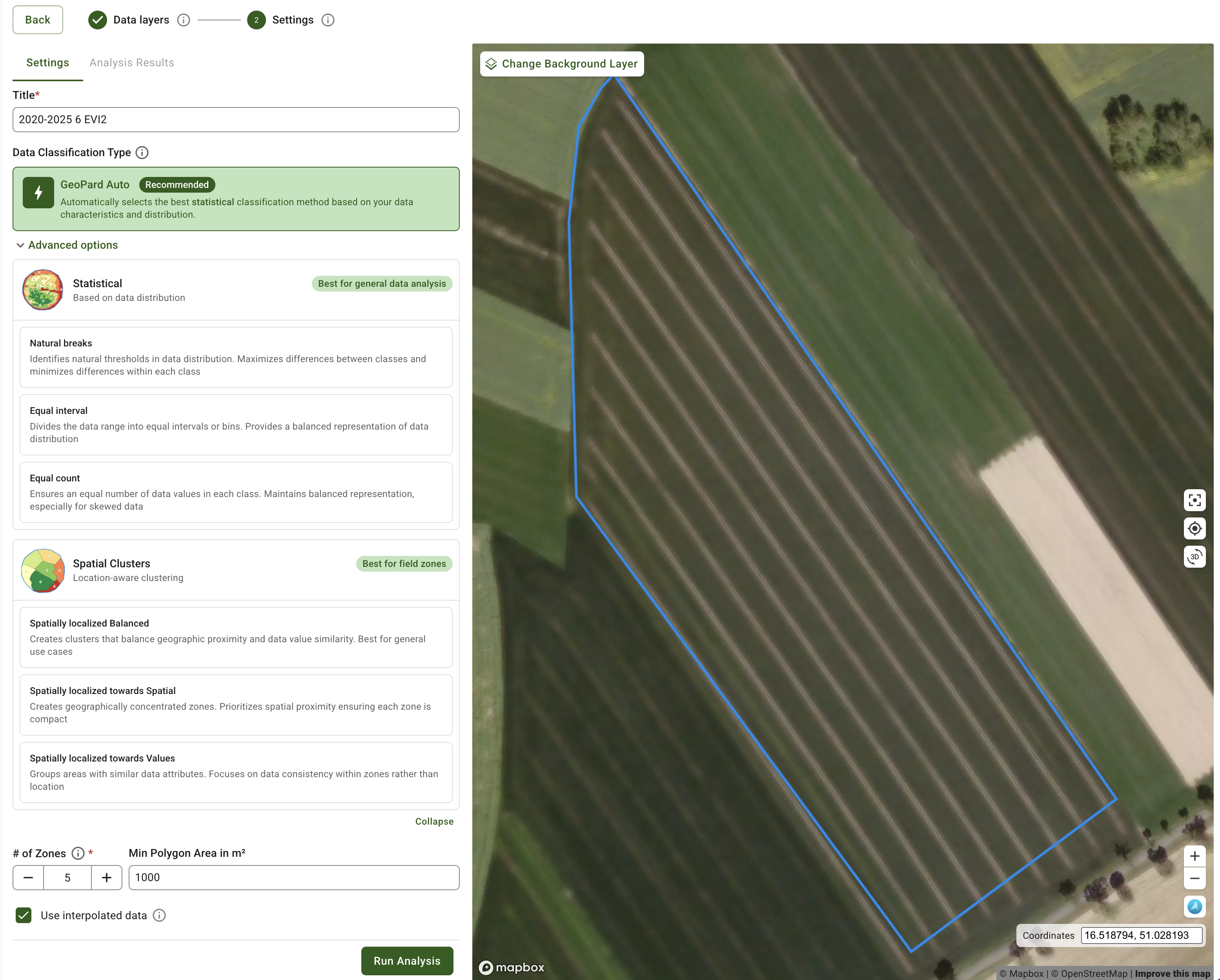
New in this update: zone creation can now use an **AUTO classification** option that selects an appropriate classification approach based on the data distribution - helping you get to a usable map faster with less trial-and-error.
ROI: faster iteration on management zones, less manual cleanup, fewer redraw cycles.
{% @arcade/embed flowId="nXeJDys0Yj3nf68kC6Z0" url="" %}
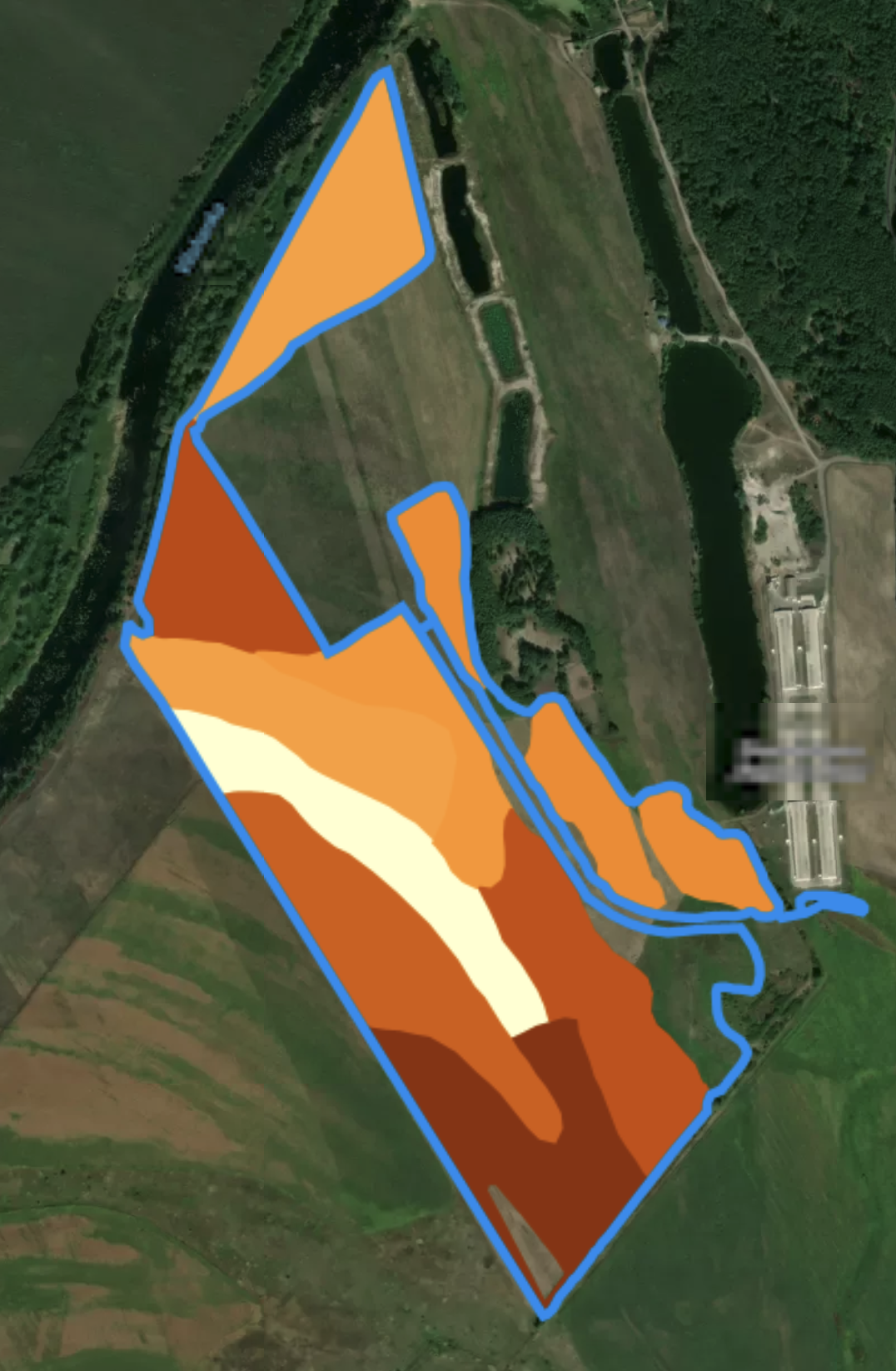
Original soil dataset
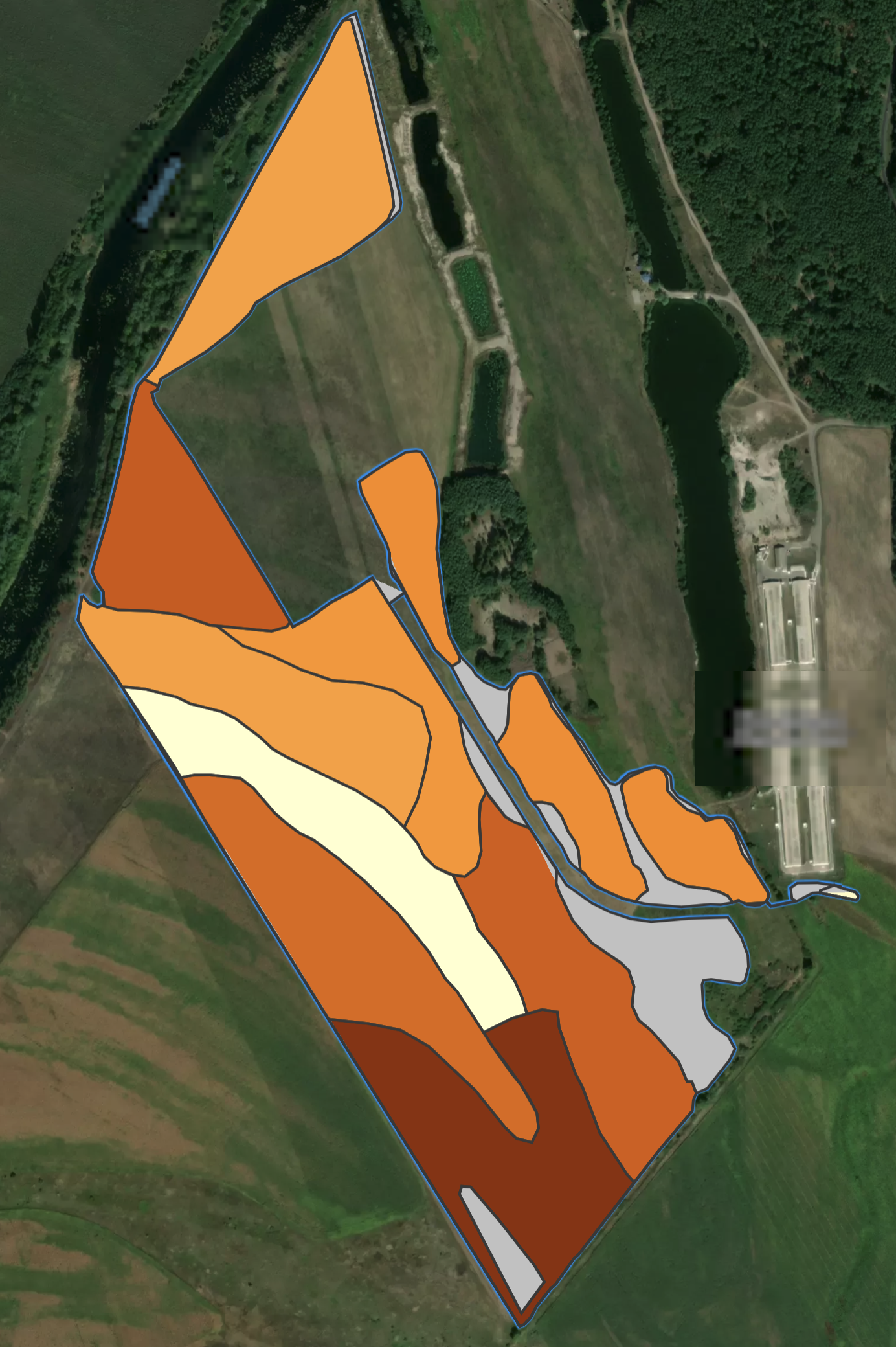
Cloned polygons with gaps filled up to boundary
AUTO classification
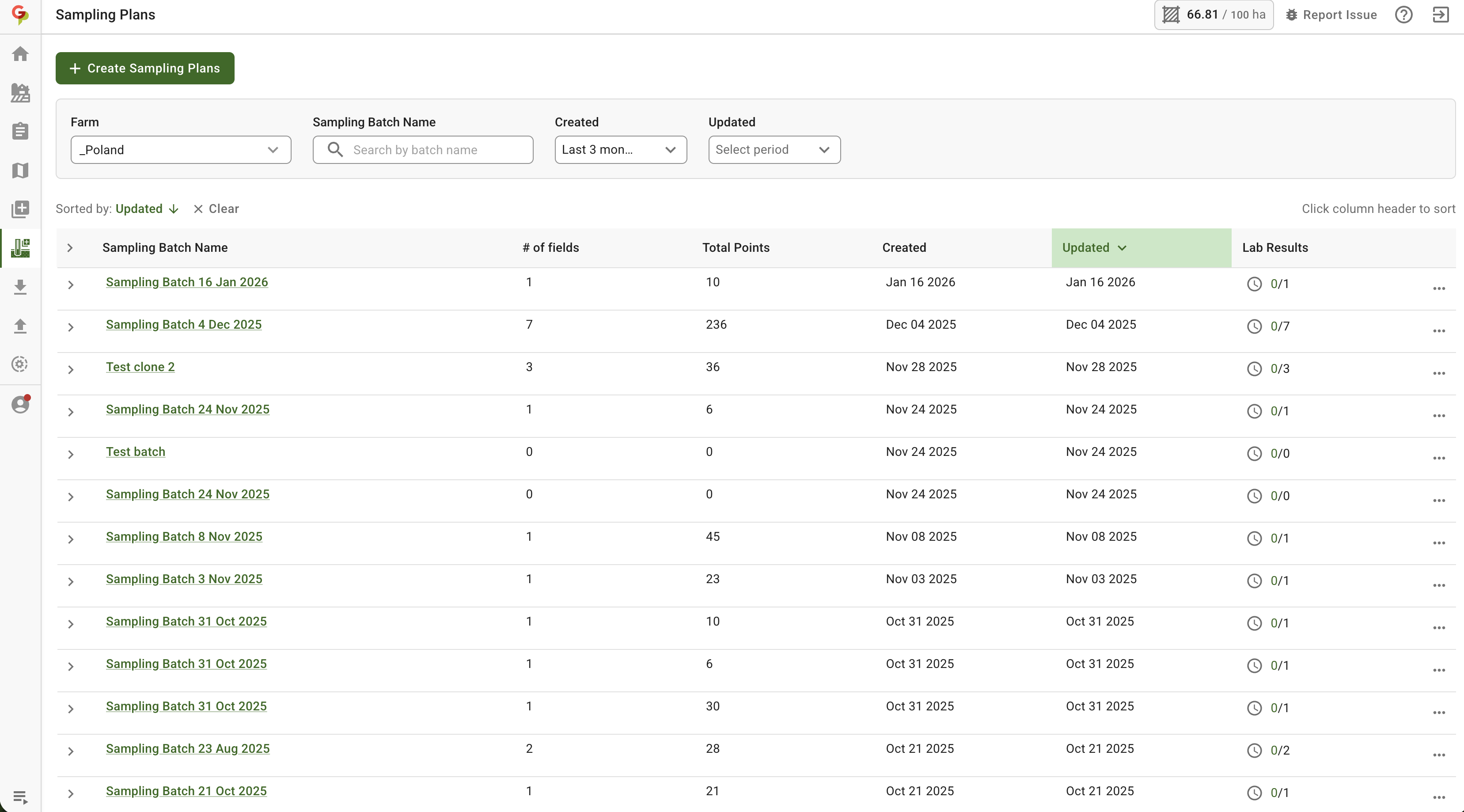
## Automated Soil Sampling: smoother planning and fewer forced regenerations
Soil sampling planning is faster when you manage a lot of fields, and editing a plan is less likely to trigger unnecessary route rebuilds. The experience is designed to reduce “stop-and-wait” moments so teams can keep sampling workflows moving during tight windows.
ROI: less time rebuilding plans, fewer interruptions, higher sampling throughput per day.
{% @arcade/embed flowId="kakcckKmjQH9DNgHN1m8" url="" %}
## Lab Results and imports: fewer retries, clearer mapping, more resilient uploads
Importing soil lab results is more reliable and easier to review. Spreadsheet-based uploads (CSV/XLSX) are supported in a more user-friendly way, with better handling of lab formats and fewer cases where you need to re-upload or troubleshoot.
ROI: faster turnaround from lab results to zones/prescriptions, less time cleaning files.
{% @arcade/embed flowId="M5zEUjlU831amJV1dVQE" url="" %}
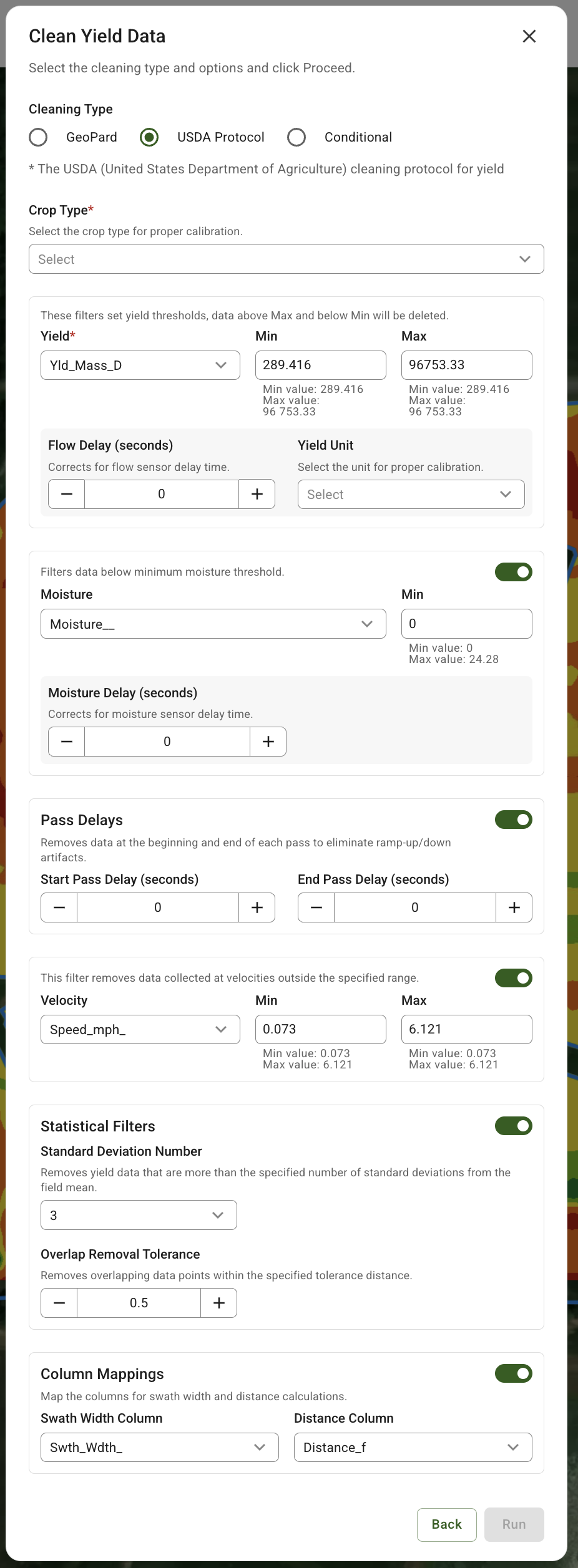
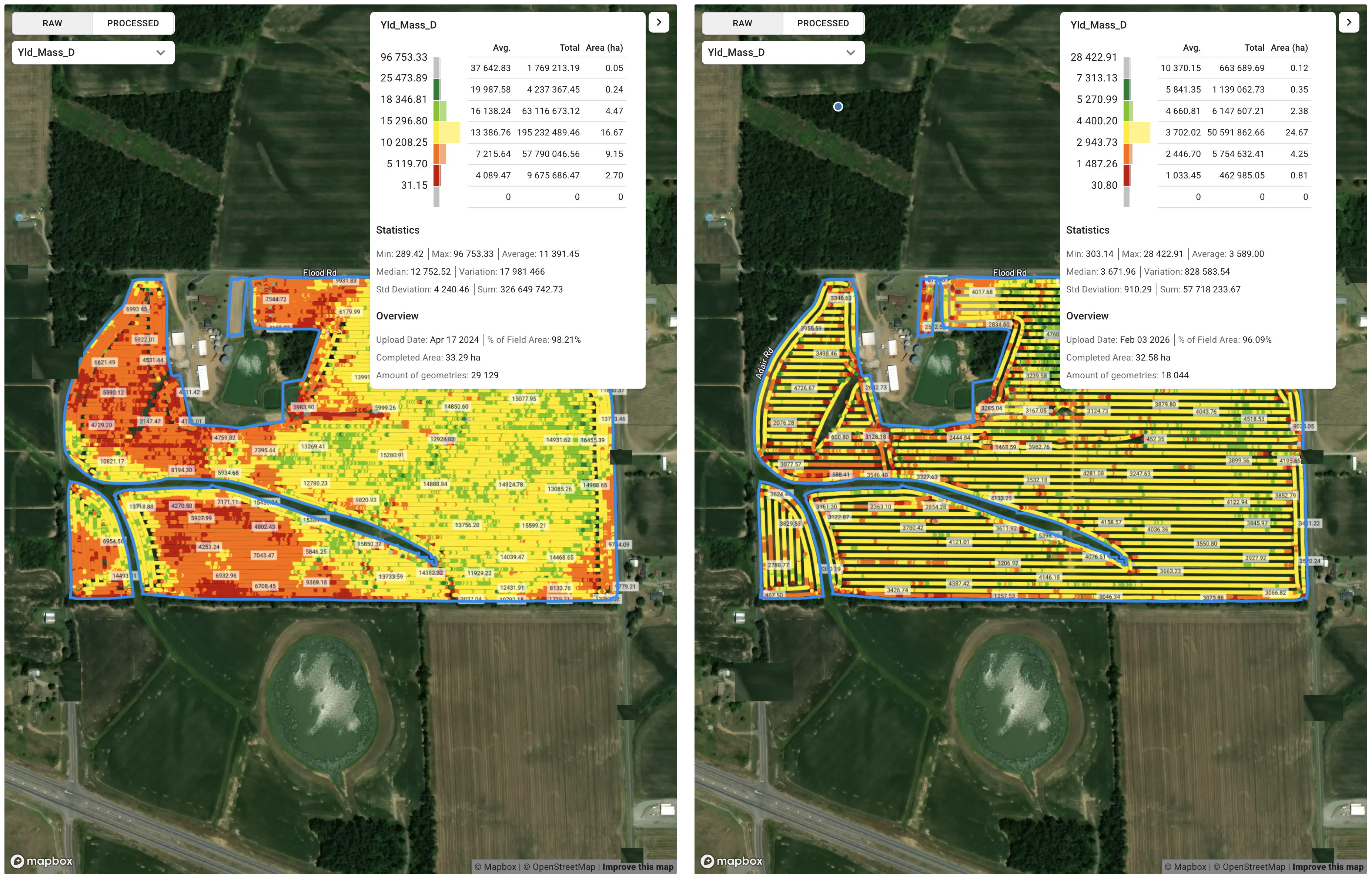
## Clean & Calibrate: USDA-aligned cleaning option for consistent results
A new cleaning protocol aligned with USDA guidelines has been added to Clean/Calibrate. It provides a more structured setup for yield cleaning (with required and optional parameters) so teams can apply consistent rules across fields, operators, and seasons - reducing “trial-and-error” and improving repeatability.
## Compare Layers: clearer comparisons with richer legends
Compare Layers now gives you more confidence when comparing Yield and As-Applied datasets. You’ll see a **Continuous Range legend** (with histogram-style distribution) so it’s easier to understand variability and thresholds at a glance, and Yield layers now show clearer processing/status details such as *Cleaned*, *Calibrated*, and dataset version right on the comparison cards. Together, these updates reduce guesswork when multiple dataset versions exist and make side-by-side review faster and more reliable.
Continuous Range legend
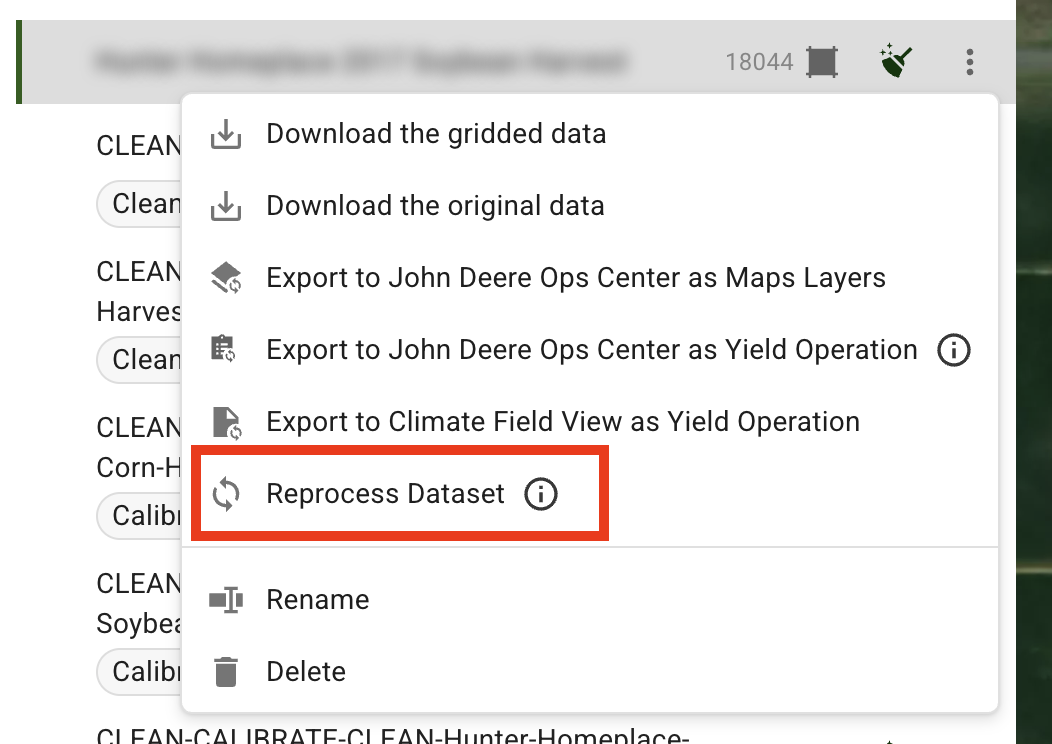
## Retry dataset processing
You can now **reprocess** Soil, Yield, and As-Applied datasets with a single Reprocess button. This helps you quickly recover from stuck/frozen processing without manual re-uploads.
Retry dataset processing
## Onboarding & Checkout: get started faster and subscribe with confidence
New users without fields now see a **welcome panel** on the home page to guide the first setup steps, and the Upload area is simplified so it’s clear what must happen first (**Field Boundaries**) before other datasets can be uploaded - helping first-time users reach “my fields are in GeoPard” sooner. Checkout also provides clearer guidance and validation for **minimum area** and **user seats**, including warnings when entered values are below requirements, reducing setup friction and back-and-forth during purchase or renewal.
Welcome panel
## Smaller improvements you’ll notice
A set of usability updates reduces daily friction: clearer navigation between farms and fields, better map clarity (legend/layer defaults), and a cleaner experience around account visibility and billing-related pages for teams.
Exports and integrations: more dependable handoff to operations platforms\
Export and integration flows have been strengthened to reduce failures on larger exports and make day-to-day syncing smoother - especially for operations that regularly push data to external platforms.
It’s now easier to start new work without hunting for the right entry point: “Create” actions are consistently available in key Field sections (such as maps and plans), so adding new assets feels more direct.
ROI: fewer export retries, less manual file handling, smoother data flow into operational tools.
## Bug fixes and behind-the-scenes performance
This release also includes stability and performance work across maps, sampling workflows, imports, and exports. The result should be fewer timeouts, fewer UI edge cases, and more predictable behavior on large accounts and large datasets.