> For the complete documentation index, see [llms.txt](https://docs.geopard.tech/geopard-tutorials/llms.txt). Markdown versions of documentation pages are available by appending `.md` to page URLs; this page is available as [Markdown](https://docs.geopard.tech/geopard-tutorials/bg/khronologiya-na-promenite-i-izdaniya-na-produkta/ueb-izdanie-fevruari-2024-cenoobrazuvane-spored-ploshta-edinici.md).
# Уеб издание февруари 2024 (ценообразуване според площта, единици)
Това издание подобрява цените в GeoPard, включително избор на единици и управление на абонаменти.
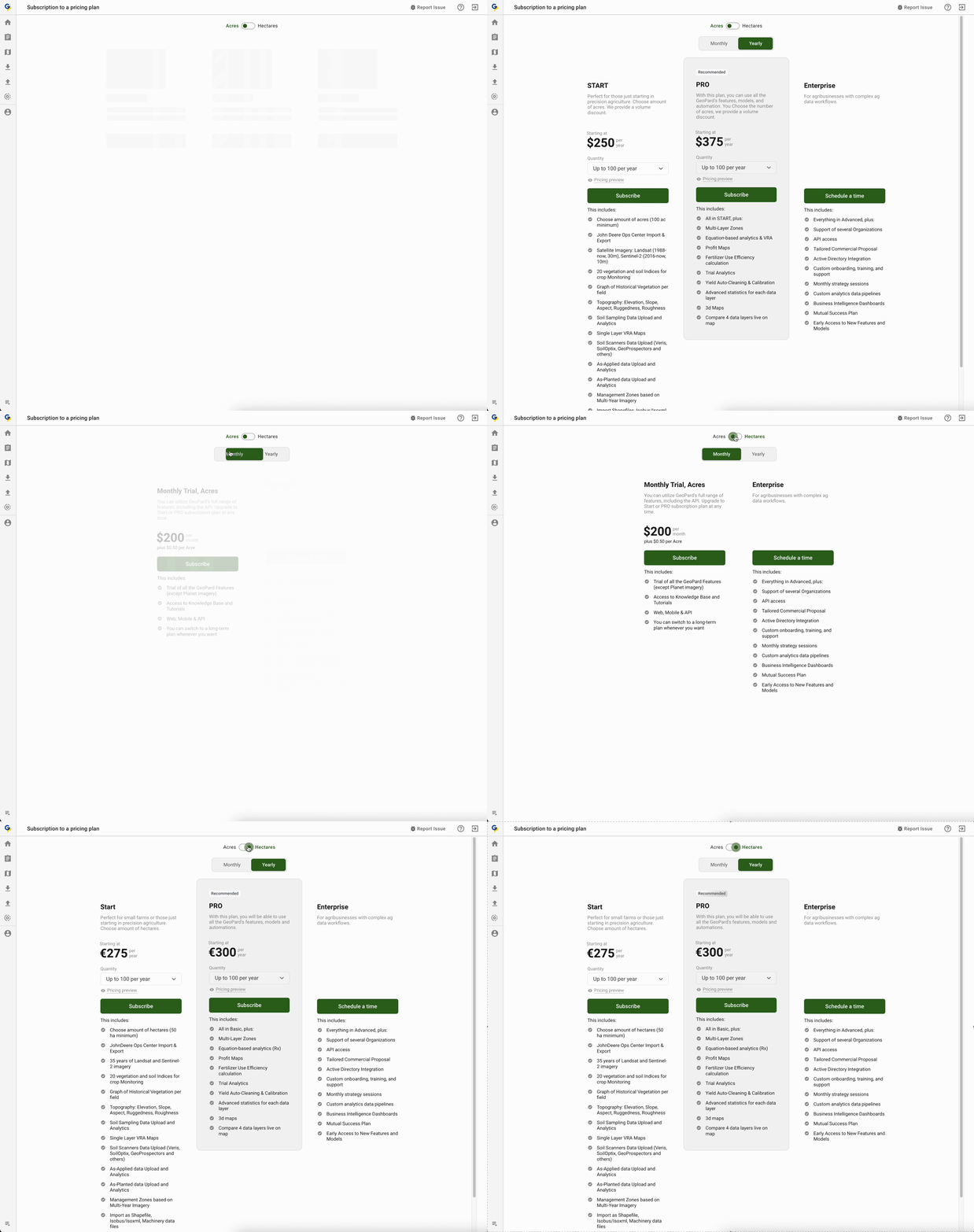
### Ценообразуване: Избор на мерна единица
Екипът на GeoPard с вълнение представя нова функция, която добавя повече гъвкавост към нашата ценова таблица. С това обновление потребителите на GeoPard вече могат безпроблемно да превключват между хектари и акри, като им даваме възможност да изберат мерната единица, която отговаря на техните предпочитания. Това подобрение цели да осигури по-персонализирано изживяване, като гарантира, че нашите потребители имат свободата да изберат това, което им работи най-добре.
Ценообразуване: Избор на мерна единица
### Ценообразуване: Управление на абонамента
Разбирайки стойността на безпроблемния процес на подновяване на абонамента, ние прецизирахме системата, за да помогнем за осигуряване на непрекъснат достъп до GeoPard. Ако сте съществуващ потребител, който все още не е използвал Stripe за плащания, **Управлявай моя план** бутонът ви отвежда директно към страницата за абонаментен план. Ако вече използвате Stripe, същият бутон ви отвежда към клиентския портал на Stripe.
Ценообразуване: Управление на абонаментни планове
### Подобрения за разработка:
\[FTR] Поправка на разгънатото състояние на секцията с етикети
\[FTR] Подобрения в обработката на грешки
\[BUG] Поправка на поллера за потребителски данни след успешен абонамент
\[BUG] Поправка на зареждането на данните за полето по време на създаване на зона карта
\[BUG] Поправка на числовия изглед в легендата на 3D картата
Подобрение на легендата на 3D картата
\[BUG] Деактивиране на PDF експорта за публикувани набори от данни
\[BUG] Поправка на грешката, ако зоната карта е била създадена успешно
---
# Agent Instructions
This documentation is published with GitBook. GitBook is the documentation platform designed so that both humans and AI agents can read, navigate, and reason over technical content effectively. Learn more at gitbook.com.
## Querying This Documentation
If you need additional information that is not directly available in this page, you can query the documentation by asking a question.
Perform an HTTP GET request on the following URL with the `ask` and `goal` query parameters:
```
GET https://docs.geopard.tech/geopard-tutorials/bg/khronologiya-na-promenite-i-izdaniya-na-produkta/ueb-izdanie-fevruari-2024-cenoobrazuvane-spored-ploshta-edinici.md?ask=&goal=
```
`ask` is the immediate question: it should be specific, self-contained, and written in natural language.
`goal` is what the user is ultimately trying to achieve, the reason they need the answer. Sharing it helps GitBook give you a better, more relevant answer. A goal is most helpful when it describes the outcome the user wants rather than restating the question. For example, with `ask=how do I create an API token`, a goal like `automate deployments from our CI pipeline` lets GitBook tailor the answer to that use case.
The response will contain a direct answer to the question and relevant excerpts and sources from the documentation.
Use this mechanism when the answer is not explicitly present in the current page, you need clarification or additional context, or you want to retrieve related documentation sections.