> For the complete documentation index, see [llms.txt](https://docs.geopard.tech/geopard-tutorials/llms.txt). Markdown versions of documentation pages are available by appending `.md` to page URLs; this page is available as [Markdown](https://docs.geopard.tech/geopard-tutorials/bg/dokumentaciya-na-api/geo-kraini-tochki-za-dostp-do-prostranstveni-danni/wms-poluchavane-na-rasterni-izobrazheniya-na-sloevete-prostranstveni-danni/11.-topographymap-nadmorska-visochina-v-absolyutni-stoinosti.md).
# 11. TopographyMap: надморска височина в абсолютни стойности
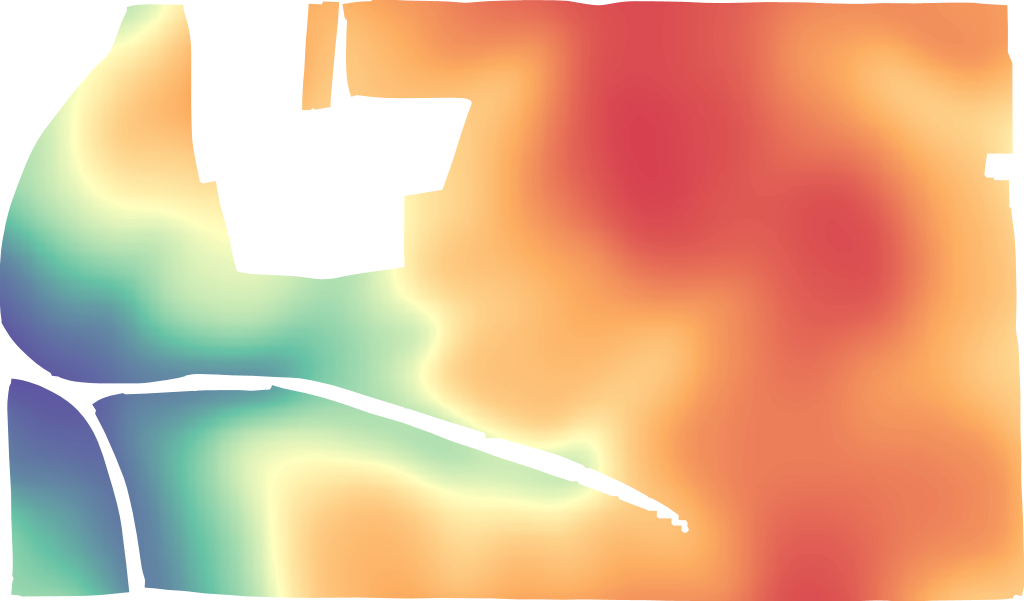
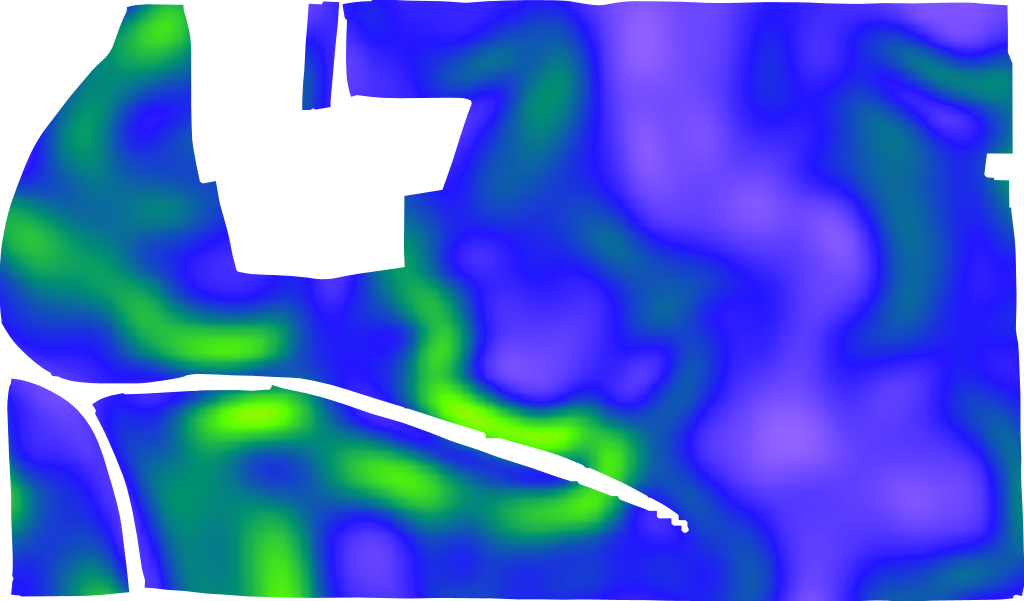
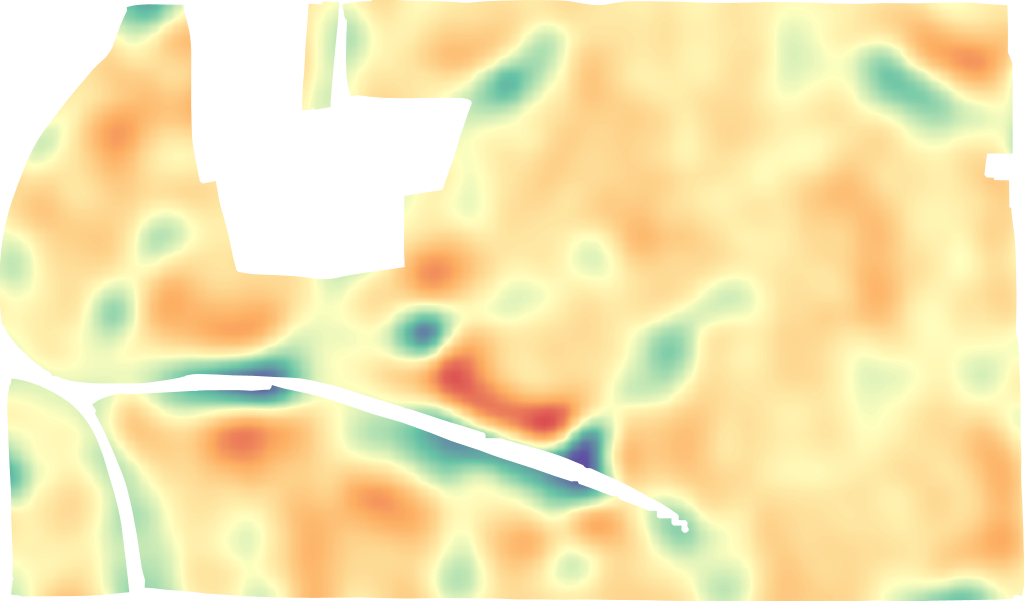
TopographyMap включва следните модели: `цифрова височина, hillshade (осветление), наклон, аспект, позиция на релефа, грапавина, разчлененост`, и тяхната комбинация. Представянето е налично на ниво парцел точно (не пикселизирано) и изрязано по границата. Качеството на топографията зависи от местоположението на полето и от най-достъпния набор от данни (САЩ, Великобритания, ЕС и Австралия са покрити с LIDAR). TopographyMap може да се изгражда от данни от машини като добив/почвени сензори/прилагани набори от данни, ако съдържат атрибути за височина в тях.
Данните за топографията на полето се намират в `полето` -> `topographyMaps` -> `geoMaps` Всеки `геоКарта` съдържа пълни подробности за достъпа `url`, цветови кодове, класове и имена на пластовете.
LIDAR височина
LIDAR наклон
LIDAR позиция на релефа
Форматът на заявката е [https://api.geopard.tech/geo/map/reflect?TRANSPARENT=true\&BBOX=\\&LAYERS=elevation\_cropped,field\_view\&STYLES=dem\_elevation,crop\_boundary\&SRS=EPSG%3A900913\&WIDTH=512\&env=ve1:160.4%3Bve2:163.15%3Bve3:165.9%3Bve4:168.65%3Bve5:171.4\&VIEWPARAMS=uuid:\\&CQL\_FILTER=uuid=%27\%27%3Buuid=%27\%27\&geopardApiKey=\](https://api.geopard.tech/geo/map/reflect?TRANSPARENT=true\&BBOX=). Където входните атрибути са:
1. `BBOX=` съдържа ограничителния правоъгълник (url кодирано) на „Полето“ в проекция EPSG:3857;
2. `STYLES=dem_elevation,crop_boundary` съдържа стила на обекта „TopographyMap“ като първи атрибут, неговите поддържани стойности са:
`dem_aspect`
`dem_elevation`
`dem_hillshade`
`dem_roughness`
`dem_slope`
`dem _tpi`
`dem_tri`
3. `WIDTH=512` отразява размера на изходното изображение в пиксели (точният брой е важен само ако се използва като миниатюра);
4. `env=ve1:160.4%3Bve2:163.15%3Bve3:165.9%3Bve4:168.65%3Bve5:171.4` отразява диапазона на стойностите на височина за съответното поле, подробностите са в „TopographyMap" -> „geoMaps" -> „classes" (ЗАБЕЛЕЖКА: %3B е url-кодираният символ ;);
5. `VIEWPARAMS=uuid:` съдържа uuid на „Полето“;
6. `CQL_FILTER=uuid=%27%27%3Buuid=%27%27` съдържа UUID-тата на „Поле“ и „TopographyMap“ (ЗАБЕЛЕЖКА: %27 е url-кодираният символ ‘) ;
7. `geopardApiKey=` е свързан с опцията за авторизация чрез API ключ.
---
# Agent Instructions
This documentation is published with GitBook. GitBook is the documentation platform designed so that both humans and AI agents can read, navigate, and reason over technical content effectively. Learn more at gitbook.com.
## Querying This Documentation
If you need additional information that is not directly available in this page, you can query the documentation by asking a question.
Perform an HTTP GET request on the following URL with the `ask` and `goal` query parameters:
```
GET https://docs.geopard.tech/geopard-tutorials/bg/dokumentaciya-na-api/geo-kraini-tochki-za-dostp-do-prostranstveni-danni/wms-poluchavane-na-rasterni-izobrazheniya-na-sloevete-prostranstveni-danni/11.-topographymap-nadmorska-visochina-v-absolyutni-stoinosti.md?ask=&goal=
```
`ask` is the immediate question: it should be specific, self-contained, and written in natural language.
`goal` is what the user is ultimately trying to achieve, the reason they need the answer. Sharing it helps GitBook give you a better, more relevant answer. A goal is most helpful when it describes the outcome the user wants rather than restating the question. For example, with `ask=how do I create an API token`, a goal like `automate deployments from our CI pipeline` lets GitBook tailor the answer to that use case.
The response will contain a direct answer to the question and relevant excerpts and sources from the documentation.
Use this mechanism when the answer is not explicitly present in the current page, you need clarification or additional context, or you want to retrieve related documentation sections.