> For the complete documentation index, see [llms.txt](https://docs.geopard.tech/geopard-tutorials/llms.txt). Markdown versions of documentation pages are available by appending `.md` to page URLs; this page is available as [Markdown](https://docs.geopard.tech/geopard-tutorials/ar/nsaeh-sryah-fy-nzm-almalwmat-aljghrafyh/qgis-maaljh-byanat-alintajyh.md).
# QGIS: معالجة بيانات الإنتاجية
قم بإعداد وتنظيف بيانات الإنتاجية في QGIS قبل استيرادها أو تحليلها في GeoPard.
نظرة عامة
دليل مع وصف خطوة بخطوة لحل المشكلات التالية باستخدام بيانات جهاز مراقبة الغلة:
1. ملف الإسقاط المفقود (.prj) في ملف shapefile
2. تطبيق قواعد التحويل على كل سمة في ملف shapefile (استنادًا إلى عينة من kb/ha إلى bu/ac)
البرنامج المستخدم هو QGIS ([رابط](https://qgis.org/en/site/forusers/download.html)).
التنزيل والتثبيت إلزاميان.
### ملف الإسقاط المفقود
1. افتح ملف shapefile الذي يحتوي على بيانات الغلة. انقل الملف إلى داخل نافذة QGIS.
2. يصبح ملف shapefile متاحًا لمزيد من العمليات داخل كتلة الطبقات.
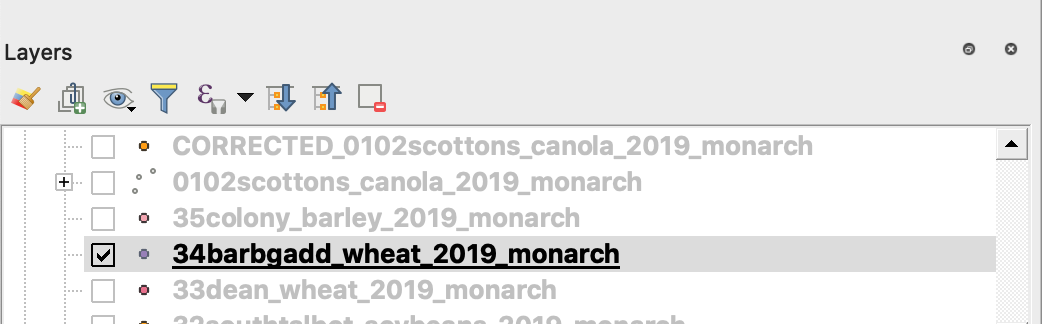
3. ابدأ عملية الحفظ
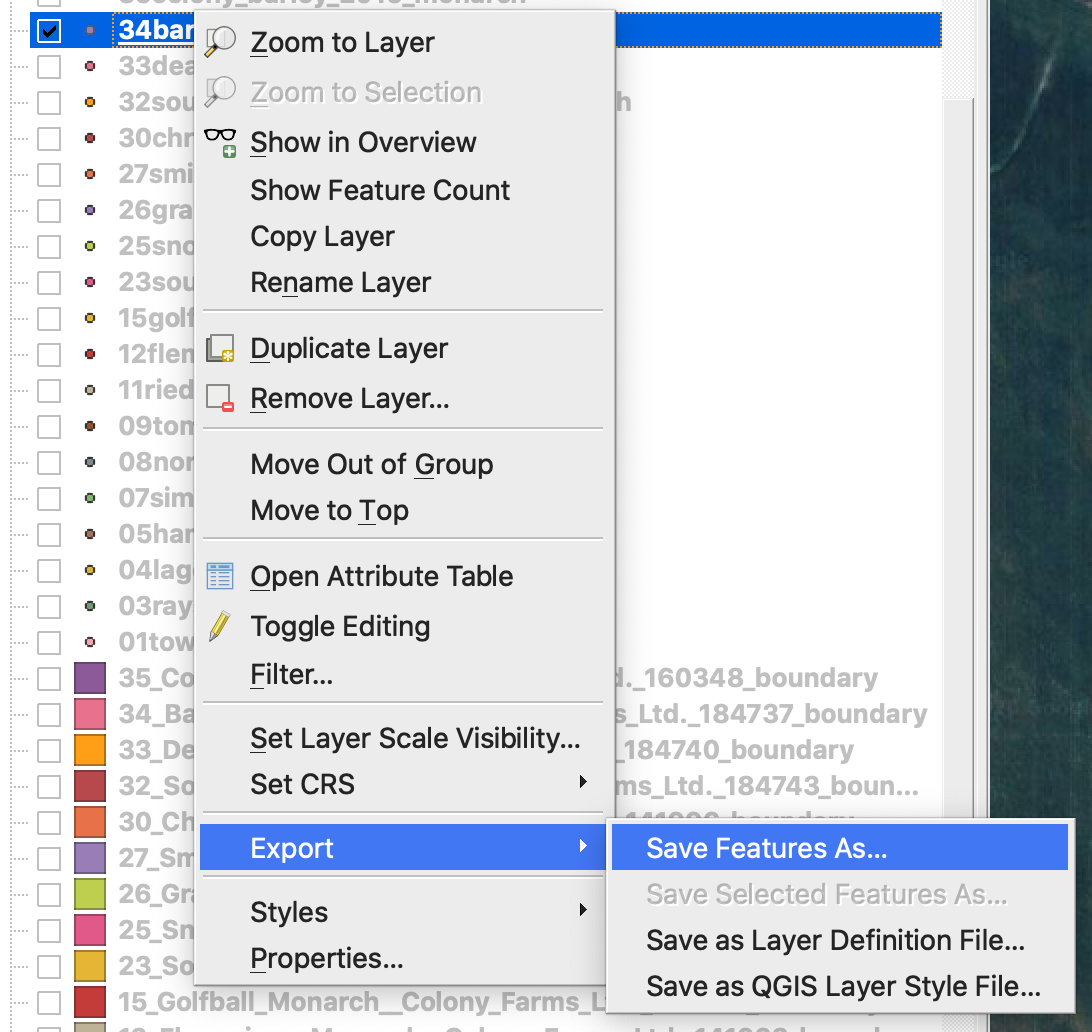
4. 1. انقر بزر الفأرة الأيمن على ملف shapefile
2. اختر تصدير -> حفظ المعلم باسم ...
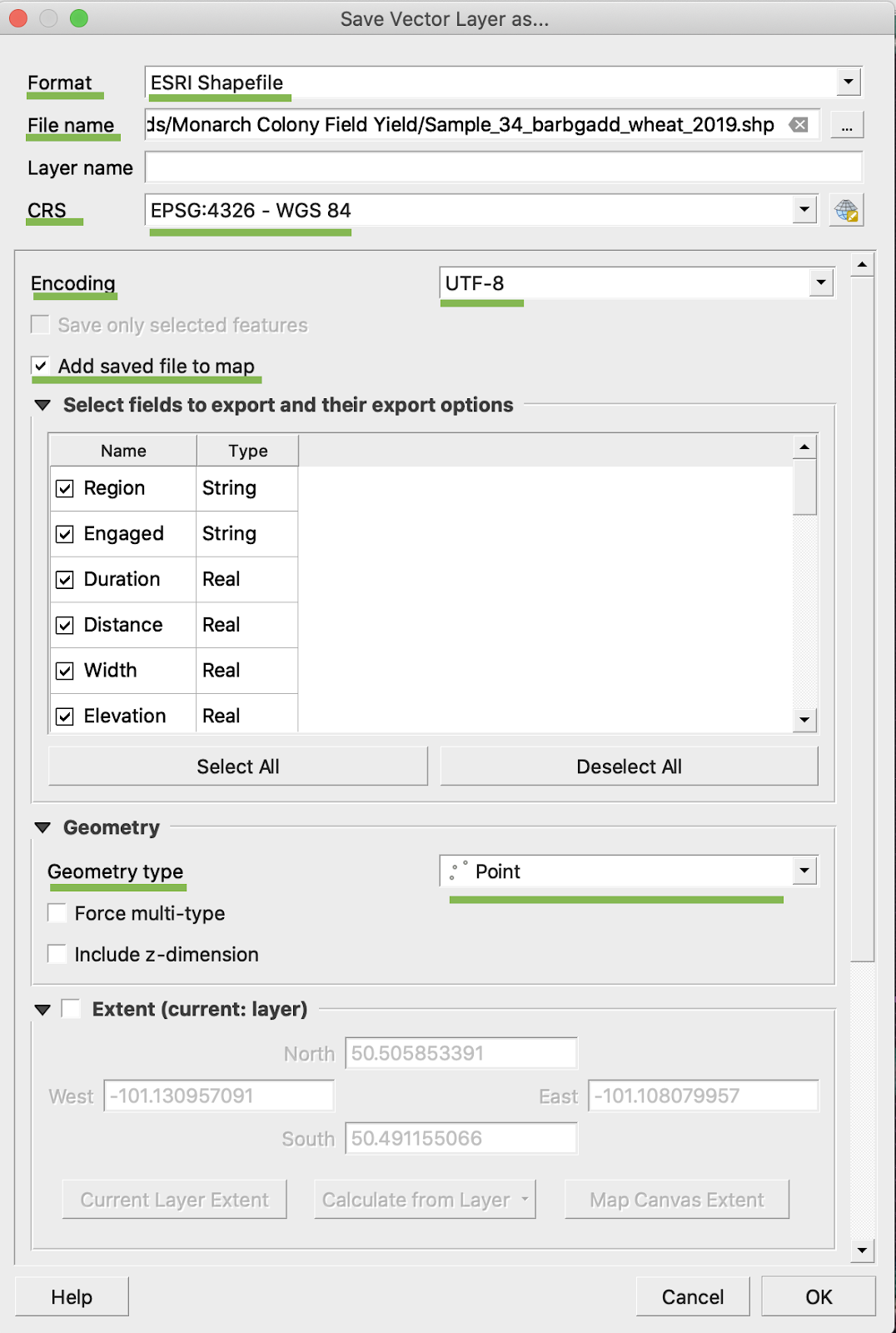
4. اختر
5. 1. الصيغة -> ESRI Shapefile،
2. اسم الملف -> انقر على … وحدد الدليل واسم الملف المفضلين،
3. نظام الإحداثيات المرجعي (CRS) -> EPSG:4326
4. الترميز -> UTF8
5. إضافة الملف المحفوظ إلى الخريطة (اختياري إذا أردت رؤيته مباشرةً في QGIS)
6. نوع الهندسة -> نقطة
5. انقر موافق
6. يتم إنشاء ملف shapefile إضافي يحتوي على بيانات الغلة نفسها. وقد تمت إضافة ملف الإسقاط (.prj).
\
### تحويل BU/AC
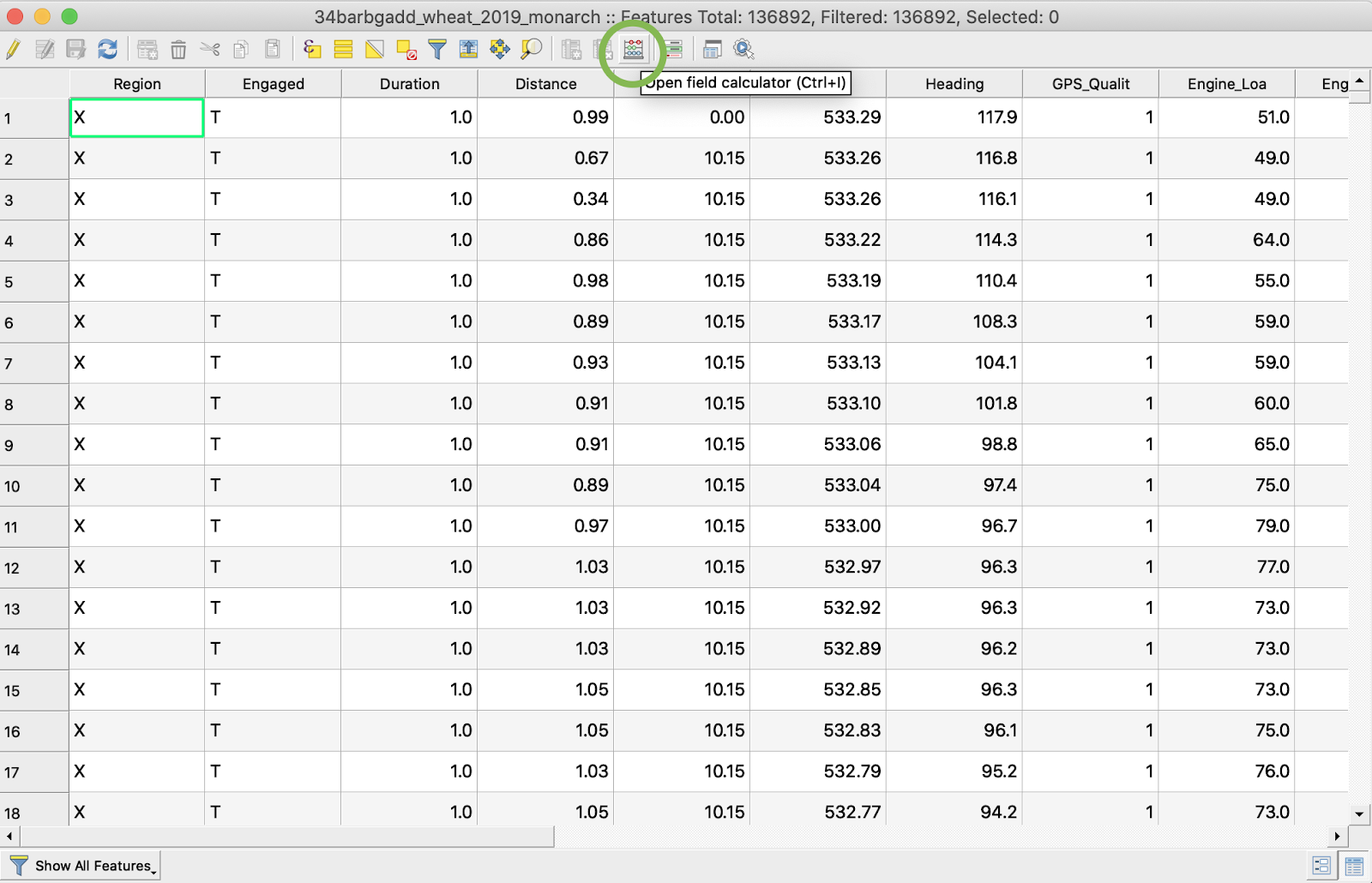
1. انقر بزر الفأرة الأيمن على ملف shapefile واختر فتح جدول السمات
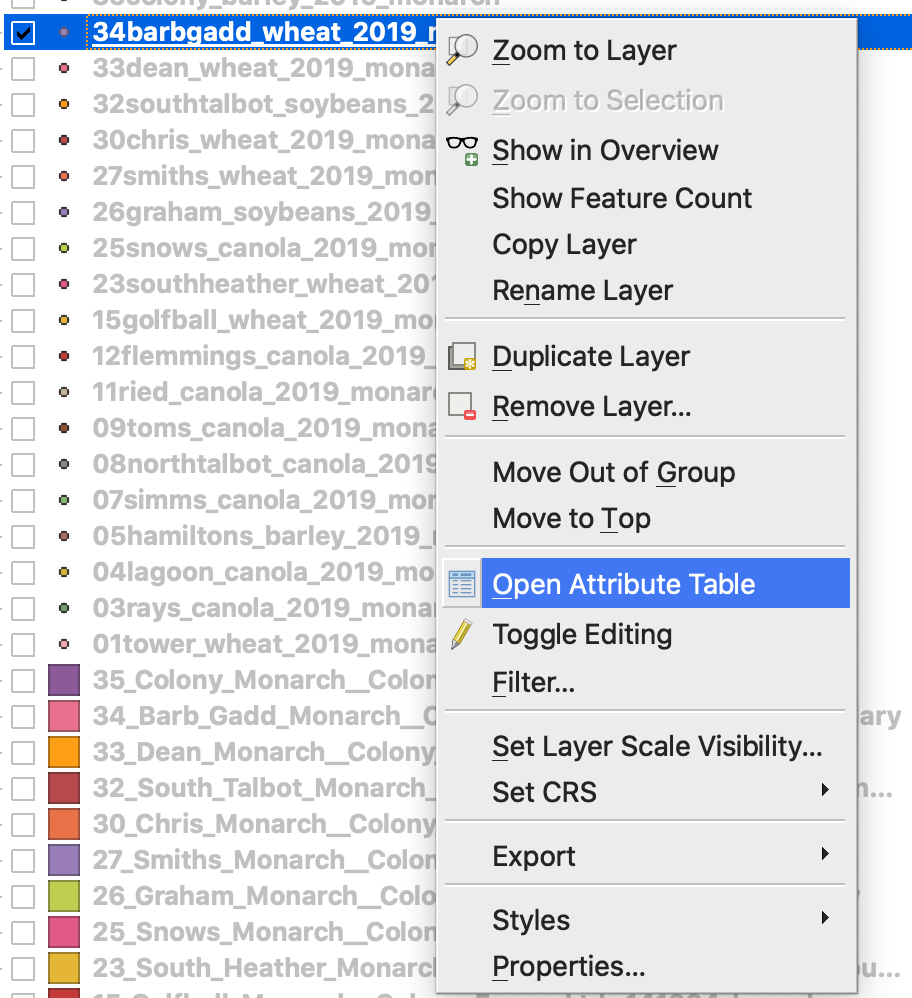
2. انقر فتح حاسبة الحقول
3. أنشئ حقلاً جديدًا
4. 1. حدِّد إنشاء حقل جديد
2. أدخل اسم حقل الإخراج -> DryYieldBu
3. اختر نوع حقل الإخراج -> عدد عشري (حقيقي)
4. غيّر الدقة -> 4
5. ضع قاعدة لتحويل kg/ha إلى bu/ac -> "Dry\_Yield" \* 0.0149
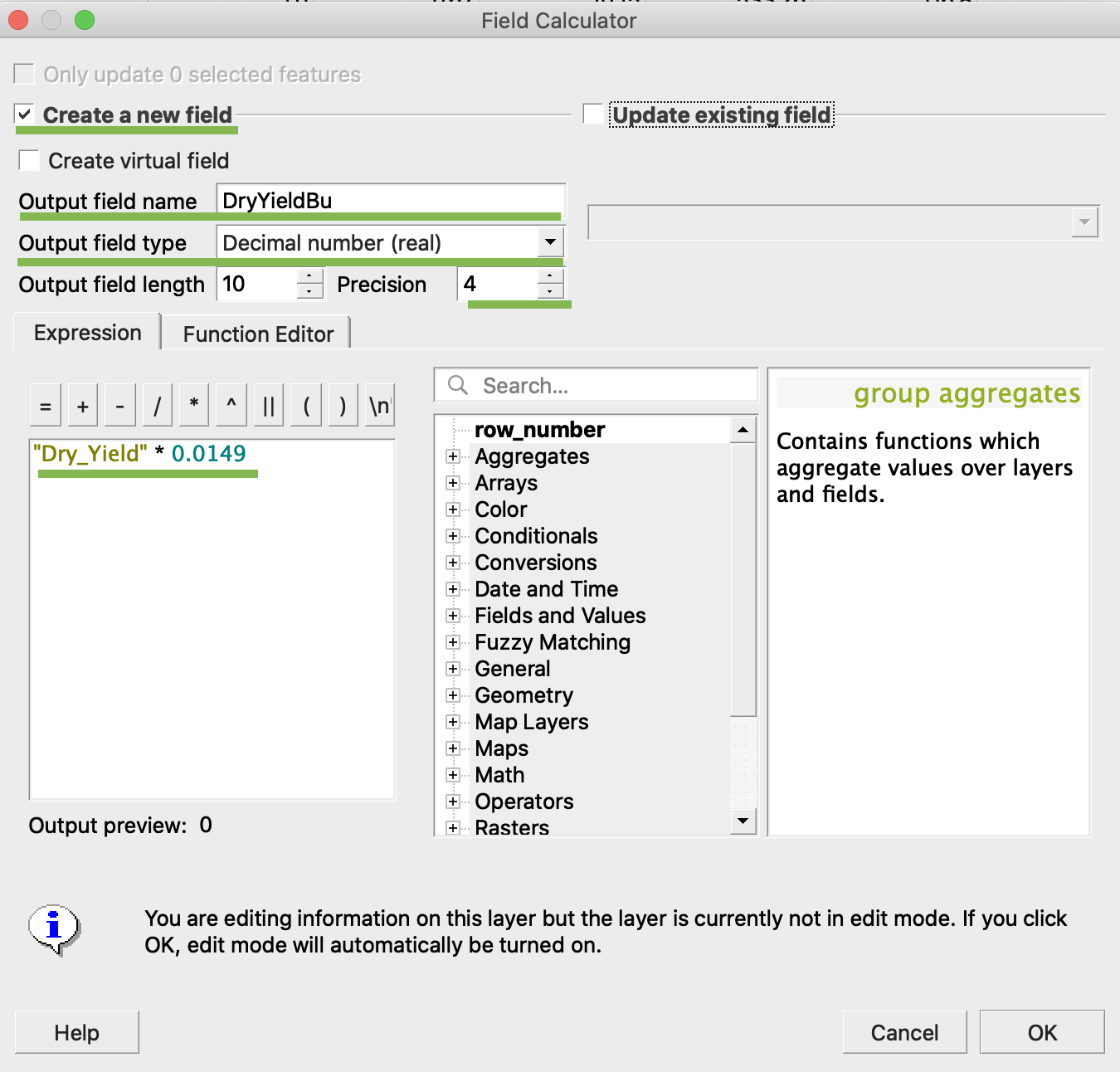
4. انقر موافق
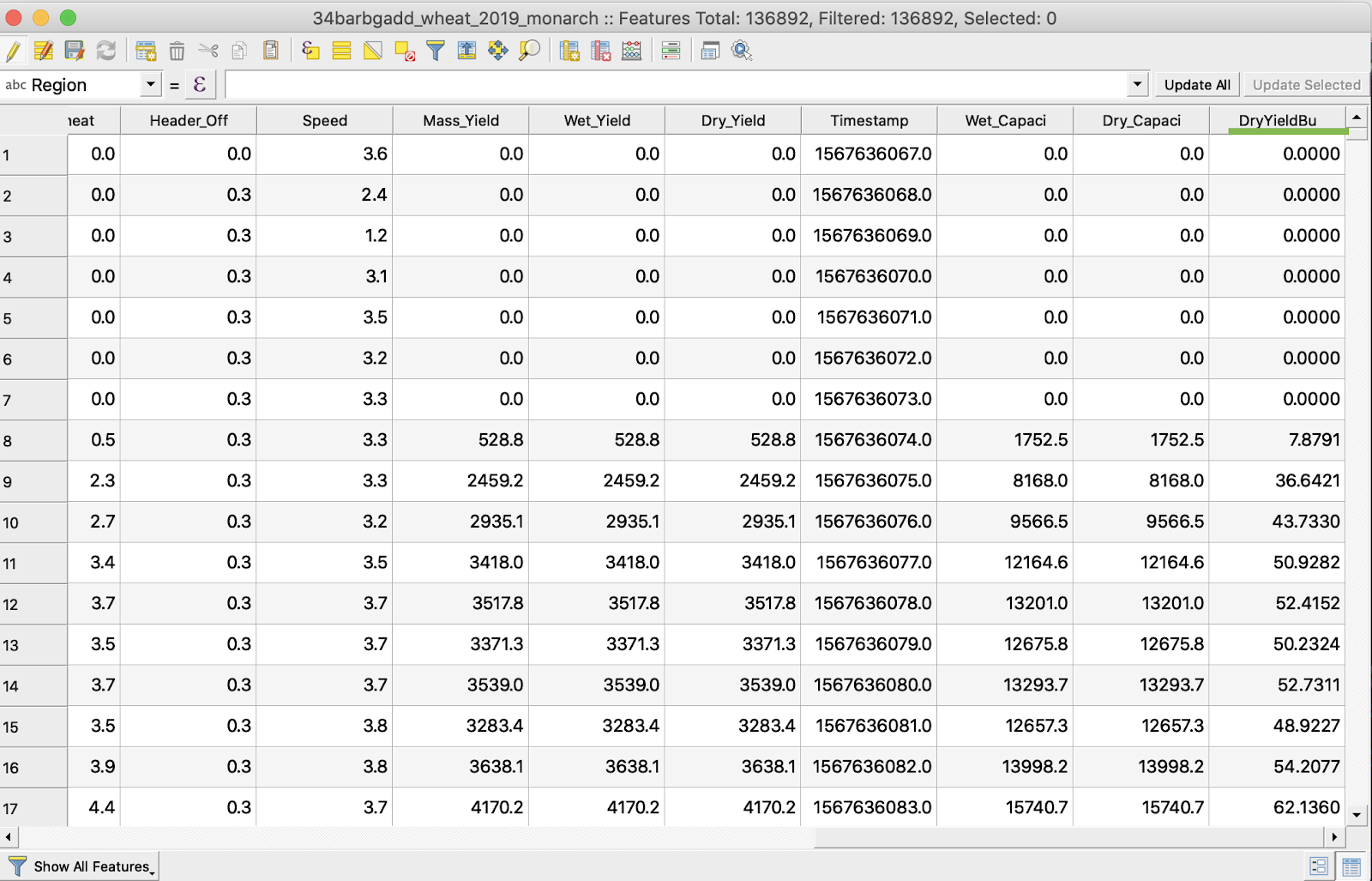
5. ظهرت سمة إضافية باسم DryYieldBu في الجدول
6. احفظ التغييرات
7. 1. انقر بزر الفأرة الأيمن على ملف shapefile المطلوب
2. اختر تبديل التحرير
\
\
\
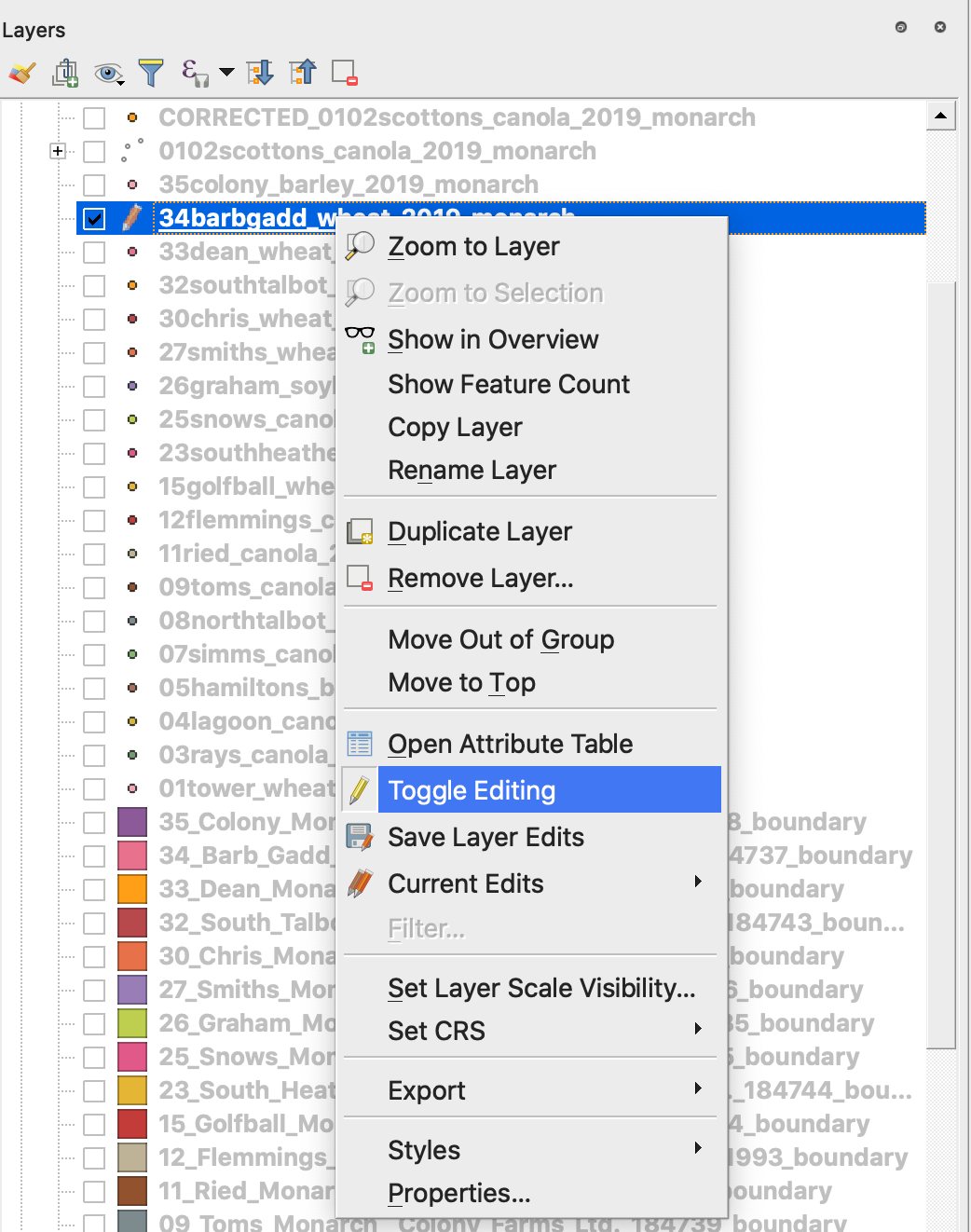
7. أكد حفظ التغييرات
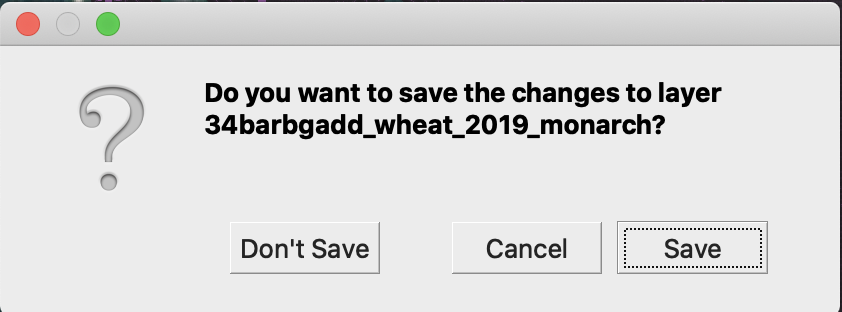
لم يعد ملف shapefile المطلوب مُعلَّمًا بالقلم الرصاص. تم تحديث البيانات في ملف shapefile.
---
# Agent Instructions
This documentation is published with GitBook. GitBook is the documentation platform designed so that both humans and AI agents can read, navigate, and reason over technical content effectively. Learn more at gitbook.com.
## Querying This Documentation
If you need additional information that is not directly available in this page, you can query the documentation by asking a question.
Perform an HTTP GET request on the following URL with the `ask` and `goal` query parameters:
```
GET https://docs.geopard.tech/geopard-tutorials/ar/nsaeh-sryah-fy-nzm-almalwmat-aljghrafyh/qgis-maaljh-byanat-alintajyh.md?ask=&goal=
```
`ask` is the immediate question: it should be specific, self-contained, and written in natural language.
`goal` is what the user is ultimately trying to achieve, the reason they need the answer. Sharing it helps GitBook give you a better, more relevant answer. A goal is most helpful when it describes the outcome the user wants rather than restating the question. For example, with `ask=how do I create an API token`, a goal like `automate deployments from our CI pipeline` lets GitBook tailor the answer to that use case.
The response will contain a direct answer to the question and relevant excerpts and sources from the documentation.
Use this mechanism when the answer is not explicitly present in the current page, you need clarification or additional context, or you want to retrieve related documentation sections.